EasyManua.ls Logo

Jandy ePump Series - User Manual

Jandy ePump Series
28 pages
Print Icon
To Next Page IconTo Next Page
Loading...
Installation and Operating Data
Installation and
Operation Manual
ePump
Series
Pumps
WARNING
FOR YOUR SAFETY: This product must be in stalled and serviced by a professional service
technician, qualified in pool/spa installation. The procedures in this manual must be followed
exactly. Improper in stal la tion and/or op er a tion can create dangerous electrical hazards, which
can cause high voltages to run through the electrical system, possibly causing death, serious
injury or property damage. Improper in stal la tion and/or op er a tion will void the warranty.
ATTENTION INSTALLER: This manual contains important information about
the in stal la tion, operation and safe use of this product. This information
should be given to the owner/operator of this equipment.
H0311700A

Questions and Answers

  • W
    William TurnerSep 5, 2025
    What to do if Jandy Water Pump controller displays "Pump not connected"?
    • R
      Rose HarrisSep 5, 2025
      If the controller displays "Pump not connected" for your Jandy Water Pump, check the low-voltage wiring between the pump and the controller and correct it if necessary. Also, ensure that the ePump dip switches 3 and 4 are properly set for your installation. Both should be in the OFF position for use with the ePump controller, or set to the correct address when connected to an AquaLink RS controller, an AquaLink PDA, or an AquaLink Z4.
  • B
    benjamin14Nov 23, 2025
    Why are there bubbles in my Jandy ePump basket?
    • E
      Erik BellNov 23, 2025
      If bubbles are present in the basket of your Jandy Power Pump, it indicates air is in the system. Check the pool or spa water level to ensure it's at the correct level, preventing air from being drawn into the suction piping. If the water level is normal: 1. Turn off the pump. 2. Turn the lid's locking ring counter-clockwise until 'START' aligns with the ports. 3. Remove the lid and inspect the lid seal seat for debris or improper installation of the lid seal, which can allow air to leak into the system. 4. Clean the lid seal and replace it on the lid. 5. Replace the lid on the pump housing. Align 'START' with the ports and turn the locking ring clockwise until 'LOCKED' aligns with the ports. 6. Hand-tighten the lid to create an airtight seal (do not use tools). 7. Turn the pump ba...
  • K
    Kelly DownsSep 18, 2025
    Why Jandy Water Pump has low pressure even with no debris blocking the impeller?
    • J
      jeffrey21Sep 18, 2025
      If your Jandy Water Pump has low pressure even with no debris blocking the impeller, it could be due to normal wear of the pump impeller and diffuser, so have a qualified service technician check and replace them if needed. For relatively new installations, it could be an electrical problem. Have a technician check for loose electrical connections and the voltage at the pump motor during operation. The voltage must be within 10% of the motor's data plate rating. If not, contact a qualified electrician or your local power service provider.
  • C
    Cassidy SchultzSep 16, 2025
    What to do if Jandy Water Pump is leaking water between the motor and pump body?
    • D
      Derek HillSep 16, 2025
      If your Jandy Water Pump is leaking water between the motor and pump body, this is likely due to a damaged or failed mechanical seal. Replace the seal.
  • M
    Melissa MccoySep 14, 2025
    What to do if fault message appears on Jandy Water Pump controller display?
    • D
      Daniel GrantSep 14, 2025
      If a fault message appears on the Jandy Water Pump controller display, view the fault message and correct the fault before proceeding.
  • B
    Blake ReeseSep 12, 2025
    What to do if Jandy Water Pump cleaning/circulating system is not operating correctly?
    • J
      julia94Sep 12, 2025
      If the cleaning/circulating system of your Jandy Water Pump is not working correctly, start by verifying that the skimmer baskets, pump basket, and other screens are clean. Clean them if necessary. Also, check and clean the filter as needed, and ensure that the valve positions are correct. Adjust the valve positions if needed. Keep in mind that multiple pieces of equipment operating at the same time such as waterfalls, spa jets, and surface returns can impact the cleaning system's operation. Refer to the cleaning system manual to confirm that the system is adjusted per the manufacturer's guidelines.
  • S
    Sean SparksSep 12, 2025
    What to do if Jandy Water Pump controller LCD is not displaying information?
    • Z
      znelsonSep 12, 2025
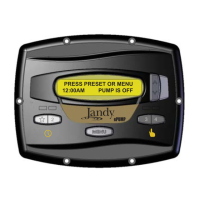
      If the ePump controller LCD is not displaying information or the ePump LEDs are not illuminated on your Jandy Pro Series Motor model, check that ePump dip switches 1 and 2 are both in the ON position.
  • J
    John LandrySep 9, 2025
    Why are there bubbles in Jandy Water Pump basket?
    • T
      Thomas BarnesSep 9, 2025
      If you see bubbles in the Jandy Water Pump basket, it indicates air in the system. First, check the pool or spa water level to ensure it's at the proper level, preventing air from being drawn into the suction piping. If the water level is normal, turn off the pump, unlock and remove the lid, and inspect the lid seal and its seat for debris or improper installation. Clean the seal, replace it on the lid, put the lid back on, lock it tightly by hand, and then turn the pump back on.
  • M
    morrisondennisSep 7, 2025
    What to do if there are air leaks in Jandy Water Pump?
    • S
      Susan DavisSep 7, 2025
      If air leaks are present in your Jandy Water Pump, check the suction side piping union. While the pump is running, try tightening the union. If the leak persists, turn off the pump, loosen both unions, and move the pump aside. Remove, clean, and inspect the union o-rings for wear. If an o-ring is cracked, brittle, or flattened, replace it. Then, reposition the pump and secure the union nuts.
  • R
    rodriguezrogerAug 20, 2025
    Why Jandy Water Pump is not starting?
    • A
      Angela WilliamsAug 21, 2025
      The Jandy Water Pump might not start due to several reasons: * It might not be properly connected to high voltage. * There could be improper low-voltage wiring between the pump and controller. If this is the case, check and correct the wiring. * The pump address setting might be incorrect. Ensure that the ePump dip switches 3 and 4 are correctly set for your installation. Both should be OFF when used with an ePump controller, or set to the correct address if connected to an AquaLink® RS controller, AquaLink PDA, or AquaLink Z4. * A fault condition might exist. View the fault message on the controller and correct it.

Summary

Safety Warnings

General Installation Safety

Crucial safety information for pump installation and operation, stressing professional service and adherence to manual procedures.

Important Safety Instructions

Electrical Safety Precautions

Safety guidelines for electrical work, including warnings about high voltage, proper grounding, and preventing shock hazards.

Suction Entrapment Prevention

Guidelines to prevent suction entrapment injuries or death in pools and spas, focusing on drain covers and outlet configurations.

Operational Safety and Cautions

Pressure Testing Safety Guidelines

Critical safety instructions for pressure testing the system, including pressure limits and air release procedures to prevent injury.

Pump Operation and Environment

Cautions regarding operating the pump dry, chemical storage, and ensuring adequate ventilation for safe and proper function.

Pool Pump Suction Safety

Entrapment Prevention Measures

Detailed measures to prevent suction entrapment, covering suction outlet covers, number of outlets, and minimum separation distances.

Water Velocity and Fitting Standards

Specifications for maximum water velocity in suction fittings and requirements for fittings to ensure efficiency and prevent air traps.

General Pump Description and Introduction

ePump Series Manual Overview

Introduction to the Jandy ePump Series installation, operation, and maintenance manual, providing contact information for support.

ePump Pump Features and Design

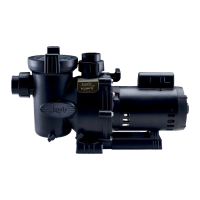
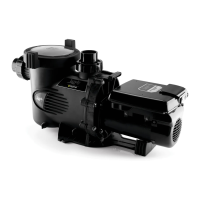
Description of the ePump's variable-speed operation, controller compatibility, construction materials, and internal water flow path.

Plumbing and Pipe Sizing Recommendations

Suction and Discharge Pipe Sizing

Guidance on selecting appropriate pipe sizes for suction and discharge lines based on pump horsepower and distance to prevent cavitation.

Installation Plumbing Best Practices

Best practices for plumbing installation, including isolation valves, avoiding air traps, using unions, minimizing fittings, and pressure testing requirements.

Electrical Installation and Safety

Voltage, Grounding, and Wiring

Essential electrical installation steps including voltage checks, proper bonding and grounding, and detailed wiring guidelines for safe operation.

Electrical Safety Warnings

Critical safety warnings related to electrical installation, including dedicated circuits, proper connections, and disconnect requirements before service.

Controller Integration and Wiring

ePump Controller Wiring

Detailed instructions for wiring the ePump controller (JEP-R) to the ePump, including junction box connections and dip switch settings.

AquaLink RS;PDA Controller Wiring

Steps for connecting the ePump to an AquaLink RS or AquaLink PDA controller via RS-485 interface, including dip switch configuration.

Dip Switch Settings and Pressure Testing

ePump Dip Switch Configuration

Guide to setting the 4-position dip switch for pump address selection and controller type, with a reference table.

Pressure Testing the System

Instructions for conducting a pressure test on the system, including the use of the blue pressure test o-ring and safety considerations.

Pressure Test O-ring and Lid Procedure

Pump Lid Removal for Testing

Procedure for safely removing the pump lid prior to pressure testing, ensuring power is off and valves are closed.

Replacing the Pressure Test O-ring

Detailed instructions for correctly seating and installing the blue pressure test o-ring on the pump lid to ensure a proper seal.

Conducting Pressure Test and Initial Start-up

Pressure Test Execution

Step-by-step guide for performing a water pressure test, including air purging, pressurization, leak checking, and safety measures.

Pump Priming and Start-up

Instructions for safely priming and starting the ePump, ensuring all air is removed from the system before operation.

Routine Maintenance and Winterizing

Pump Debris Basket Maintenance

Procedure for routine cleaning of the pump debris basket to maintain optimal water flow and pump performance.

Winterizing the ePump System

Guidelines for winterizing the pump and system to prevent freezing damage, including draining and proper storage instructions.

Troubleshooting Pump Operational Issues

System Performance Problems

Troubleshooting common issues like the system not operating correctly, bubbles in the basket, air leaks, or low pressure.

Impeller and Electrical Troubleshooting

Diagnosing issues related to blocked impellers, worn parts, electrical problems, and leaking seals affecting pump performance.

Troubleshooting Pump Start-up and Controller Errors

Pump Will Not Start Troubleshooting

Steps to diagnose why the pump will not start, covering power, wiring, and pump address settings.

Controller Display and Fault Message Issues

Solutions for controller display errors, missing information, connection issues, and fault messages on the ePump controller.

Service Technician Maintenance Procedures

Clearing Blocked Impellers

Detailed procedure for technicians to clear debris from a blocked pump impeller, including safety precautions.

Impeller Removal and Replacement

Comprehensive guide for service technicians to remove and replace the pump impeller, involving pump housing disassembly.

Impeller Removal and Inspection

Impeller and Fan Cover Removal

Steps for removing the fan cover and the impeller from the motor shaft, with specific instructions for the left-hand threaded screw.

Diffuser Removal and Part Inspection

Guidance on removing the diffuser and inspecting internal pump components like the impeller and diffuser for signs of wear or damage.

Impeller Reassembly and Mechanical Seal

Impeller and Mechanical Seal Reassembly

Procedures for reassembling the impeller and installing the mechanical seal components onto the motor shaft and backplate.

Pump Body and Diffuser Assembly

Steps for reassembling the pump body and diffuser, ensuring proper alignment and sealing with o-rings and screws.

Mechanical Seal Replacement Guide

Accessing Mechanical Seal Components

Steps to access the mechanical seal, requiring removal of the motor and backplate assembly, following previous procedures.

Installing New Mechanical Seal

Detailed instructions for installing the new carbon face seal and ceramic seal, emphasizing careful handling and proper seating.

Variable Speed Drive Electronics Replacement

Removing Variable Speed Drive Unit

Procedures for safely removing the main cover and electronics enclosure, including disconnecting electrical wires and communication cables.

Installing Variable Speed Drive Unit

Steps for installing the new electronics enclosure, reconnecting wires, setting dip switches, and reassembling covers.

Motor Replacement Procedure

Detaching Pump Housing and Motor

Steps to detach the pump housing from the motor and remove the backplate assembly, involving screw removal and alignment noting.

Installing New Motor Assembly

Instructions for installing a new motor onto the backplate, ensuring correct orientation and securing with bolts and washers.

Product Specifications and Parts Information

Jandy ePump Replacement Parts List

A detailed list of available replacement parts for Jandy ePump series pumps, identified by key number, description, model, and part number.

Pump Performance Curves

ePump Series Flow Rate vs. Head

Graphical representation of ePump Series pump performance, showing flow rate against total dynamic head for various models and speeds.

Physical and Operational Specifications

Jandy ePump Model Specifications

A table summarizing key specifications for JEP2.0 and JEP1.5 models, including HP, voltage, wattage, pipe size, weight, and dimensions.

Replacement Motor Compatibility

A guide listing compatible A.O. Smith/Century motor models for JEP2.0 and JEP1.5 pumps for replacement purposes.

Limited Warranty Details

Warranty Coverage and Exclusions

Outlines the terms of the limited warranty, including covered periods, specific exclusions, and conditions that invalidate the warranty.

Warranty Claim Process

Instructions for submitting warranty claims, specifying required information such as proof of purchase, model number, and contact details for support.

Jandy ePump Series Specifications

General IconGeneral
Variable SpeedYes
Voltage230V
Energy EfficiencyENERGY STAR Certified
ControlDigital
Motor TypePermanent Magnet
Speed SettingsProgrammable
Warranty3 years

Related product manuals