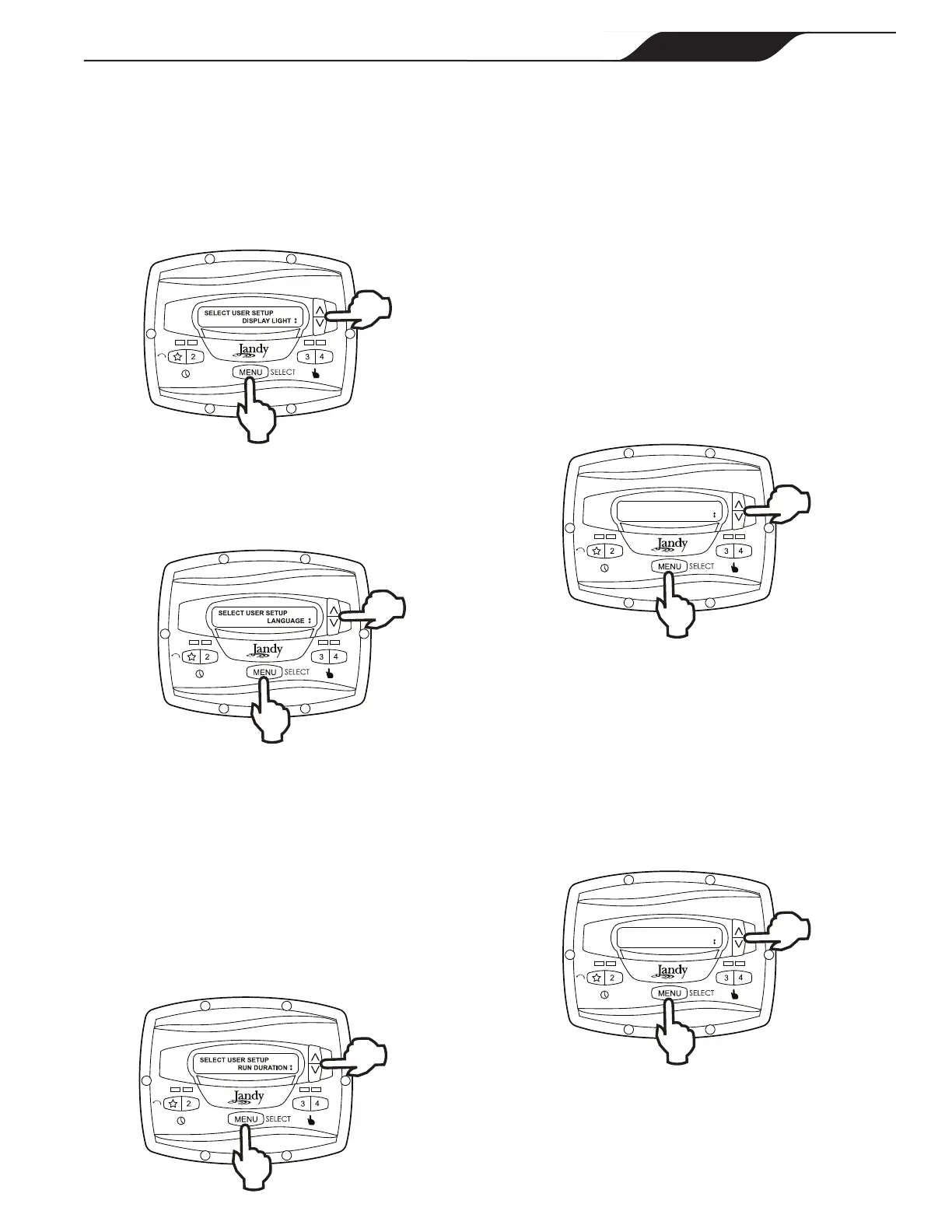
From the setup menu, select DISPLAY LIGHT. Press
MENU. Using the arrow keys, select the desired
operating mode for the display backlight:
LIGHT OFF: Turn off display backlight.
LIGHT ON: Turn on display backlight.
2 MIN TIMEOUT: Turn on display backlight, with
automatic turn-off after two (2) minutes since the last
key press.
5.6 Language Selection
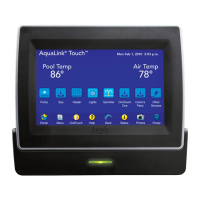
From the setup menu, select LANGUAGE using the
arrow keys. Press
MENU. Using the arrow keys, select
the desired language. Press
MENU to save the selection.
5.7 Run Duration (Speeds 3 and 4 Only)
Speeds "3" and "4" may be programmed to run for a
specied duration after being manually started. This run
duration is programmable from 30 minutes to eight (8)
hours, in increments of 30 minutes. A setting of 0:00
disables the run duration feature, allowing the speed to
run indenitely.
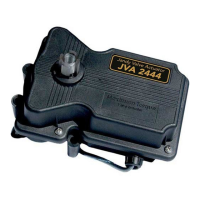
From the setup menu, select
RUN DURATION. Press
MENU. Using the arrow keys, select the speed to be
programmed. Press
MENU. Set the desired run duration
for the speed using the arrow keys. Press
MENU to
accept.
5.8 Password Protect
Entry into the USER SETUP MENU may be restricted
by the setting of a four-digit password.
NOTE: There is a 10-minute delay period from the
last key press to the password becoming active. This
allows additional, protected operations to be performed
temporarily after setting the password.
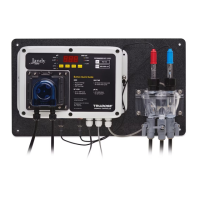
From the setup menu, select
PASSWORD PROTECT
and press the MENU key.
The menu will verify if the user wishes to set a
password. Using the arrow keys, select YES then press
the MENU key.
Using the arrow keys, select a value for each password
digit. Press the MENU key to set each digit.
When the last password digit is set, the password is
stored and the controller displays *PASSWORD
ACCEPTED* and returns to the OFF mode.
SELECT USER SETUP
PASSWORD PROTECT
Changing a Password
From the setup menu, select SET PASSWORD and
press the MENU key. The controller displays CHANGE
PASSWORD? Using the arrow keys, select CHANGE
and press the MENU key.
The current password is displayed. Using the arrow
keys, select a value for each password digit. Press the
MENU key to set each digit. When the last password
digit is set, the password is stored and the controller
displays *PASSWORD ACCEPTED* and returns to
the OFF mode.
CHANGE PASSWORD?
CHANGE
Clearing A Password
From the setup menu, select SET PASSWORD and
press the MENU key. The controller displays CHANGE
PASSWORD? Using the arrow keys, select CLEAR
and press the MENU key. The password is cleared and
the controller returns to the OFF mode.
PAGE 17
JEP-R Variable-Speed Pump Controller
|
Installation Manual
ENGLISH



 To Next Page