EasyManua.ls Logo

Jandy AquaLink Touch - User Manual

Jandy AquaLink Touch
68 pages
Print Icon
To Next Page IconTo Next Page
Loading...
H0334000 Rev B
Operation Data
Owner's Man u al
AquaLink
®
Touch
TM
ATTENTION
This device complies with part 15 of the FCC Rules. Operation is subject to the following two conditions: (1) This
device may not cause harmful interference, and (2) this device must accept any interference received, including
interference that may cause undesired operation.
NOTE: This equipment has been tested and found to comply with the limits for a Class B digital device, pursuant to
part 15 of the FCC Rules. These limits are designed to provide reasonable protection against harmful interference
in a residential installation. This equipment generates, uses and can radiate radio frequency energy and, if not
installed and used in accordance with the instructions, may cause harmful interference to radio communications.
However, there is no guarantee that interference will not occur in a particular installation. If this equipment does
cause harmful interference to radio or television reception, which can be determined by turning the equipment off
and on, the user is encouraged to try to correct the interference by one or more of the following measures:
Reorient or relocate the receiving antenna.
Increase the separation between the equipment and receiver.
Connect the equipment to an electrical source on a circuit different from that to which the receiver is
connected.
Consult the dealer or an experienced radio/TV technician for help.
Modi cations made to this equipment, which are not authorized by the manufacturer, may void the users authority
to operate this equipment.
WARNING
FOR YOUR SAFETY - This product must be installed and serviced by a contractor who is licensed and qualified in
pool equipment by the jurisdiction in which the product will be installed where such state or local requirements
exist. In the event no such state or local requirement exists, the maintainer must be a professional with sufficient
experience in pool equipment installation and maintenance so that all of the instructions in this manual can be
followed exactly. Before installing this product, read and follow all warning notices and instructions that accompany
this product. Failure to follow warning notices and instructions may result in property damage, personal injury, or
death. Improper installation and/or operation will void the warranty.
Improper installation and/or operation can create unwanted electrical hazard which can cause serious injury,
property damage, or death.
Wired/Wireless Controller
(For use with AquaLink RS for Systems with Rev Q Firmware or later)
FOR INDOOR USE ONLY

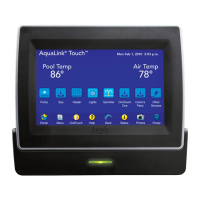
Table of Contents

Other manuals for Jandy AquaLink Touch

Questions and Answers

Jandy AquaLink Touch Specifications

General IconGeneral
BrandJandy
ModelAquaLink Touch
CategoryController
LanguageEnglish

Summary

Important Safety Instructions

Dangers and Warnings

Essential safety precautions regarding electrical shock, hyperthermia, and proper usage.

Home Screen Menu Navigation

Menu Screen Operations

Accessing the Menu Screen

Steps to display the main Menu screen from the Home screen.

Scheduling Equipment

How to program ON/OFF times for various equipment.

Adding Devices and Setting ON;OFF Times

Steps to add devices to schedules and set their ON/OFF times.

Setting Temperatures

Allows preset pool, spa, and chiller thermostat temperatures.

Date and Time Setup

Instructions to set the system's correct date and time.

Lockouts and Passwords

Prevents unauthorized changes and secures system access.

AquaPure System Configuration

Setup and operation of the AquaPure chlorine generator.

Manual Device Control

General Device On;Off

Manually turn equipment on or off.

Filter Pump Control

Turn the main filter pump on or off for circulation.

Pool and Spa Heating

Enables and controls pool and spa heating functions.

Temperature Management (TEMP1;TEMP2)

Sets priority and maintenance temperatures for pool/spa.

Two-Speed Pump Operation

Manages and programs two-speed pump operation.

System Setup and Configuration

System Setup Screen Overview

Navigates the main System Setup menu for configuring equipment.

Freeze Protection Configuration

Protects equipment from freezing conditions.

Heat Pump Configuration

Solar;Heat Pump Priority

Selects solar or heat pump as the primary heat source.

Heat Pump in Heat Mode

Controls heat pump operation, including setup for different interfaces and heat mode settings.

Heat Pump in Chiller Mode

Controls heat pump operation in chiller mode, including setup and chill mode settings.

Variable Speed Pump Setup

Selecting Pump Model

Selects the specific type and model of the variable speed pump.

Sprinkler System Programming

Programming Sprinkler Schedules

Sets up run days, start times, and durations for sprinkler programs.

ChemLink Water Chemistry Management

ChemLink Controller Setup

Initial setup and configuration for the ChemLink controller.

ORP Controller Configuration

Configures ORP feeder type, times, delays, set points, and alarms.

pH Controller Configuration

Configures pH feeder type, times, delays, set points, and alarms.

Related product manuals