25
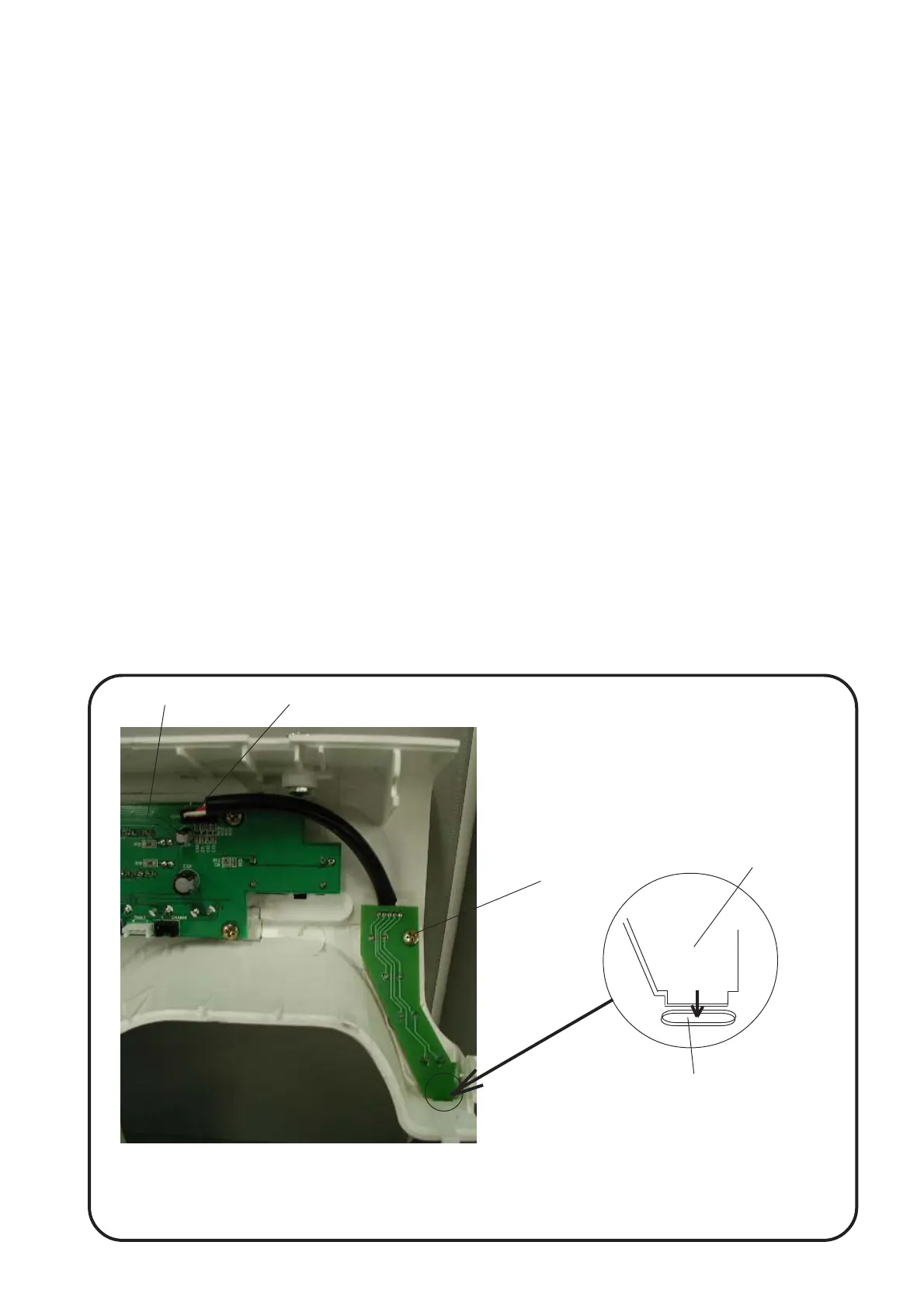
Rearcoverhole
Circuit board-F
To remove:
1. Removed the front cover.
2
. Pull out the circuit board-F connector , from the circuit board-A .
3. Loosen the set screw and remove the board-F .
To attach:
1. Follow the above procedures in reverse.
q
w
r
e
e
w
q
r
NOTE:
* Insert the lower part of the board-F into the hole of rear cover when attaching the board-F.
* Check function of the each buttons ( needle up/down, reverse button, start/stop button) after replacement.
Replacing the Electronic Components


 To Next Page