30
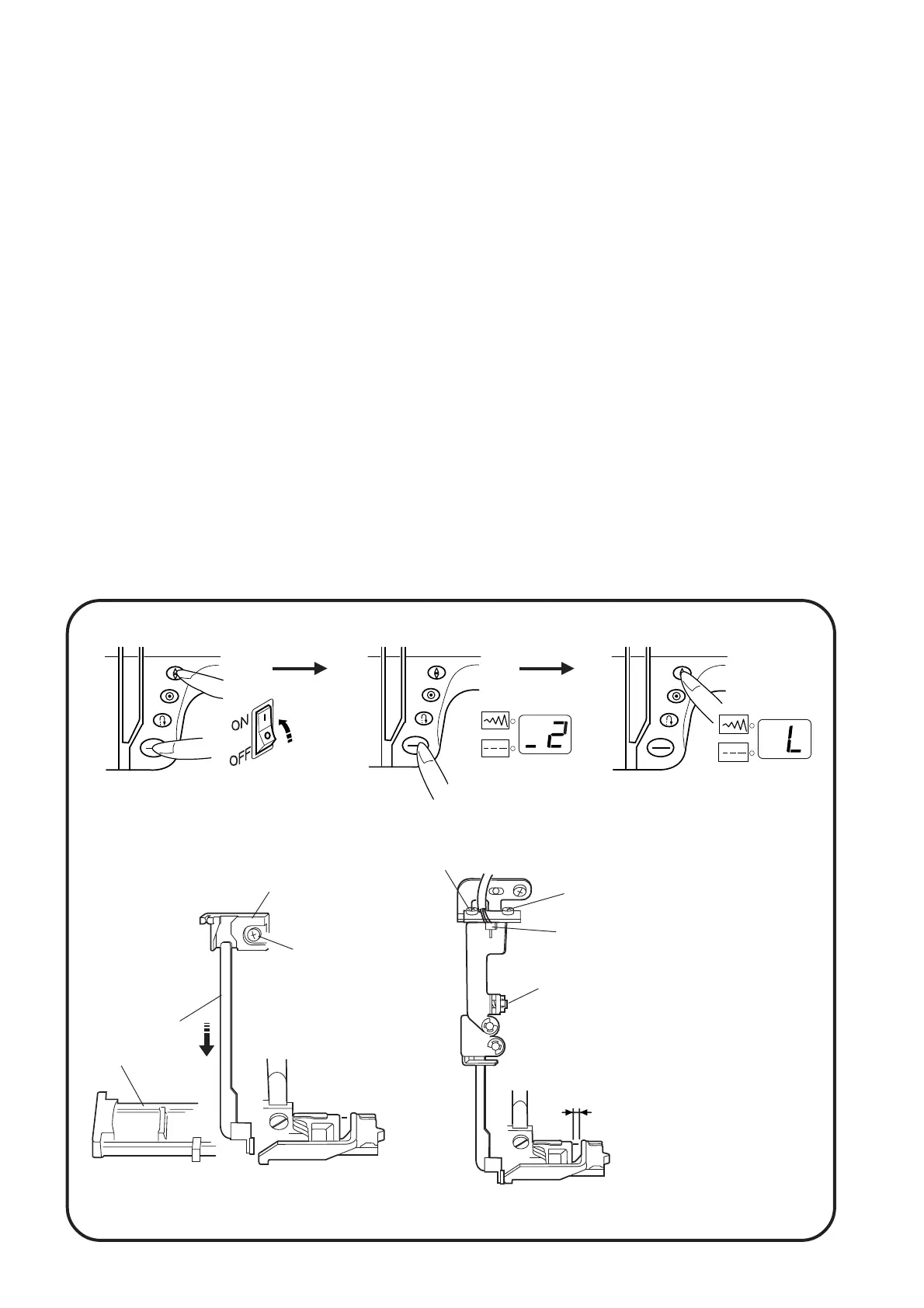
BH sensor
1.6 mm gap
To enter adjusting mode
START
STOP
START
STOP
START
STOP
Mechanical Adjustment
Adjusting buttonhole lever position
To adjust the buttonhole lever guide:
1. Enter the buttonhole sensor adjusting mode. (See below. The LED should display " H " or " L ".)
2. Remove the face cover (see page 4) and loosen set screw .
3. Move the buttonhole lever guide so the LED displays " L " when the buttonhole lever is lowered.
Tighten set screw .
To adjust the buttonhole sensor position.
4. Attach the buttohole foot (R) .
5. Lower the buttonhole lever to its lowest position and open a 1,6 mm gap between the slider and the
buttonhole foot.
6. Turn the adjusting screw to the left until the LED display changes from " L " to " H ".
7. Next, turn the adjusting screw right until the LED display changes from " H " to " L ".
8. When the gap of the buttonhole foot is 1.4 mm, LED should display " H ". When the gap is 1.8 mm, the
LED should display " L ".
9. Turn off the power switch.
10. Attach the face cover.
Turn the power swith ON while pressing
the needle up/down button and start/
stop button simultaneously. (Hold both
buttons down until the LED displays the
adjusting mode.)
Press the start/stop button to
select step number " _2 ".
Press the needle up/down
button.
q
q
w
w
q
e
e
r
r
t
t
Note: If there is any lint or dust in the buttonhole sensor slit, loosen 2 screws and clean it out with a swab.
y
y
y


 To Next Page