Page 63
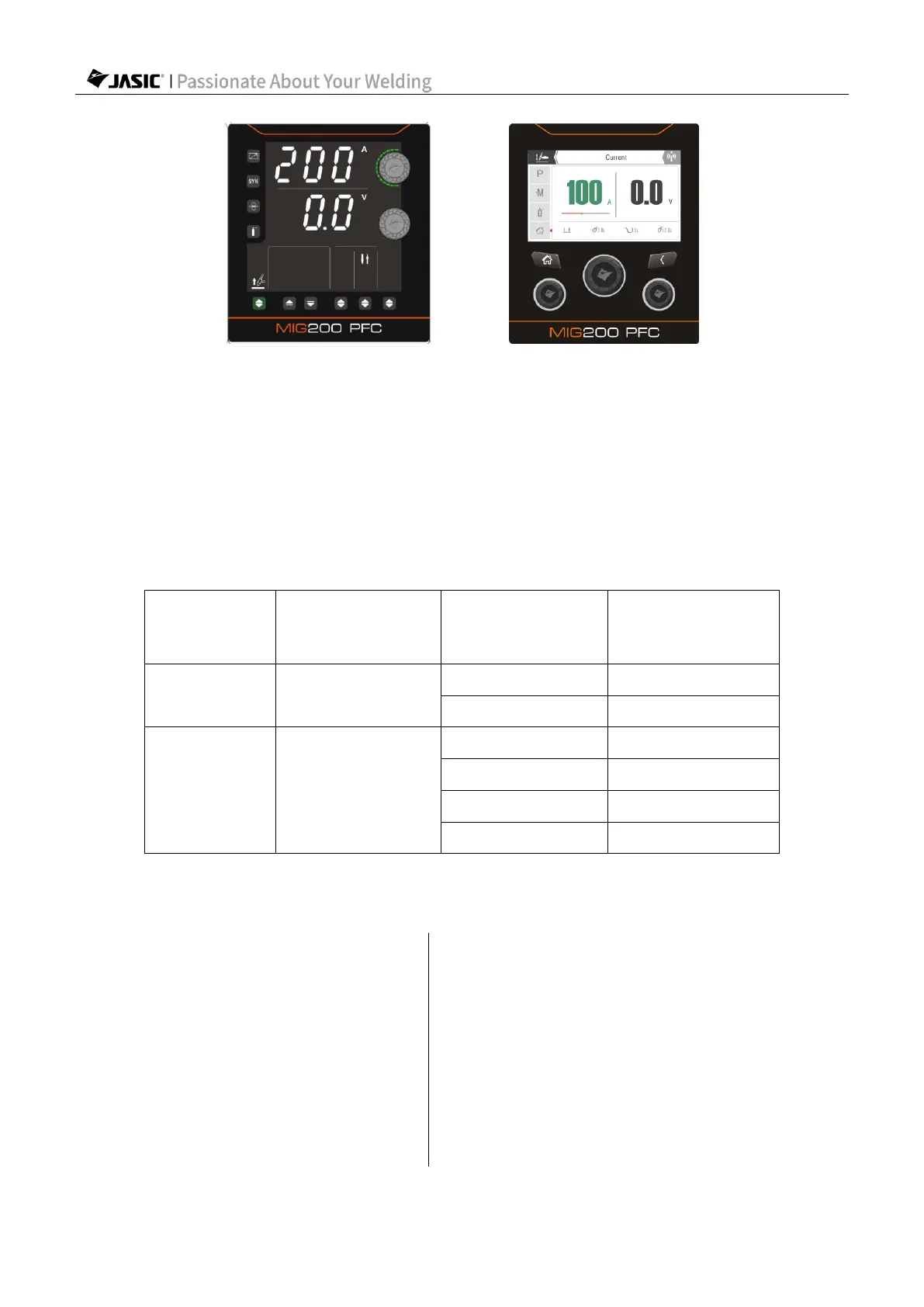
(Select Lift TIG mode in HD digital screen) (Select Lift TIG mode in LCD screen)
7.3.3 Set welding parameters
For HD digital screen, use the "Parameter Adjustment Knob A" to set the "Welding Current";
for LCD screen, use the master encoder to set the "Welding Current"; (as shown in above
figure)
Choose the appropriate welding current, tungsten electrode and shielding gas flow based on
the actual situation. For details, refer to the following data.
Selection of parameters for manual TIG welding – stainless steel plate
Stainless steel
plate thickness
(mm)
Maximum argon
flow rate (l/min)
7.3.4 Start welding
Description of MIG 2T/4T operation
Step 1: Press the torch trigger to
start welding.
Step 1: Press the torch trigger for the first
time to start welding.
Step 2: Release the torch trigger to
stop welding.
Step 2: Release the torch trigger for the first
time to continue welding.
Step 3: Press the torch trigger for the
second time to resume welding.
Step 4: Release the torch trigger for the
second time to stop welding.



 To Next Page