Configuration Examples
UHF Base & Rover Configuration
Base Station Configuration
97www.javad.com
• Modulation Type: DQPSK
• Link Rate: 19200
• Link Space: 25.0 kHz
• Forward Error Corrections: ON
• Scrambling: ON
6. Quit ModemVU by clicking Exit button.
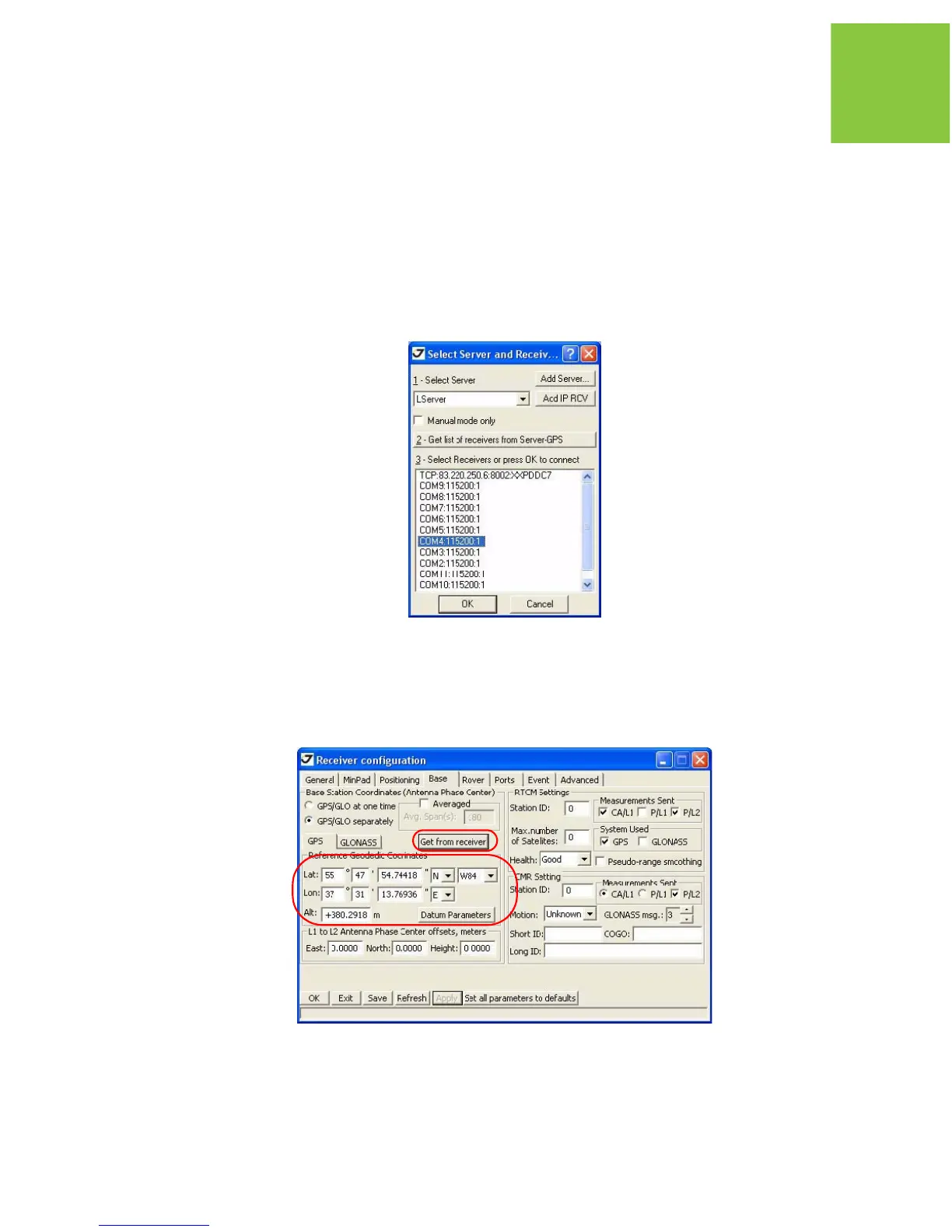
7. Start TriVU. Select port the receiver is connected to and click OK (Figure 6-56).
Figure 6-5. TriVU. Selecting port
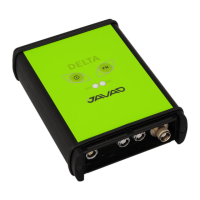
8. Click ConfigurationReceiver.
9. In the Base tab click the Get from receiver button. Reference geodetic coordinates appear.
Click Apply (Figure 6-57).
Figure 6-6. Base tab


 To Next Page