9. Video MODE
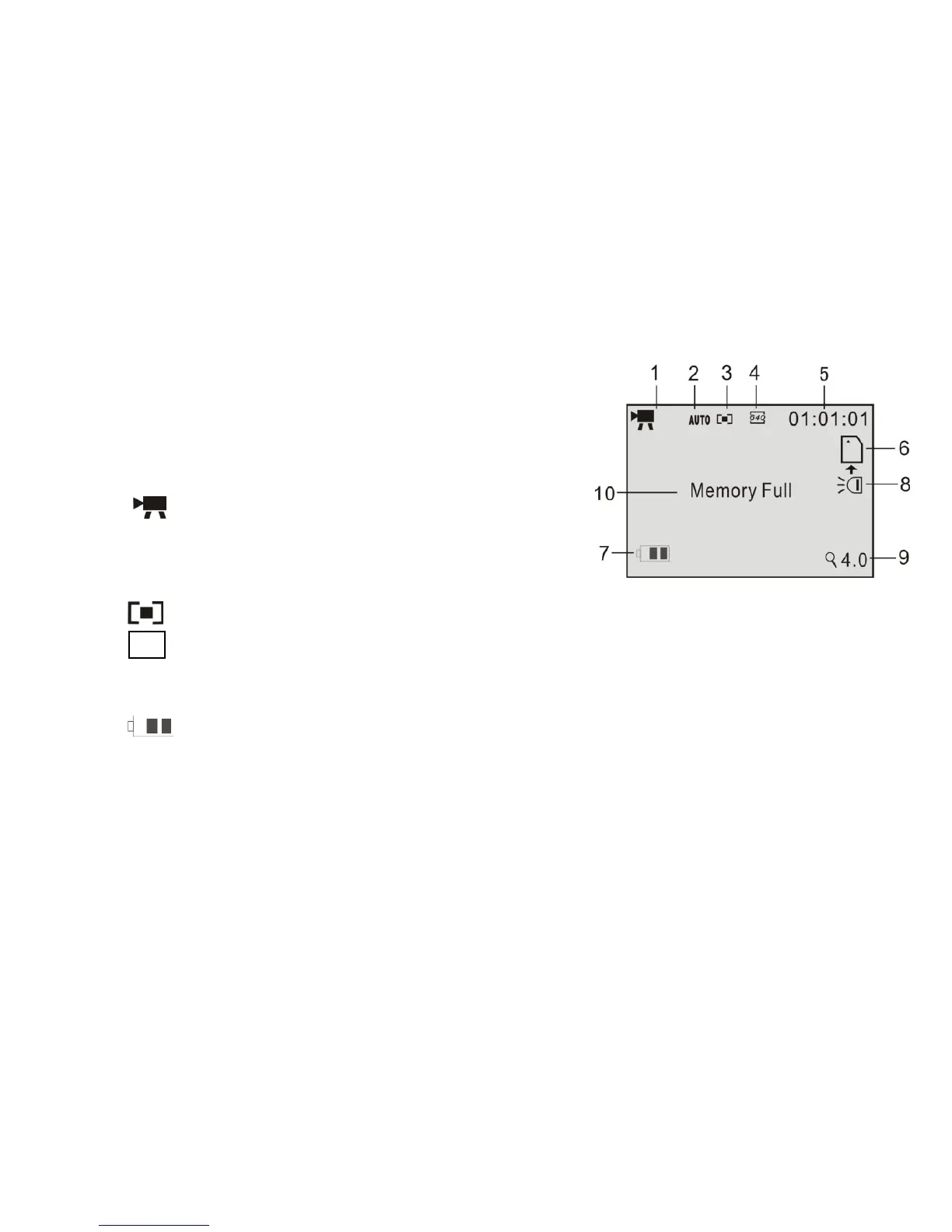
Preview / scene mode: The following icons /
information are displayed on the LCD screen in
Video MODE.
1 Video Mode icon
2 Auto White Balance icon
Available:
Auto/Daylight/Cloudy/Fluorescent/Tungsten
3 Metering / exposure (multi)
4 640 Video resolution indicator 1080x720, 640x480 or 320x240.
5 00:00:00 Video recording counter; hours, min, sec.
6 SD Card icon: the icon appears when the SD card is inserted
7 the battery power indicator
8 LED Supporting light icon: the lamp is ON
9 Zoom range: numbers indicate current setting of the zoom (max. 4X available)
10 Memory Full: message indicates that the SD card memory is full and no more
recording is possible.



 To Next Page