10 Camera MODE
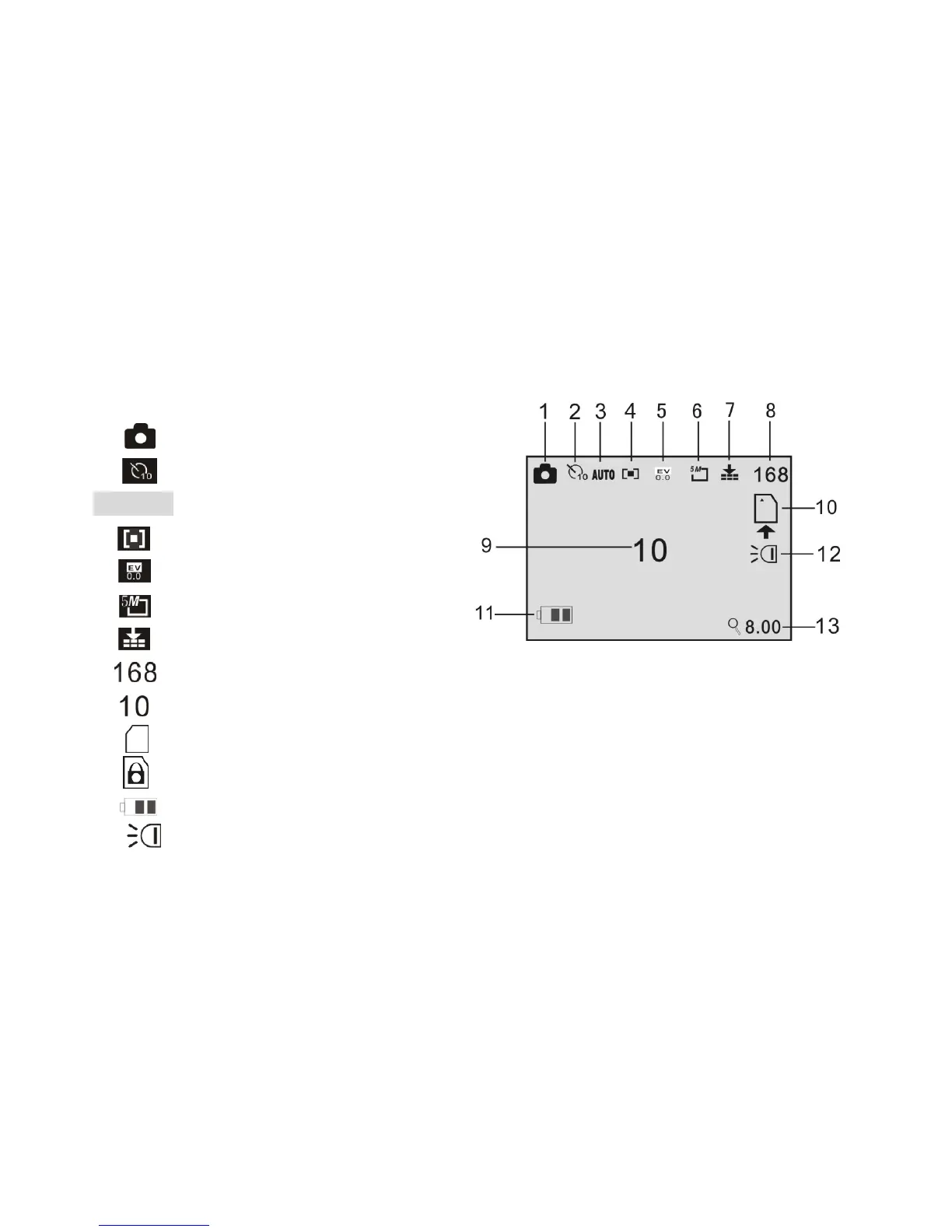
Preview / scene Mode: The following icons and information are displayed on the LCD
screen in Camera MODE.
1 Camera / still picture icon
2 Self-timer mode symbol
3 Auto White balance (Auto)
4 Metering / exposure mode
5 Exposure value
6 Picture resolution value
7 Image quality icon
8 Image counter shows number of available pictures remaining
9 Self timer / delay time in seconds
10 SD card icon; the card is inserted
The SD card is locked – no storage is possible. Unlock the card to use it
11 Battery / power level status
12 LED Supporting light ON icon
13 4.0 Zoom value indicator.



 To Next Page