5. Press the Right button and select My Image. Then press OK to confirm.
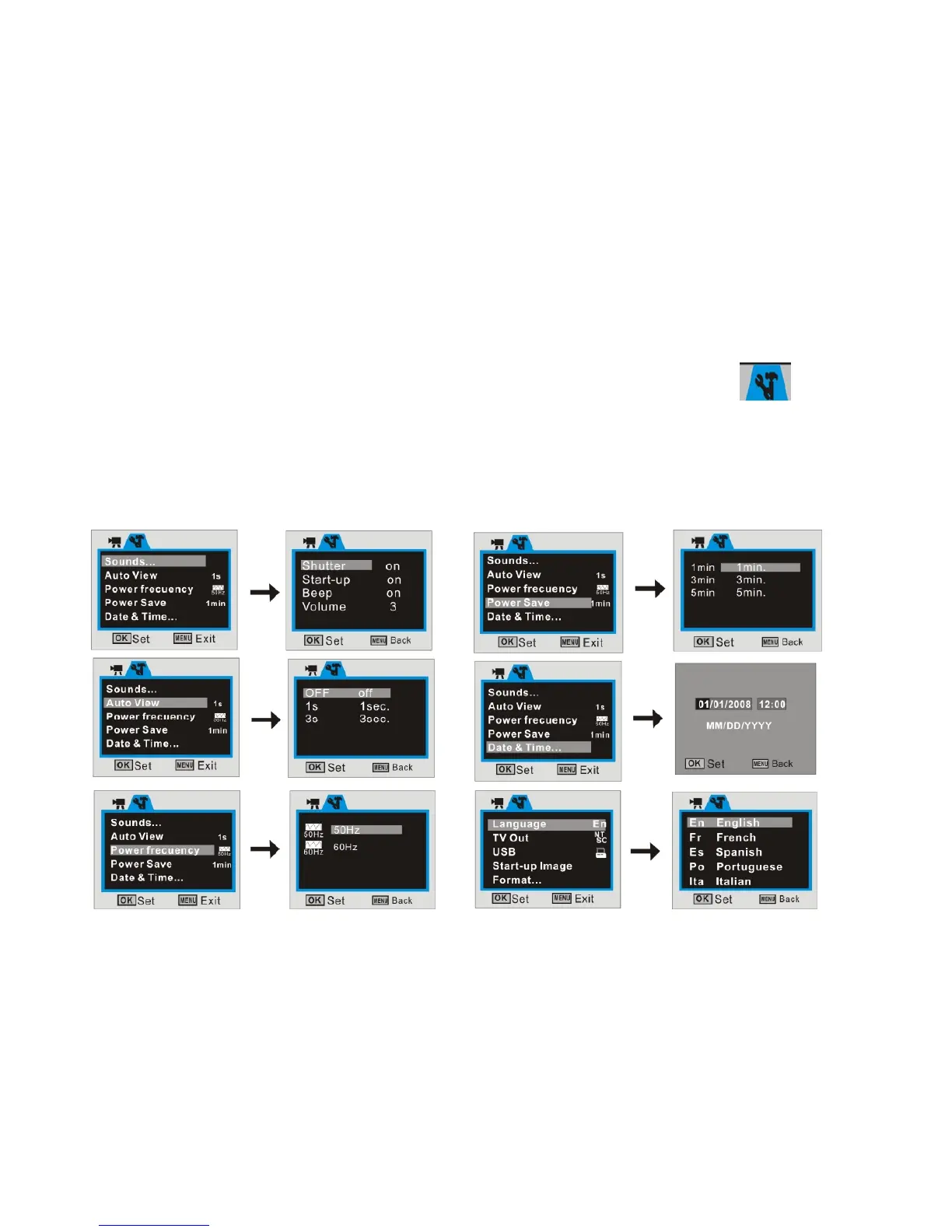
13 Setup / Internal setting mode:
1. Turn the recorder ON then press the MENU and Right button to enter internal
settings
2. Use the Up/ Down buttons to select desired setting and press the Right button to
access available options; see available setting options below.
3. Press OK key to confirm and press MENU key back or exit.



 To Next Page