35
in Setup Menu and then select [PCCAM] option to set the camera to PC
CAM mode. Connect the recorder to the computer with the USB connector.
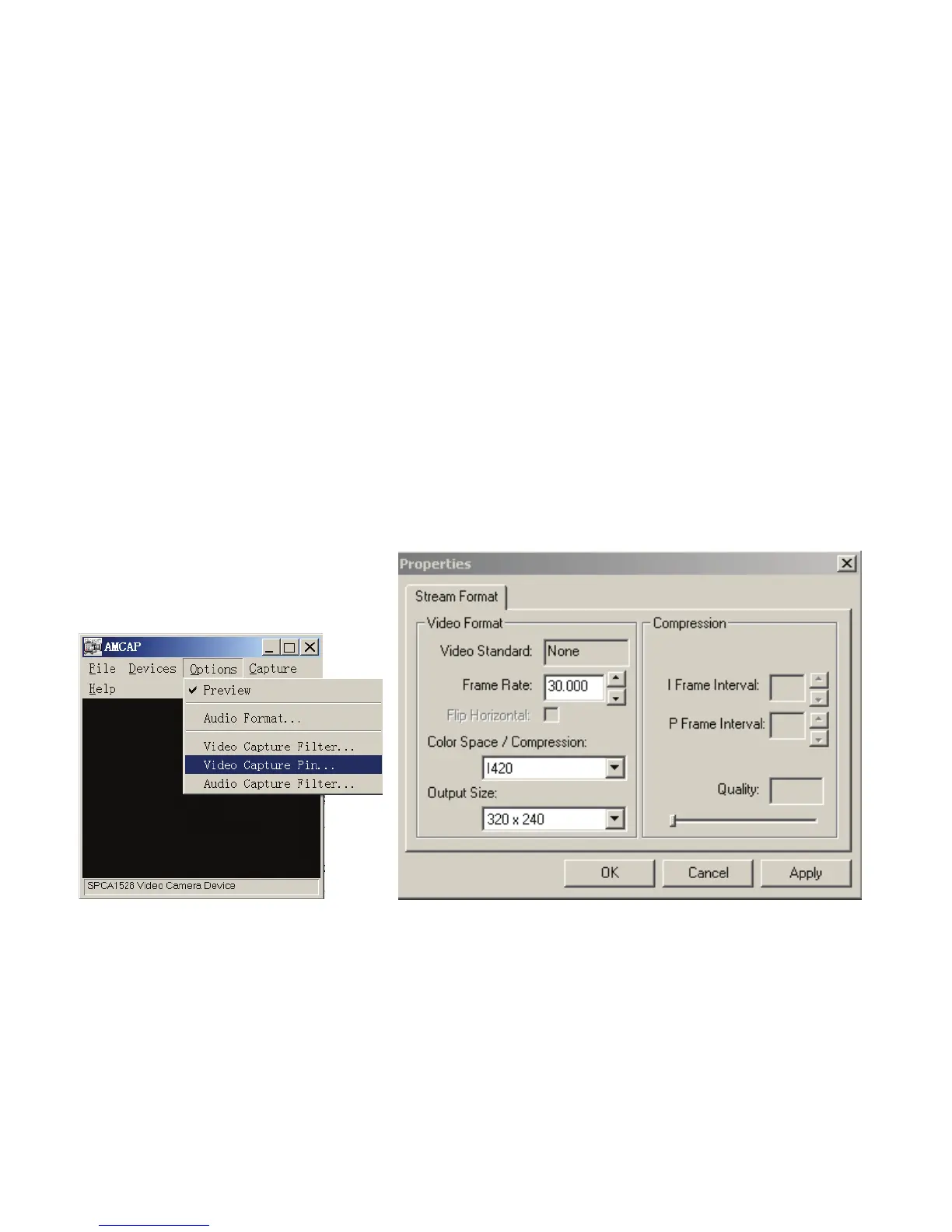
Run the program Amcap on the desktop. When using this function for the
first time please select <Preview> as shown on illustration. Now you can
use your recorder as the PC camera function.
If you want to change the imaging size, select <Video Capture Pin> to
change the Output Size.


 To Next Page