14
INSTALL SETUP
www.jbhmedical.com
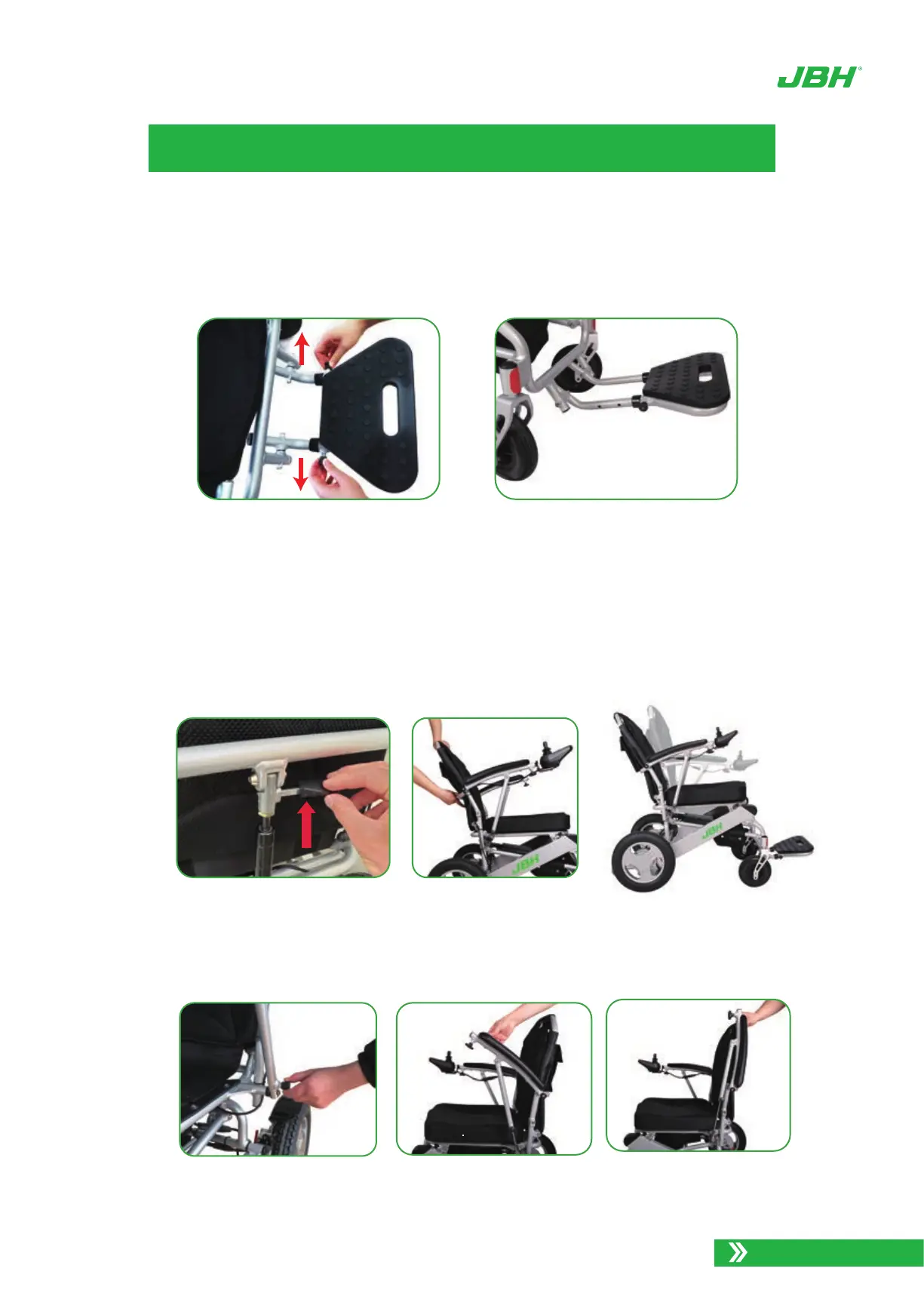
The adjustable foot rest has three extension positions. To adjust the foot rest to a com-
fortable length, pull both side pins to release the foot rest, then pull it forward to the sub-
sequent position. Ensure the pins are both locked into the new position.
10.
Your D26 model may have come with a reclining backrest. This allows the user to
recline the back rest into multiple positions for comfort. To release the back rest, push
UP on the lever at the back of the back rest while simultaneously pulling down from the
top bar of the back rest frame Release the lever to lock the back rest into the desired
position.
11.
Photo 12. Adjust right foot rest length
Photo 13. Backrest Angle Adjustment
12. Flip up armrest
Photo 14. Pull the knob Photo 15. Flip up armrest
Photo 16. Armrest is
flipped up


 To Next Page