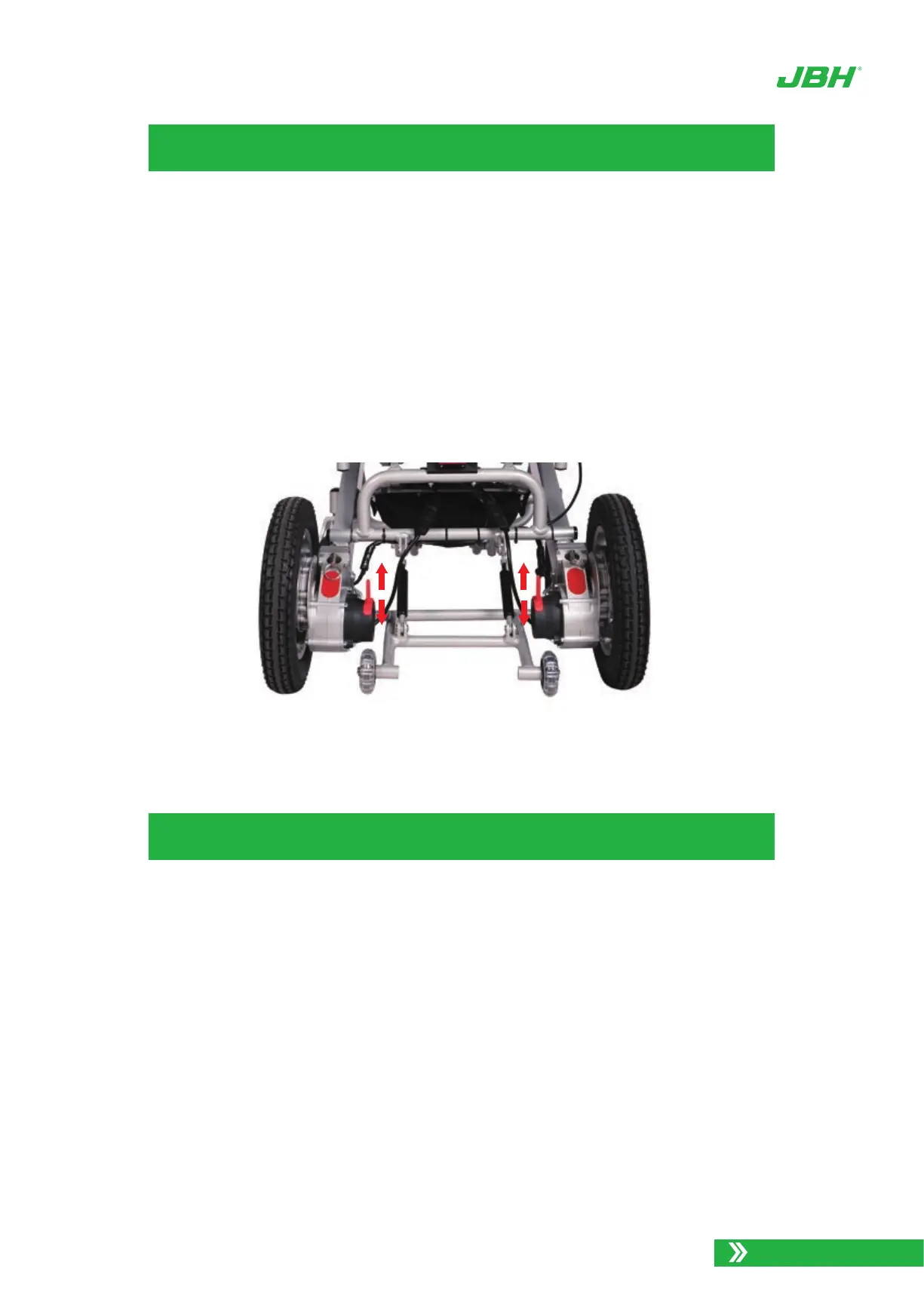
Photo 27. Free wheel mode
FREE WHEEL MODE
TRANSPORTING D26
In order to have a care giver push the power wheelchair, it must be put in Free Wheel
Mode. This mode disengages the drive mechanism to the wheels, making them free to push
manually. We recommend that you turn off the power of wheelchair when in this mode, both
for safety and to save battery power.
To transport your D26 Power Wheelchair, it is advised that you fold it up following the
procedures below.
Note Never transport the power wheelchair in a tie up system (electric mode), as the D26
Power Wheelchair is not compatible with them. Never sit in the wheelchair and be trans-
ported in moving vehicle. Do not place the folded power wheelchair in the front seat with
driver where it could move and slide.
Turn OFF the power from the controller.
Remove seat cushion.
Press down the backrest and flip the back safety latch down to unlock the frame.
1.
2.
3.
To put the D26 Power Wheelchair in Free Wheel Mode, come to a full stop and turn
OFF the power on the controller.
Push down on the two red levers located on each rear wheel as shown:
1.
2.
22
www.jbhmedical.com
FREE WHEEL /
MANUAL MODE(UP)
LOCK / POWER
MODE(DOWN)


 To Next Page