11
INSTALL SETUP
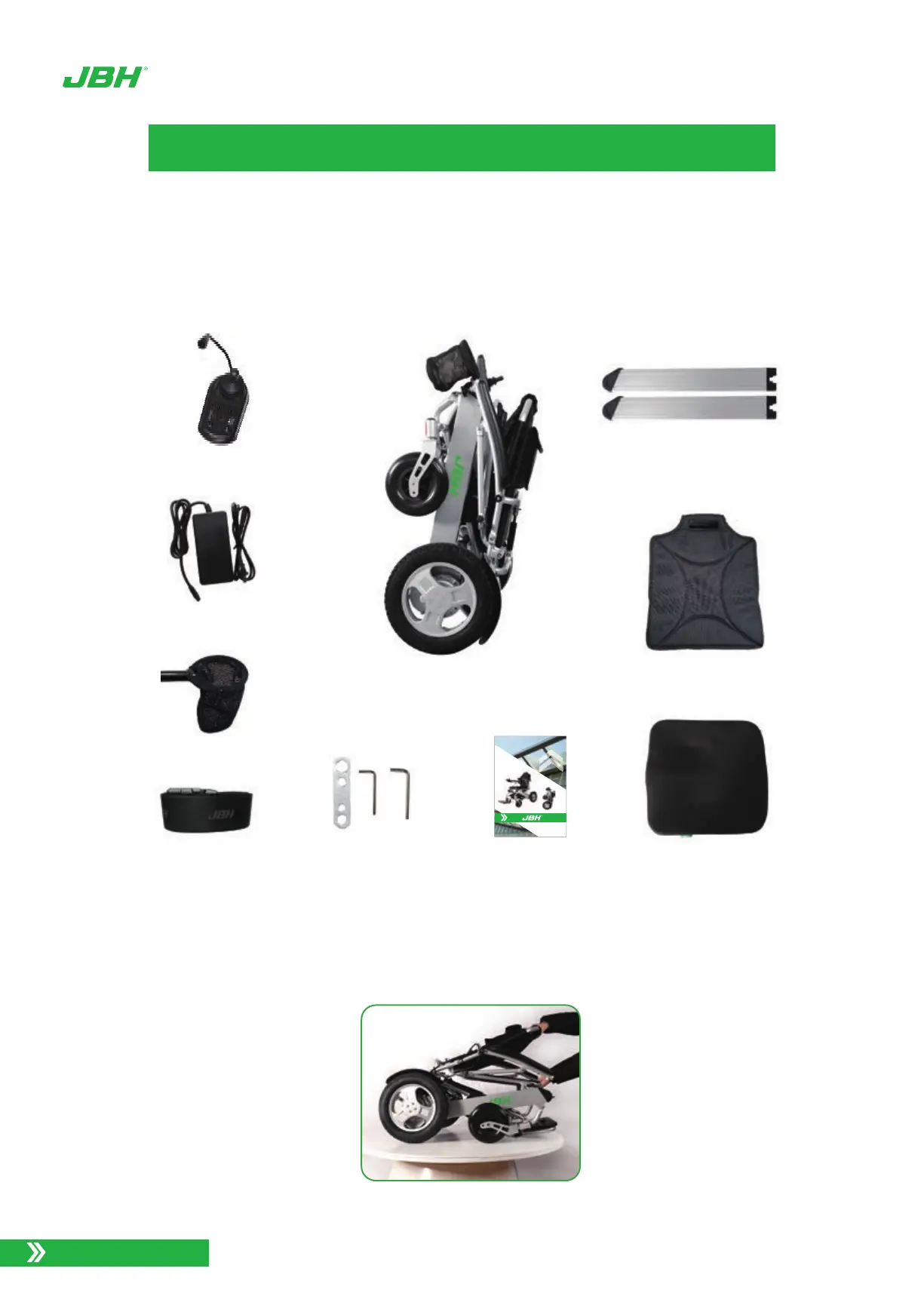
Photo 3. Wheelchair carton content
www.jbhmedical.com
Your D26 Power Wheelchair will arrive carefully packaged in a cardboard box.
Open the top of the box then turn the box on the side for easier pulling out the chair and
contents.
Total components as bellow.
1.
2.
Safety belt
Charger with power cables
Tools
Seat cushion
Joystick
Chair, main assembly
Back rest cushion
Users manual
Lithiun battery * 2 pcs
To expand the D26 Power Wheelchair, grasp the push bar and pull up while holding
down on the seat to expand the chair and complete the assembly:
3.
Photo 4. Expand the chair into a seated position
Cup holder
User’s Manual
D26


 To Next Page