15
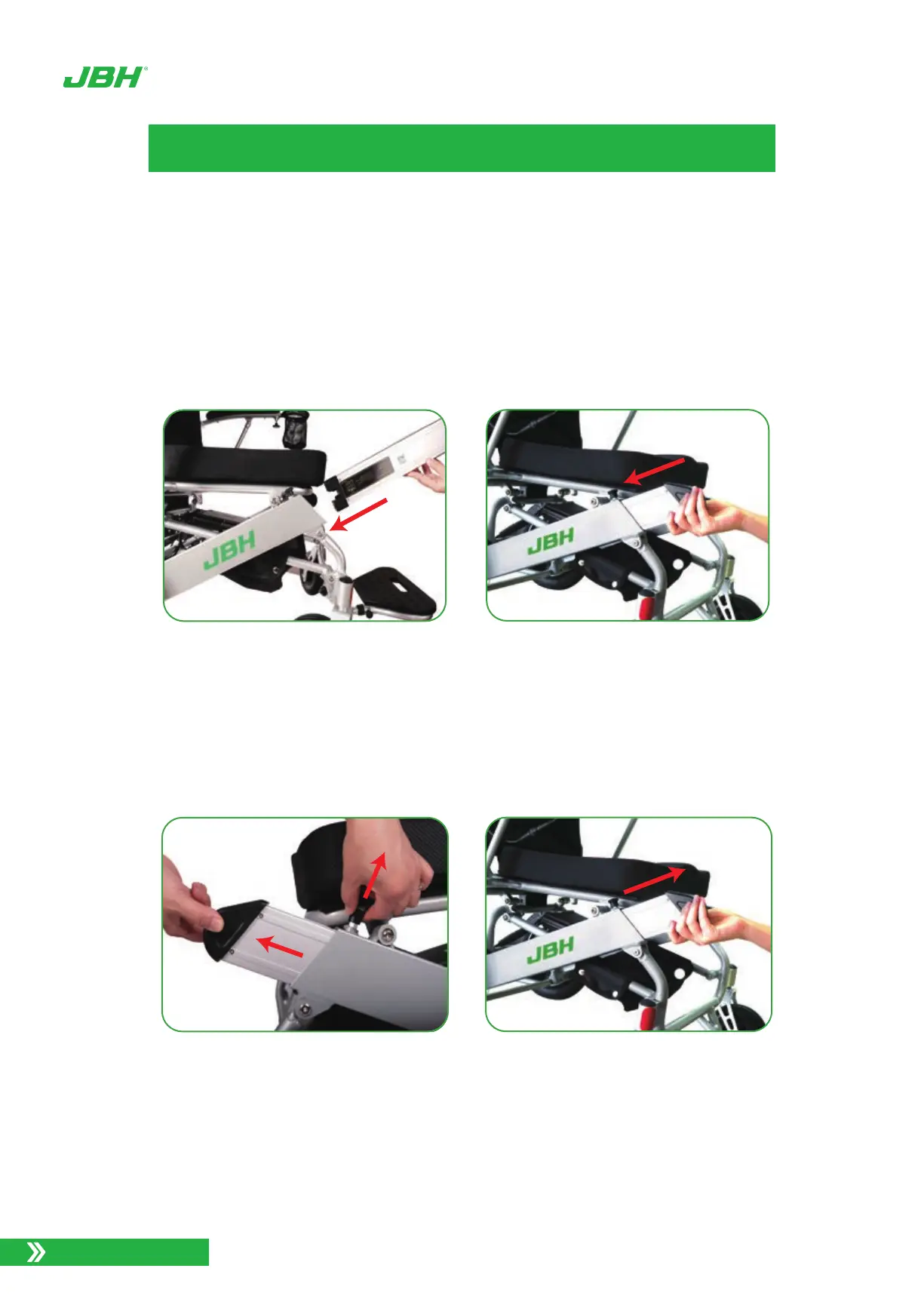
Just put the battery to battery shell on both side of wheelchair, hold the battery handle,
insert the other side of the battery into the opening of the battery tube until the battery is all
the way inside.
Pull the knob on the battery shell, at the same time pull out the battery.
Installing and removing battery
Photo 17. Battery Installation
Photo 18. Removing the battery
www.jbhmedical.com
BATTERY SETUP



 To Next Page