DIAGNOSTICS
29
Your controller as an indicator light that, during normal operation, is a steady GREEN.
This light also functions as a diagnostic tool by flashing in patterns that indicate problems. It
is important to pay attention to these diagnostics in case the power wheelchair must be put
out of use for safety reasons until maintenance can be performed.
If the indicator light indicates a fault, turn off the power and then turn on power again. If
the fault is not released after turning on power again, the indicator repeats this error mes-
sage. Please refer to the fault information diagnosis table to help you find possible prob-
lems and corresponding solutions.
If the above method still does not help you troubleshoot, please contact your dealer.
When communicating with the dealer, provide the specific problems in detail as much as
possible.
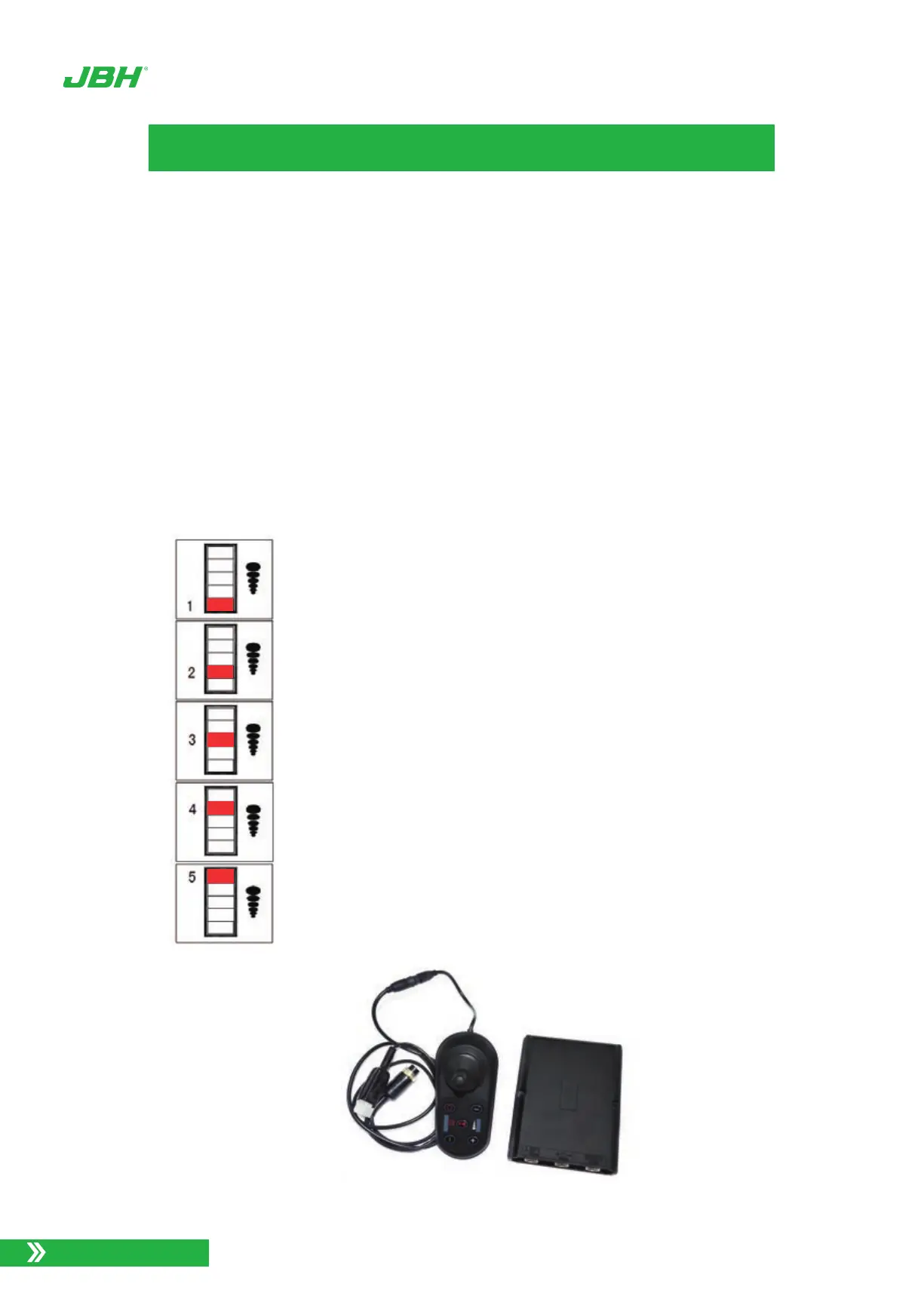
1 red light flash indicates the pressure of battery is not full.
2 red lights flash indicates no signal of joystick.
3 red lights flash indicates the wheelchair is charging.
4 red lights flash indicates moving the joystick when
turning on power. Or do not connect the motor wires.
5 red lights flash indicates the brake solenoid is not
connected or damaged.
www.jbhmedical.com


 To Next Page