6
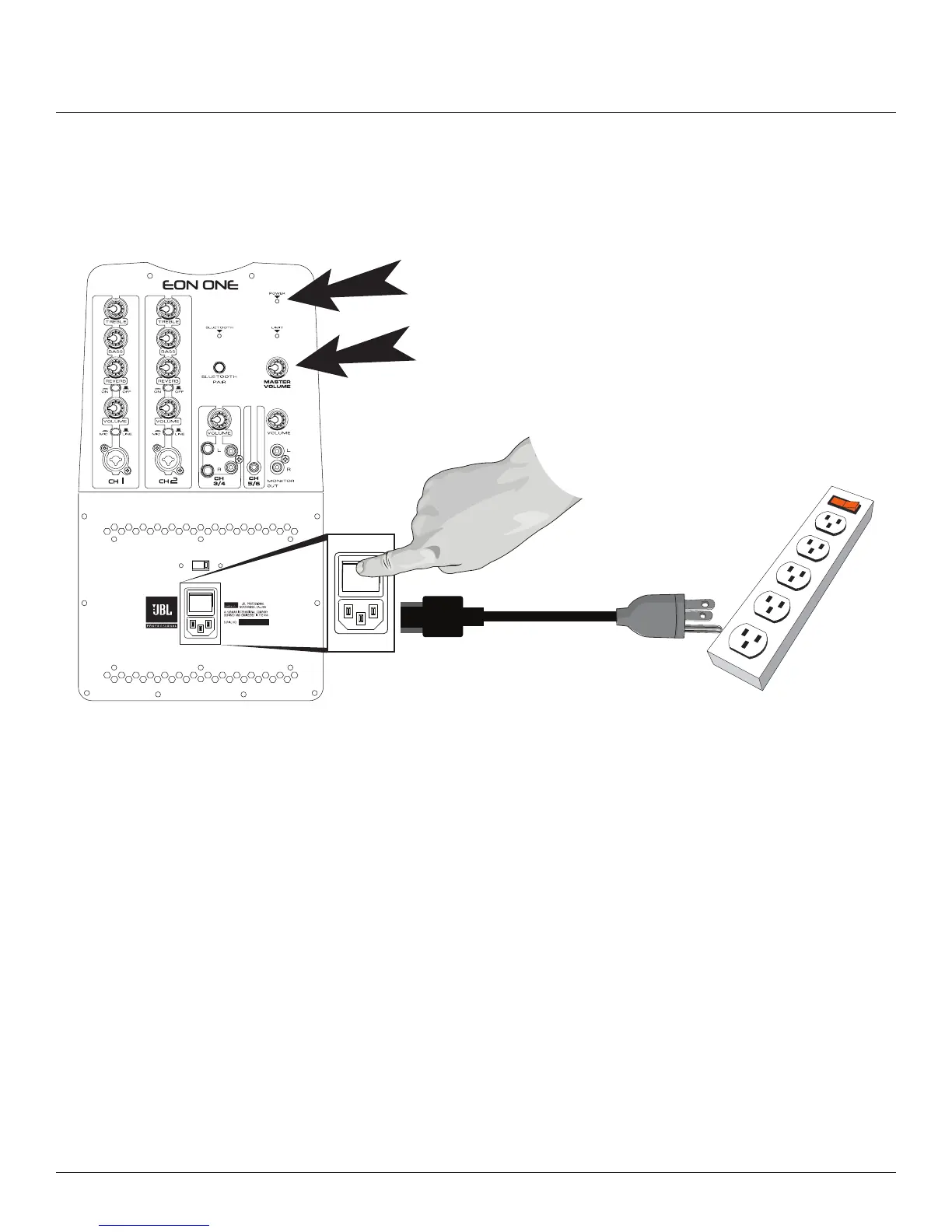
4� Connect the female end of the power cable to the mixer and plug the male end into the wall socket or
extension cord� Turn the “MASTER VOLUME” control all the way to the left� Now turn the power switch to
the “on” position — the “POWER” LED indicator should now be illuminated� At this point you are ready to
make audio connections, adjust the channel and master volumes, then listen to the signals amplied by the
system�
Master Volume
Power LED
AC Power Inlet
& Power Switch



 To Next Page