Dolby Pro-Logic
Ò
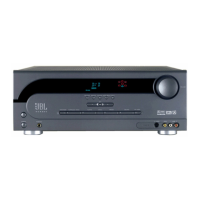
A/V Receiver JSR-400
26
SIMPLE TROUBLESHOOTING
Symptom Cause and Remedy
If there is no sound from any of + Make sure the receiver is plugged into an active AC wall outlet.
the speakers, check the following:
+ Push “Speakers” button on the receiver.
+ Make sure there is a source – for example, a VCR or television – hooked up to the
VCR or tape/aux input jacks on the receiver.
+ Make sure that the program material is playing.
+ Recheck the hookup connections.
If most of the sound comes + Although most of today’s televisions are equipped with stereo audio output jacks,
from the center-channel some stereo televisions have poor audio sections and are unable to provide a Dolby
speaker, with little or no Pro Logic encoded signal. In the unlikely event that you experience this problem,
information from the surround connecting the audio outputs from your Hi-Fi VCR, laser disc player, DVD player or
channels, note the following: satellite receiver directly to one of the inputs on the receiver will provide a proper
audio signal and allow you to enjoy true Dolby Pro Logic surround sound.
If there is no sound from the + Check all connections between amplifier and each of the speakers.
surround speakers or it is very
low, check the following: + Raise the surround volume from the remote control.
+ Make sure the TV show or movie you are watching is recorded in Dolby Surround.
+ Make sure Dolby Pro Logic is engaged.
If there is no sound from the + Make sure that the processor is in the Pro Logic, or 3 Stereo mode. If it is in
center speaker, check the Phantom or Stereo mode, the center speaker will not play.
Following:
+ Check the connections between the receiver and the center speaker.
If you are having trouble + Make sure the antenna is hooked up properly.
picking up radio stations,
check the following: + Depending on your distance from the station’s transmitter, you may need to install an
FM antenna on the roof or in the attic.


 To Next Page