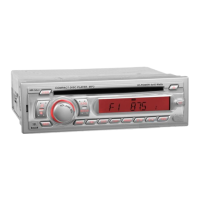
3.Volume control
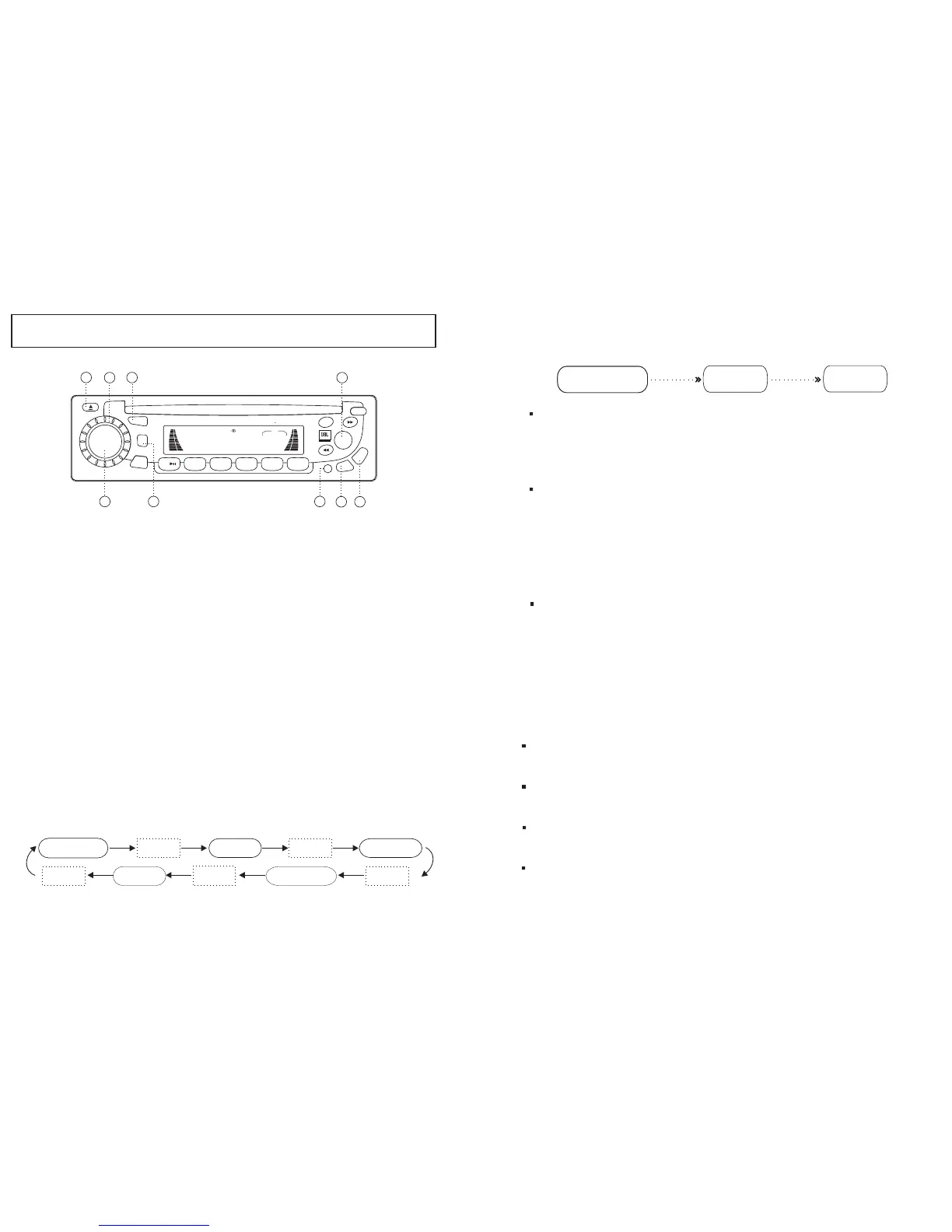
Turn left or right the spindle knob (2) to decrease or increase the volume
level. Switching on your radio automatically allows you to set the volume
level without having to select it first. After quickly pressing the SEL key, simply
turn the spindle knob to set the required level of the following:
Turn left to lower the bass.
Turn right to higher the bass.
Turn left to lower the treble.
Turn right to higher the treble.
Turn left to decrease the right speaker volume.
Turn right to increase the left speaker volume.
Bass control
Treble control
Balance control
Fader control
Turn left to decrease the volume level of any loud speakers connected rear to radio.
Turn left to increase the volume level of any loud speakers connected front to radio.
When SEL (3) is pressed over 2secs, the unit will be operated as below;
2) Beep 2nd , I-Vol , Area Selection
Beep 2nd
I-Vol
Area
Press
Press
(subject to option)
After the pressing SEL key over 2 secs, select Area (USA / EUR) using the
VOL knob. Press Band button(9) over 2secs to accept.
Area Selection
Press the SEL button again to access the I- VOL menu.
(Initial Volume Level Adjustment)
You can adjust the I-Vol as desired by turning around the spindle knob.
After the setting of Initial Level, when the unit is powered on, the unit
will revert to the I-Vol setting if the unit was set to a higher volume before
last turning it off.
I-Vol
Adjusting this option will control the initial volume level heard
upon turning the unit on avoiding unpleasant or overly loud volume levels.
Beep 2nd
-
-
On the beep 2nd, You Can select the Beep on or Beep 2nd by turning
the spindle knob.
Beep on : You can hear "Beep" sound when you press any button.
Beep 2nd :
You can hear "Beep" sound when you press a button over 1.5 secs.
CONTROLS
1. POWER ON/OFF
Press SEL key quickly to select the following features;
"VOL" display - volume control > press key (3)>
"BAS" display - bass tone control >press key (3)>
"TRB" display - treble tone control > press key (3)>
"BAL" display - balance control > press key (3)>
"FAD" display - fader control > press key (3)>
use the VOL knob to adjust. If no adjustment is made or feature is
selected within 5 seconds, the radio automatically switches into volume
level control mode.
These settings are indicated on the display window.
2. SELECT Button (3)
Push the button(7) to turn on the unit. Push the button again to turn off
the unit.
1) Audio control ( VOLUME / BASS / TREBLE / BALANCE / FADER )
VOLUME BASS TREBLE
FADER BALANCE
Select Select
Select Select Select
SCN
BD/LD
MOD
IEQ
PWR
MUT
A.PS
2INT
3RPT
4RDM
1
5
6
T/F
COMPACT DISC PLAYER DETACHABLE SYSTEM
4 45WATTSMR-5
VOL
LOUD
LOC
DSP
CLS
FM3 I07.502
MARINE
2
5
9
3
19
17
18
1
6
SEL
8
9



 To Previous Page