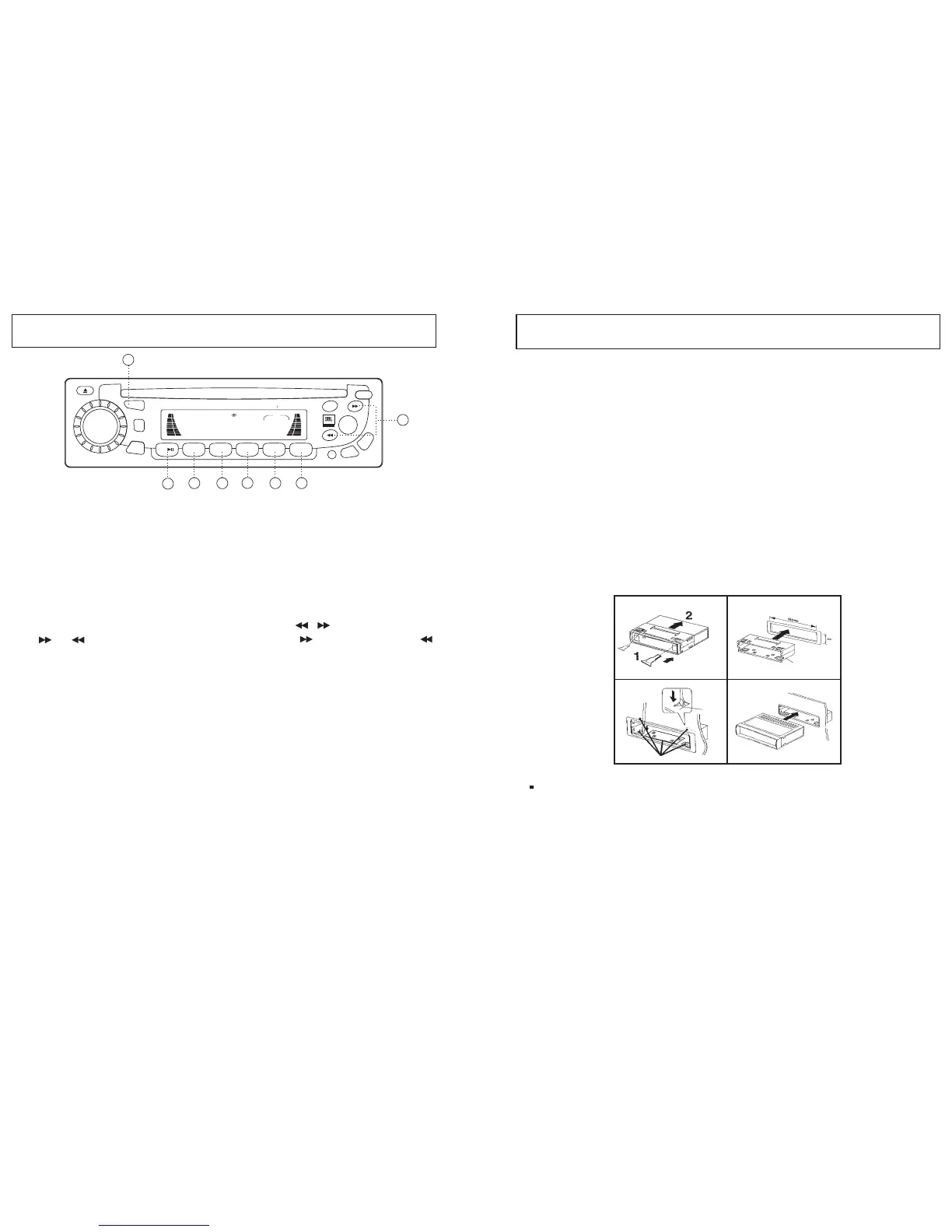
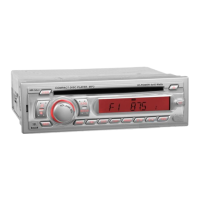
1. Select the RADIO/CDP/AUX by pressing the
in sequence.
"MOD"
Button(5)
OPERATING THE CD PLAYER
3. Play / Pause(11)
Push to pause and push again to resume play.
4. Track Tuning(10)
Choose the desired track on the DISC using the , buttons. If you press
or buttons continuously, the track will fast Forward or Rewind .
5. Intro Scan(12)
Press this button to hear the first 10seconds of each track on the disc.
Press this button again to restore the player to its normal play mode.
6. Repeat Play button(13)
While playing a desired track, press the RPT button to play the track
repeatedly.
Press the RPT button again to return back to normal play mode.
7. Random play button(14)
Press the RDM button to play all tracks on a CD disc in a random sequence.
Press RDM again to return the player to normal mode.
SCN
BD/LD
MOD
IEQ
PWR
MUT
A.PS
2INT
3RPT
4RDM
1
5
6
T/F
REL
COMPACT DISC PLAYER DETACHABLE SYSTEM
4 45WATTSMR-5
VOL
LOUD
LOC
DSP
CLS
FM3 I07.502
MARINE
5
11
12
13
14
15
16
SEL
10
1. Precautions
2. Mounting angle adjustment
INSTALLATION
12
4
Release Key
Half Sleeve
Tap
Bend these claws, if necessary.
3
Choose the mounting location carefully so that the unit will not interfere
with the normal driving functions of the boat.
Avoid installing the unit where it would be subject to high temperature,
such as from direct sunlight or hot, or where it could be subject to dust,
dirt or excessive vibration.
Use only the supplied mounting hardware for a safe and secure
installation. Be sure to remove the front panel before installing the unit.
Adjust the mounting angle to less than 20 from the horizontal.
3. Mounting example
<< Installation in the dashboard >>
Note: Keep the release key in a safe place as you may need it
in future to remove the unit from the boat.
12
5



 To Next Page