www.jbl.com
INSTALLATION
MOUNTING THE MAIN UNIT
Using the main unit as a template, mark the locations of the mounting holes on the mounting
surface; drill pilot holes; and attach the unit to the mounting surface with the supplied screws.
• Mount the unit securely.
• Mount the unit so that it remains dry.
• Mount the unit so that neither it nor any of its connections are damaged by the feet of
backseat passengers or by cargo shifting in the trunk.
NOTE: You may nd it easier to attach the MS-8’s main unit to the mounting surface after you’ve
made all connections to it (but before you reconnect the vehicle’s battery ground cable).
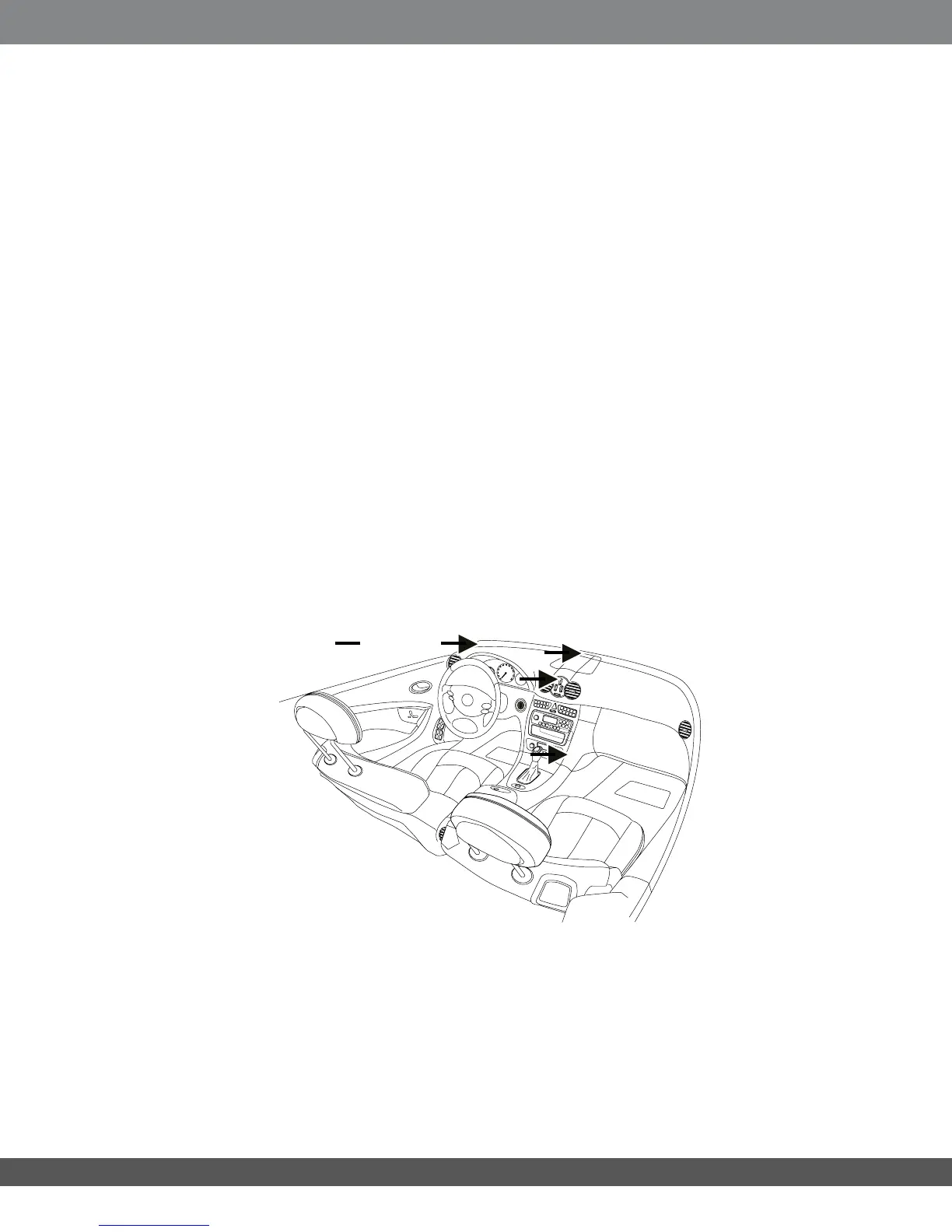
CHOOSING A LOCATION FOR THE DISPLAY UNIT
IMPORTANT: Install the MS-8’s display unit according to these instructions and any
relevant regulations. No part of this system should obstruct the driver’s view of the
road,thevehiclecontrolsortheinformationdisplaysnecessaryforsafelyoperating
thevehicle.Positionthedisplayunittoeliminateglareandreectionsandtobe
as close as possible to the driver’s normal line of sight.
MountingtheMS-8’sdisplayunitonthewindshield,ortopofthedashboard
betweenthedriverandthewindshield,mayviolatethelawinyourmunicipality.Be
sure to consult local laws before mounting the display unit.
You can mount the display unit in any of a variety of locations, as long as the location offers
a direct view of the display unit’s screen. For easiest viewing, mount the unit near other
instrument-panel gauges or on top of the dashboard.
NOTE: The display unit is required to set up and calibrate the MS-8. However, once
you have set up the MS-8, you can remove the display unit from the vehicle. (All of
the MS-8’s equalization and digital signal processing functions will operate without
your intervention.) If you do disconnect the display unit after setup, though, you will
not be able to make any MS-8 adjustments, and the MS-8’s remote control will not
function.
If you plan on removing the display unit once your system’s setup and calibration is
complete, you do not have to choose a permanent mounting location.
Possible
mounting
locations
18


 To Next Page