www.jbl.com
USING THE MS-8
Reset to default: This setting restores all of the audio controls to their default settings. The
default settings are:
System Levels: All controls centered
Tone Control: Flat (all controls centered)
GraphicEQ: Flat (all controls centered)
Logic 7: On
Processing: Active
Seat: Driver
FAVORITES MENU
The MS-8 provides ve Favorites positions that let you store the system’s currently active
audio settings. The system stores all audio and input selection settings in a Favorites setting
(except the Aux volume setting). This feature lets you tailor the sound for a certain type of
music or a certain driver, and save and recall the settings at any time.
To store a Favorite
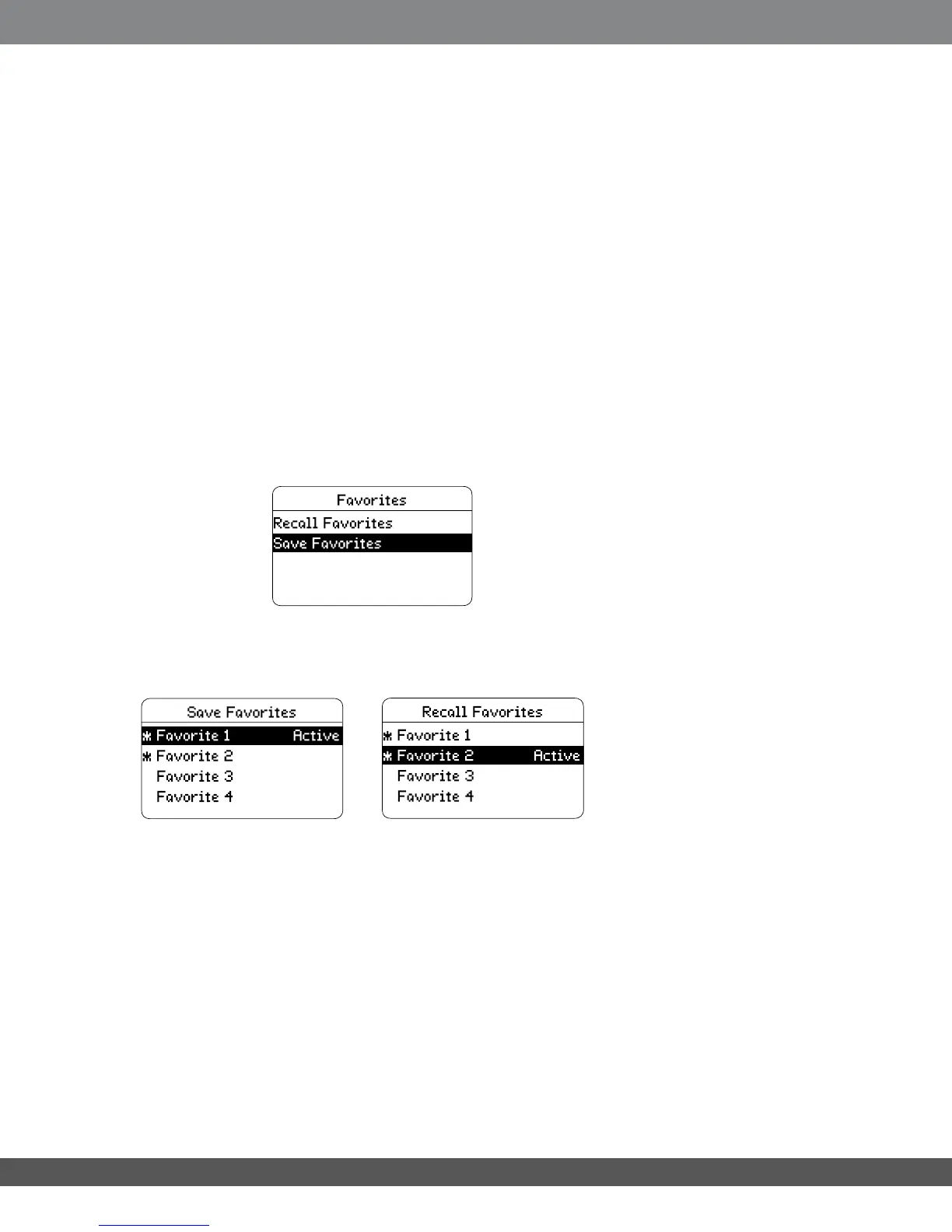
Select “Save Favorites.” The Save Favorites screen will appear.
Use the Up and Down navigation buttons to select the Favorites position, then press the
Select button to save the current settings there. An asterisk (*) will appear next to the
selection to indicate into which Favorites position you have stored the current conguration.
To recall a stored Favorite
Select Recall Favorites. The Recall Favorites screen will appear (see above). Use the Up
and Down navigation buttons to select the Favorites position, then press the Select button
to activate it. The word Active will appear to the right of the active setting’s number. This
selection will remain until you choose another Favorites setting or you adjust any of the
audio settings.
39


 To Next Page