EasyManua.ls Logo

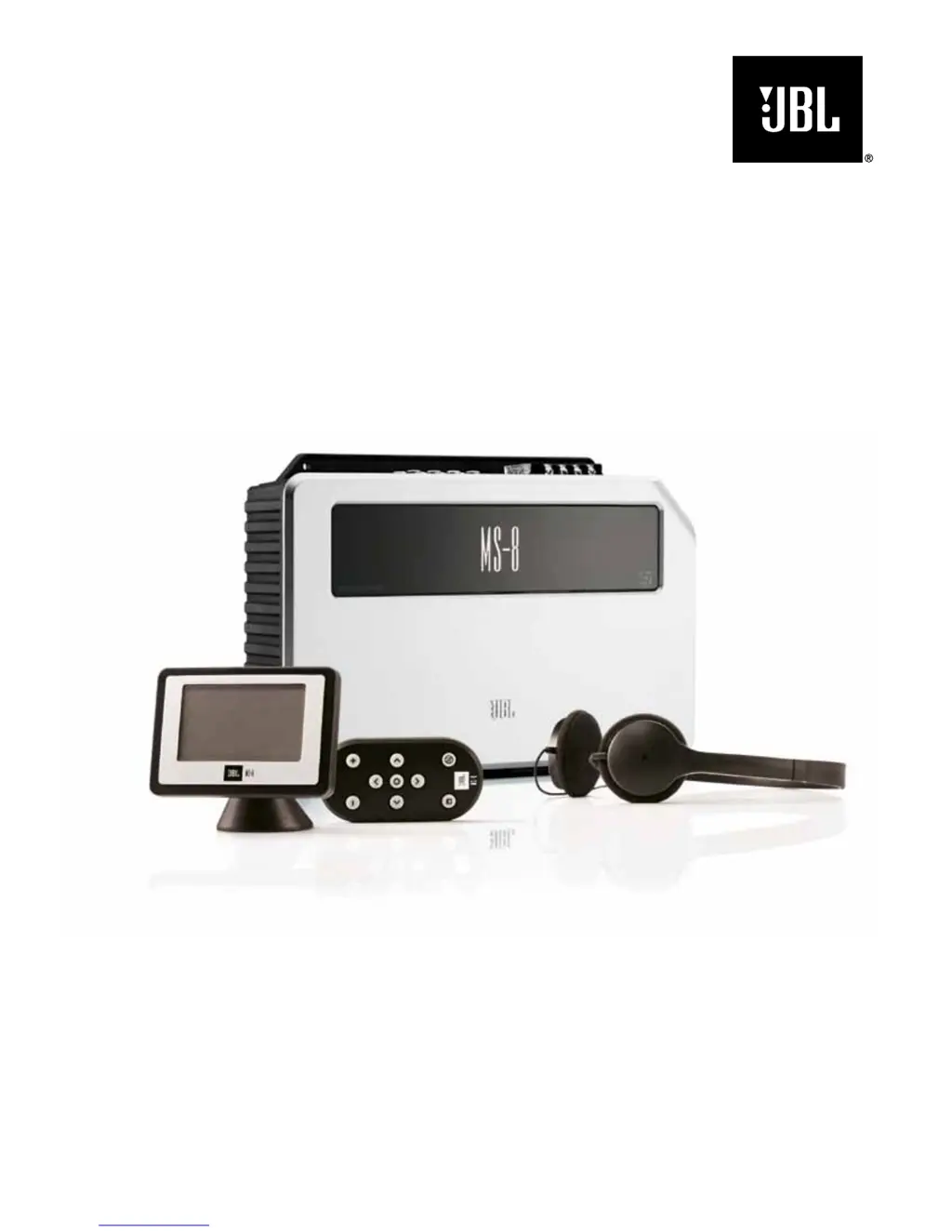
JBL MS-8 - User Manual

JBL MS-8
48 pages
Print Icon
To Next Page IconTo Next Page
Loading...
USER GUIDE
MS-8
System integration digital processor
jbl
®

Other manuals for JBL MS-8

Questions and Answers

  • D
    duanerangelAug 18, 2025
    What to do if there is no sound in all channels of my JBL Computer Hardware?
    • S
      Suzanne RiveraAug 18, 2025
      If there is no sound in all channels, several factors could be at play. First, verify that all required channels of the source unit are properly connected. Next, the calibration/setup procedure must be performed before the MS-8 will pass an audio signal through to its outputs. Ensure the correct input is selected on the MS-8 using the Input Selection menu. Also, check that the MS-8’s System Volume is not turned all the way down; set it to –20dB. Lastly, confirm that the head-unit or source-unit volume control is at a normal level.
  • C
    Christine Barr MDAug 20, 2025
    How to fix distorted sound in all speakers with JBL MS-8?
    • J
      Jesse BrayAug 20, 2025
      If the sound in all speakers is distorted, the MS-8’s System Volume control and the head unit’s volume control might not be properly adjusted. If the front speakers are directly connected to the MS-8’s internal amplifier, set the MS-8’s System Volume at –20dB. If the front speakers are connected to an external amplifier, set the MS-8’s System Volume lower than –20dB, and use the head unit’s volume control. You may need to slightly adjust the MS-8’s System Volume. Also, reduce the Bass Control and/or Graphic EQ boost levels, as high levels of Graphic EQ bass-band boost combined with high Bass Control boost can cause distortion.
  • C
    Courtney CooperAug 23, 2025
    What to do if there is no sound in one or more channels of JBL Computer Hardware?
    • V
      Vanessa CraigAug 23, 2025
      If there is no sound in one or more channels, first confirm that all required channels of the source unit are properly connected. Also, verify that the speaker in question is properly connected to the MS-8’s speaker output. Check the speaker connection to any outboard amplifier. Finally, troubleshoot the outboard amplifier and replace it if necessary.
  • V
    Valerie Rodriguez DDSAug 26, 2025
    How to troubleshoot if the power LED does not illuminate on my JBL Computer Hardware?
    • M
      Martin CamachoAug 26, 2025
      If the power LED does not illuminate, it could be due to a few reasons. First, confirm that the +12V, Gnd, or Rem In terminals are correctly connected. Also, inspect the fuse and replace it with an identical 25A fuse if it is blown.
  • S
    Samuel Horne DDSAug 27, 2025
    Why is the sound coming from the incorrect speaker with my JBL MS-8?
    • K
      kelsey33Aug 27, 2025
      If the sound is coming from the incorrect speaker, confirm that the speaker is connected to the correct MS-8 speaker output or to the correct outboard-amplifier channel. Also, perform the Input Setup and Output Setup procedures again, making sure to document which speakers are connected to which MS-8.
  • T
    troyramirezAug 30, 2025
    Why does music sound dull and lifeless on my JBL MS-8?
    • M
      Michael BarberAug 30, 2025
      If the music sounds dull, lifeless, and confined, with poor stereo imaging, it may be because the MS-8’s Logic 7 and digital signal processing (DSP) are defeated. Use the MS-8’s Audio Controls menu to activate Logic 7 and DSP. Additionally, the MS-8’s System Volume may have been set too high during the acoustic-calibration process. Perform the acoustic-measurement portion of the calibration/setup process again, with the MS-8’s System Volume set at –20dB.
  • C
    Christopher FreemanSep 2, 2025
    What to do if the power LED is on but the display doesn't illuminate on JBL MS-8?
    • P
      Paul DoyleSep 2, 2025
      If the power LED illuminates, but the display does not, first check the connections at the display and the main unit. If the connections are correct, the MS-8’s microprocessor may need to be reset. Press the Reset button with a pen or similar object.
  • L
    Lisa ChavezSep 4, 2025
    How to adjust the volume of the Aux input on JBL Computer Hardware?
    • M
      Michael HobbsSep 4, 2025
      If the source connected to the Aux input is too quiet or too loud, use the MS-8’s System Levels screen to set the Aux level so that the Aux source’s level matches the level of the head unit source. You can also set the source player’s volume control to a higher level.
  • S
    Steven HansenSep 6, 2025
    Why does sound only come from one side of my JBL Computer Hardware speakers?
    • K
      Karen TerrellSep 6, 2025
      If sound comes from only the left or right side speakers, or only the front or rear speakers, the Balance and/or Fader controls may be set all one way or another. Use the MS-8’s System Levels screen to set the controls to their center positions.
  • L
    lcunninghamSep 9, 2025
    Why is the center speaker too loud on my JBL MS-8 Computer Hardware for talk radio?
    • J
      Juan JenningsSep 9, 2025
      If the center speaker seems too loud when listening to news, sports, or talk radio stations, the MS-8’s Logic 7 processing is sending all mono information to the center speaker. Use the MS-8’s System Levels screen to reduce the center speaker’s level until it sounds correct to you. Then save the settings as one of the MS-8’s Favorite settings.

Summary

Introduction to JBL MS-8

Important Information Before Installation

Safety Warnings and Precautions

Critical safety information, warnings about loud music, and fuse replacement.

Box Contents and Applications

Lists all included components and outlines the device's audio system capabilities.

Connecting the MS-8 System

Power Connections

Details correct procedures for connecting power (+12V, GND, REM).

Audio Input Options

Guides on connecting factory/aftermarket head units and auxiliary sources.

Audio Output Configurations

Explains how to configure the MS-8's outputs for various speaker systems.

Display and Microphone Connections

Instructions for connecting the display unit and microphone headset.

Firmware Update

Information on using the update port for firmware upgrades.

MS-8 Installation Guide

Installation Guidelines and Safety Tips

Provides essential safety precautions and practical advice for installation.

Main Unit Mounting and Location

Guidance on choosing a location and securely mounting the main unit.

Display Unit Installation and Location

Advice on positioning and installing the display unit for optimal viewing.

Remote Control Mounting and Battery Replacement

Instructions for mounting the remote control and replacing its battery.

Using the Remote Control

Remote Control Button Functions

Explains the operation of volume, navigation, select, and mute buttons.

Calibration and Setup Procedures

Language Selection

Selects the display language for the MS-8's menus and interface.

Input Setup Procedure

Guides through analyzing and conditioning audio input signals using the calibration CD.

Output Setup and Crossover Configuration

Configures crossover settings and identifies output channels for connected speakers.

Acoustic Calibration

Optimizes sound response using a microphone for up to four seating positions.

Using the MS-8 System

Remote Volume Control

Adjusts system volume using remote buttons.

Main Menu Navigation

Navigates through Main Menu options like Input Selection, Audio Controls, Favorites.

System Settings

Adjusts system settings like turn off delay, brightness, contrast, and language.

Resetting the Microprocessor

Troubleshooting Common Issues

Power and Display Issues

Solves problems related to power LED, display illumination, and fuses.

Sound and Audio Problems

Addresses issues like no sound, incorrect speaker output, and audio distortion.

Display Error Messages

Explains and provides solutions for common error messages displayed on the unit.

MS-8 Technical Specifications

JBL MS-8 Specifications

General IconGeneral
Amplifier class-
Frequency range20 - 20000 Hz
Audio output channels5.1 channels
Peak power per channel30 W
Signal-to-Noise Ratio (SNR)85 dB
Total Harmonic Distortion (THD)- %
RMS power output per channel (4 Ohm)18 W
DC-in jackYes
PurposeCar
Product colorBlack, White
Connectivity technologyWired
Built-in displayNo

Related product manuals