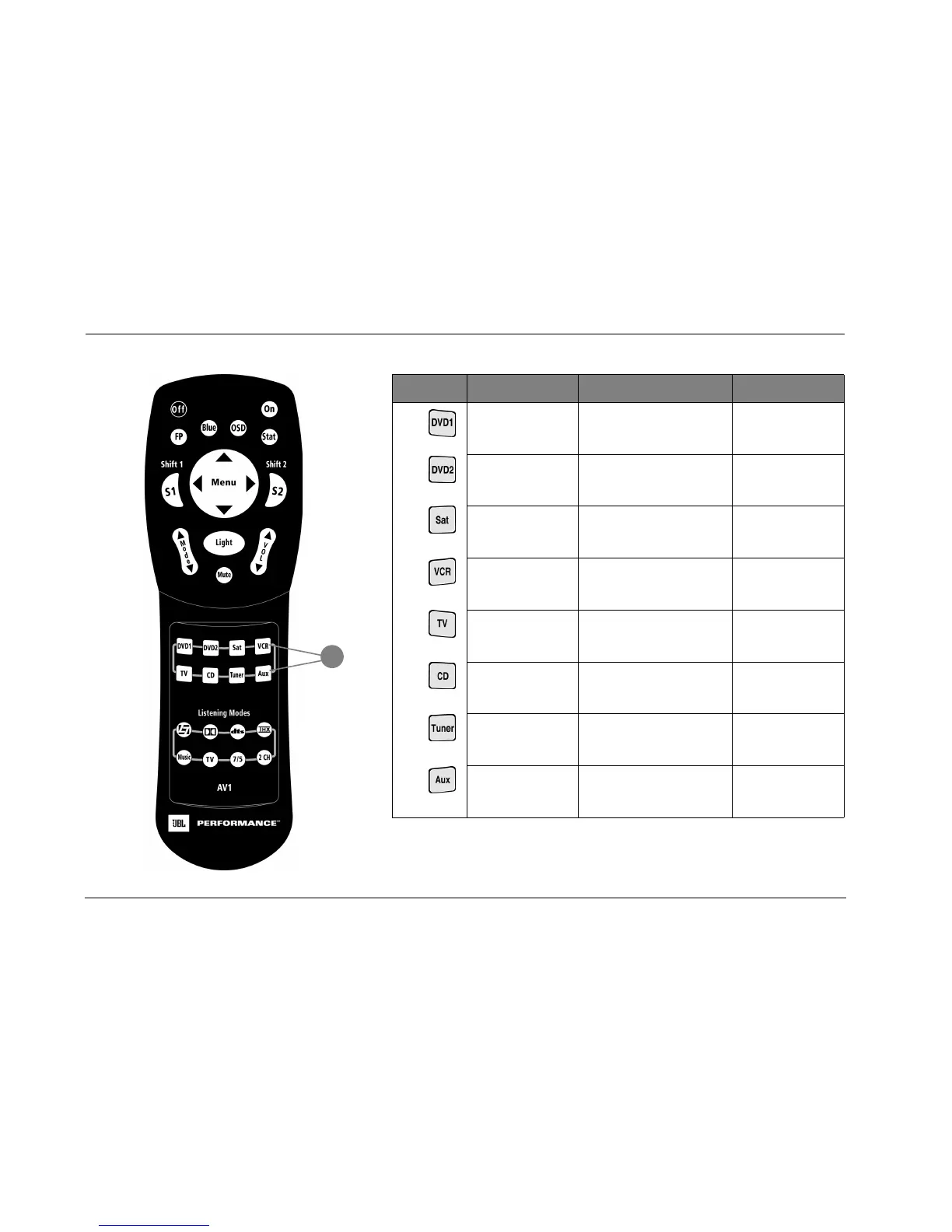
Basic Operation JBL Performance
2-12
Button Main Zone Shift 1 Shift 2
16
Selects the DVD1 input. Increases the AUDIO CONTROLS
menu BASS parameter in 0.5dB
increments.
Reserved for possible
future expansion.
Selects the DVD2 input. Increases the AUDIO CONTROLS
menu TREBLE parameter in 0.5dB
increments.
Reserved for possible
future expansion.
Selects the Sat input. Increases the AUDIO CONTROLS
menu TILT EQ parameter in
0.2dB increments.
Reserved for possible
future expansion.
Selects the VCR input. Sets the AUDIO CONTROLS menu
LOUDNESS parameter to ON.
Reserved for possible
future expansion.
Selects the TV input. Decreases the AUDIO CONTROLS
menu BASS parameter in 0.5dB
increments.
Reserved for possible
future expansion.
Selects the CD input. Decreases the AUDIO CONTROLS
menu TREBLE parameter in 0.5dB
increments.
Reserved for possible
future expansion.
Selects the Tuner input. Decreases the AUDIO CONTROLS
menu TILT EQ parameter in
0.2dB increments.
Reserved for possible
future expansion.
Selects the AUX input. Sets the AUDIO CONTROLS menu
LOUDNESS parameter to OFF.
Reserved for possible
future expansion.
16



 To Next Page