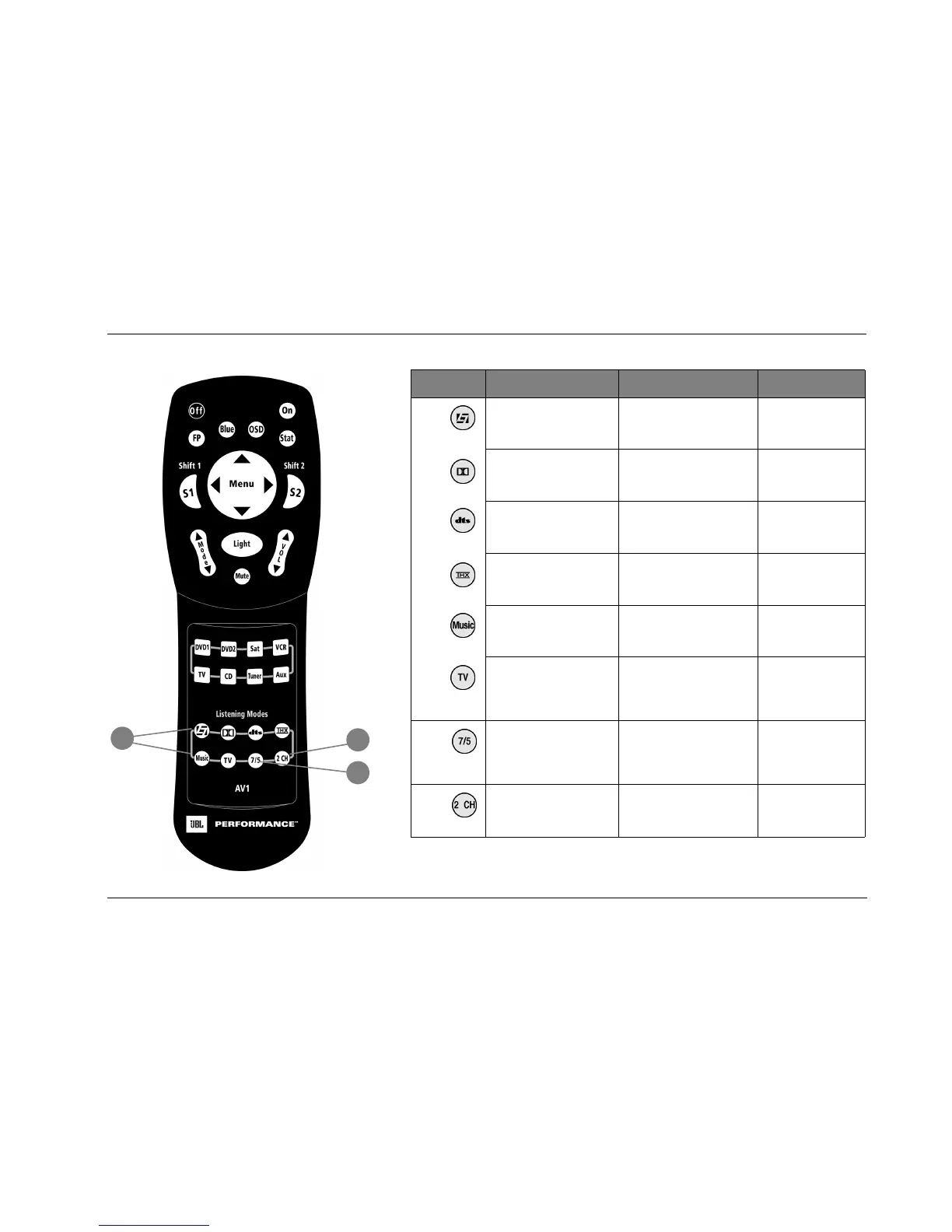
AV1 Basic Operation
2-13
Button Main Zone Shift 1 Shift 2
17
Selects the LOGIC7 Film
mode family.
Selects the PANORAMA
listening mode.
Selects the PARTY
listening mode.
Selects the DOLBY mode
family.
See “S1+ Dolby” (next page)
for more information.
Selects the PLII MOVIE
listening mode.
Selects the DTS(-ES) mode
family.
See “S1+ DTS” (next page) for
more information.
Selects the DTS Neo:6
CIN listening mode.
Selects the THX mode family. See “S1+ THX” (next page)
for more information.
Selects the PLII + THX
listening mode.
Selects the LOGIC7 Music
mode family.
Selects the L7 MUSIC SURR
listening mode.
Selects the NIGHT-
CLUB listening mode.
Selects the LOGIC7 TV
mode family.
Selects the MONO LOGIC
listening mode for 2-channel
input sources and the 5.1
MONO LOGIC listening mode
for 5.1-channel input sources.
Selects the CONCERT
HALL listening mode.
18
Toggles between 7- and
5-channel playback. See
“ASA (Advanced Speaker
Array)” on page 3-32 for
more information.
Adjusts the ADVANCED menu
INPUT SELECT parameter,
cycling through the ANALOG,
DIGITAL and AUTO settings.
Selects the CHURCH
listening mode.
19
Toggles between the acti-
vated listening mode and
the 2-CHANNEL listening
mode.
Adjusts the ADVANCED 2-CH
ANLG BYP parameter
between ON and OFF.
Selects the CATHE-
DRAL listening mode.
18
19
17



 To Next Page