Basic operation
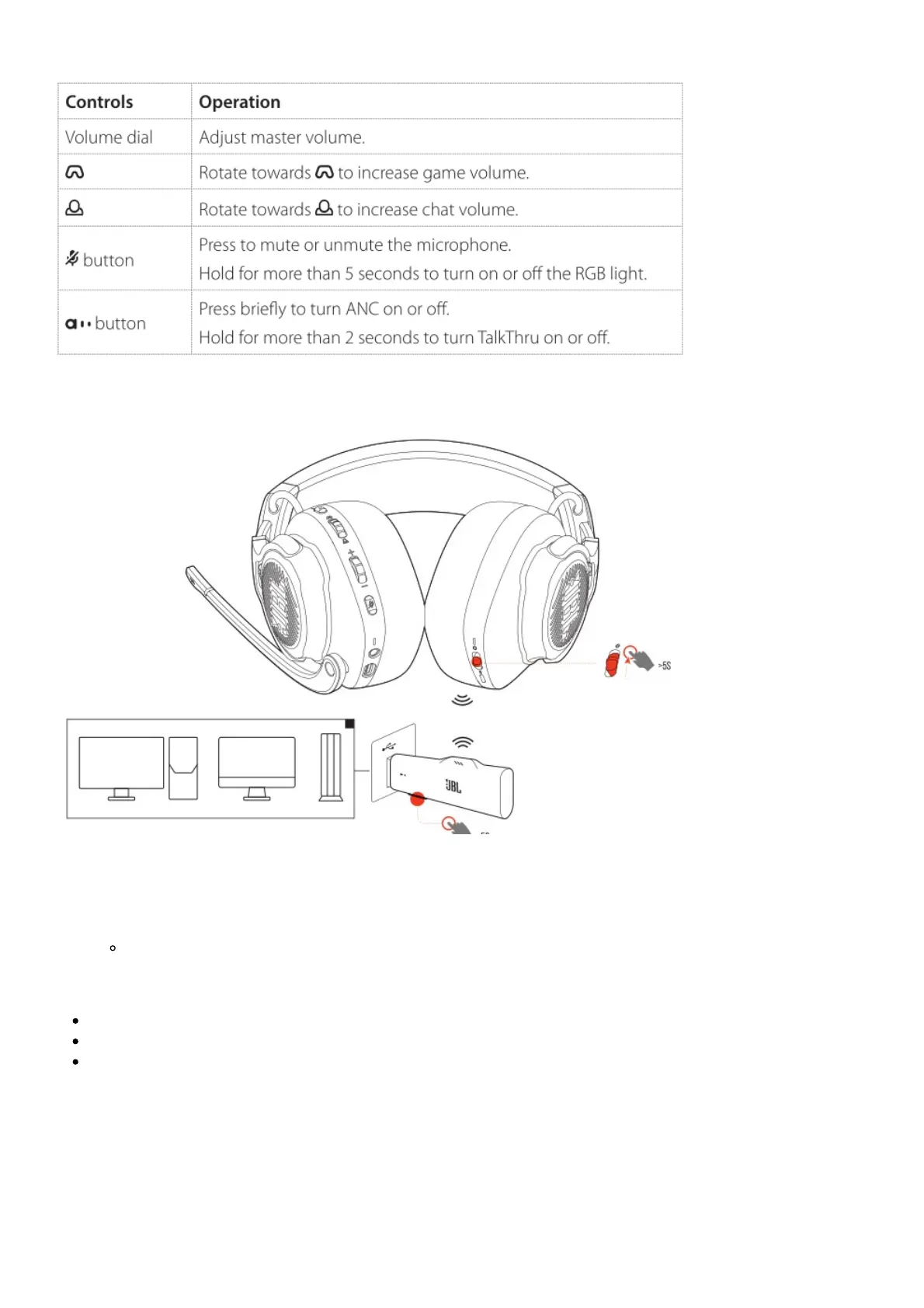
To pair manually
1. On the headset, slide the power switch upwards and hold for more than 5 seconds until the status
LED flashes white.
2. On the 2.4G USB wireless dongle, hold CONNECT for more than 5 seconds until the LED flashes
white quickly.
Both LEDs on the headset and dongle turn solid white after successful connection.
TIPS:
The headset turns off automatically after 10 minutes of inactivity.
The LED enters connecting mode (flashing slowly) after disconnection from the headset.
Compatibility with all USB-A ports is not guaranteed.
With Bluetooth (secondary connection)



 To Next Page