With this function, you can connect your mobile phone to the headset while playing games, without
worrying about missing important calls.
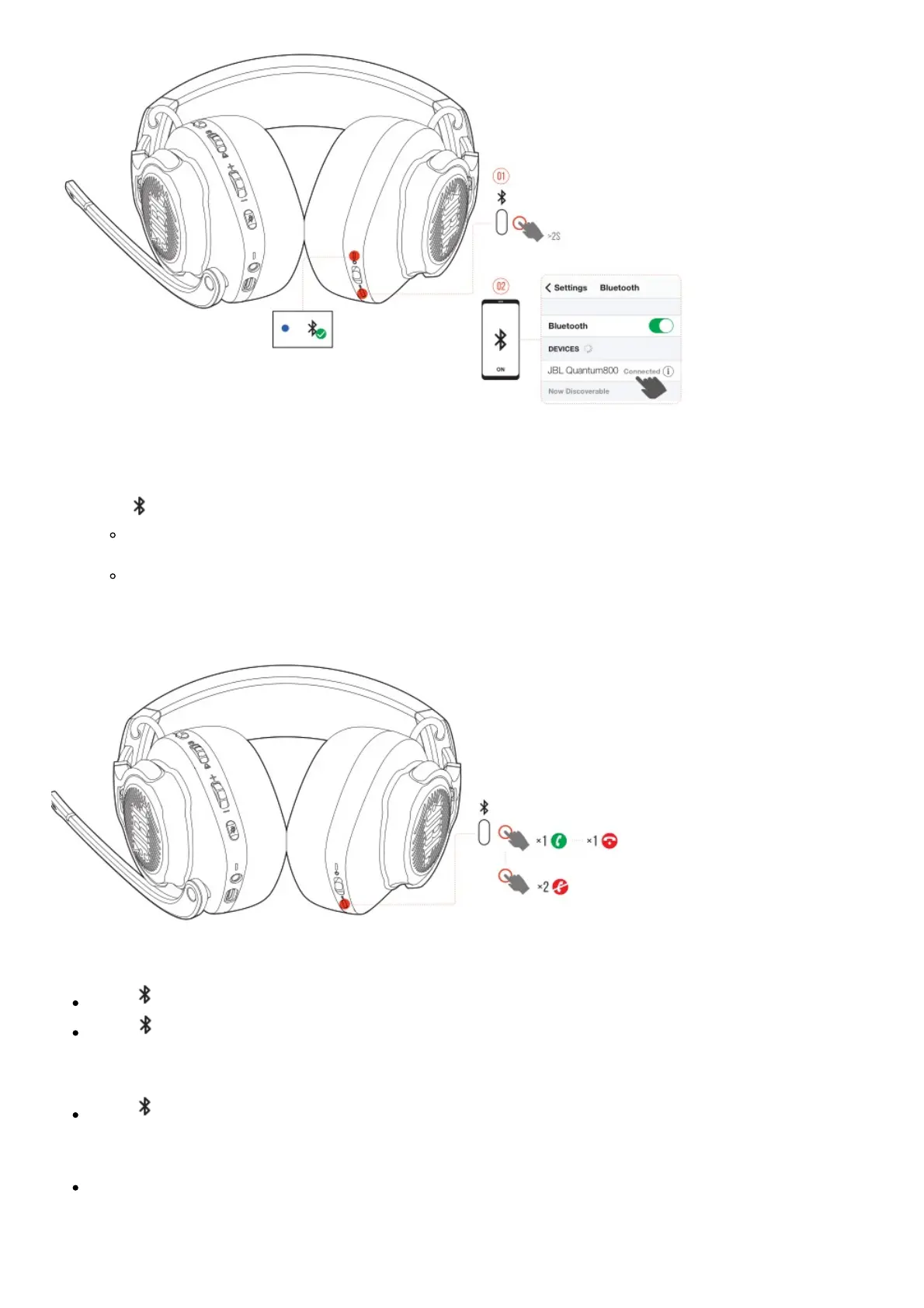
1. Hold on the headset for more than 2 seconds.
2. The status LED flashes quickly (pairing).
3. Enable Bluetooth on your mobile phone and choose “JBL Quantum800” from “Devices”.
The status LED flashes slowly (connecting), and then turns solid blue (connected).
Control calls
When there is an incoming call:
Press once to answer.
Press twice to reject.
During a call:
Press once to hang up.
TIP:
Use volume controls on your Bluetooth connected device to adjust volume.
Product Specifications



 To Next Page