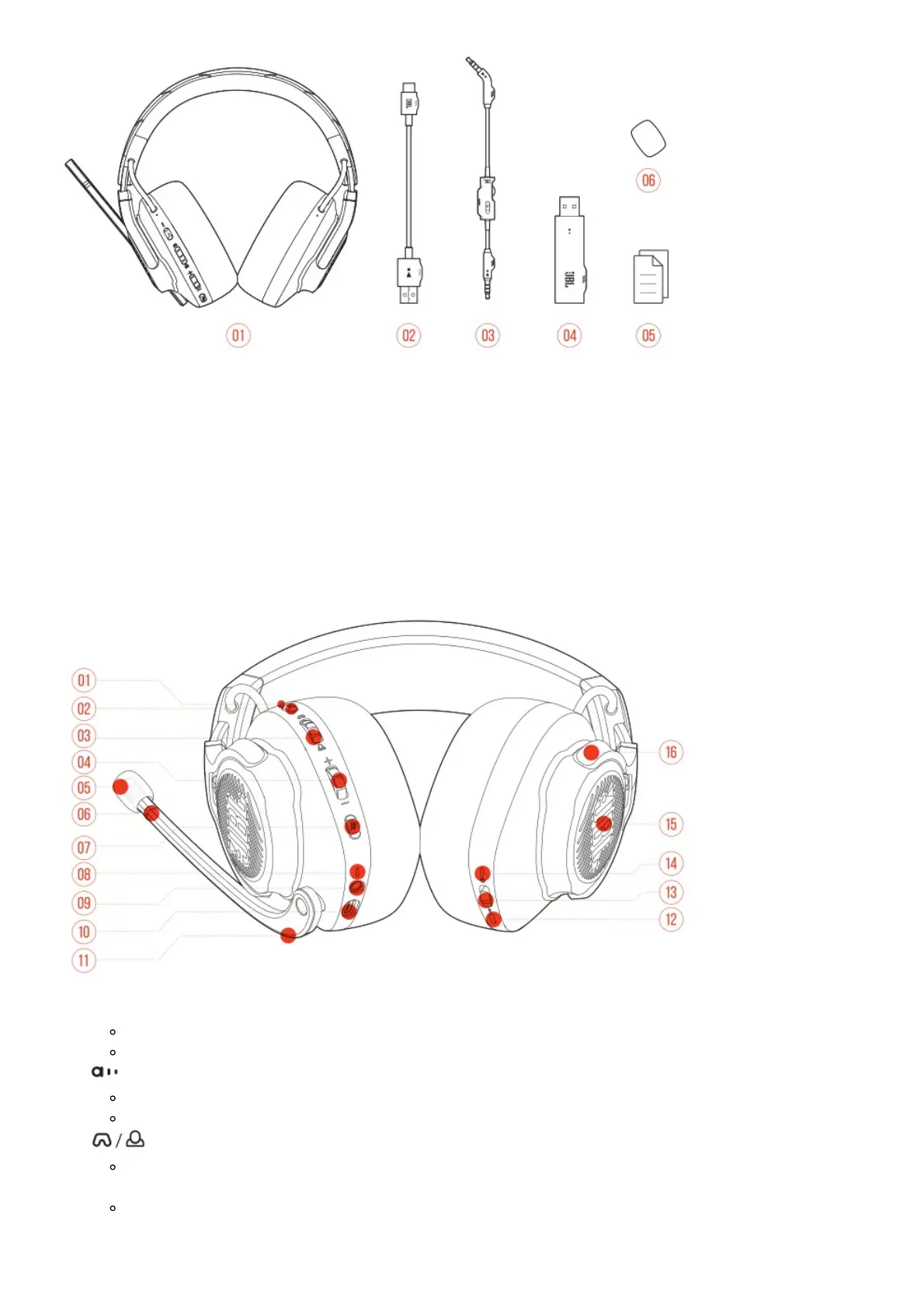
1. JBL QUANTUM800 headset
2. USB charging cable (USB-A to USB-C)
3. 3.5mm audio cable
4. 2.4G USB wireless dongle
5. QSG, warranty card and safety sheet
6. Windshield foam for boom microphone
PRODUCT OVERVIEW
Controls on headset
1. ANC* / TalkThru** LED
Lights up when the ANC feature is enabled.
Flashes quickly when the TalkThru feature is enabled.
2. button
Press briefly to turn ANC on or off.
Hold for more than 2 seconds to turn TalkThru on or off.
3. dial
Balances the chat volume in relation to the game audio volume.
4. Volume +/- dial
Adjusts headset volume.
5. Detachable windshield foam
6. Mic mute / unmute LED



 To Next Page