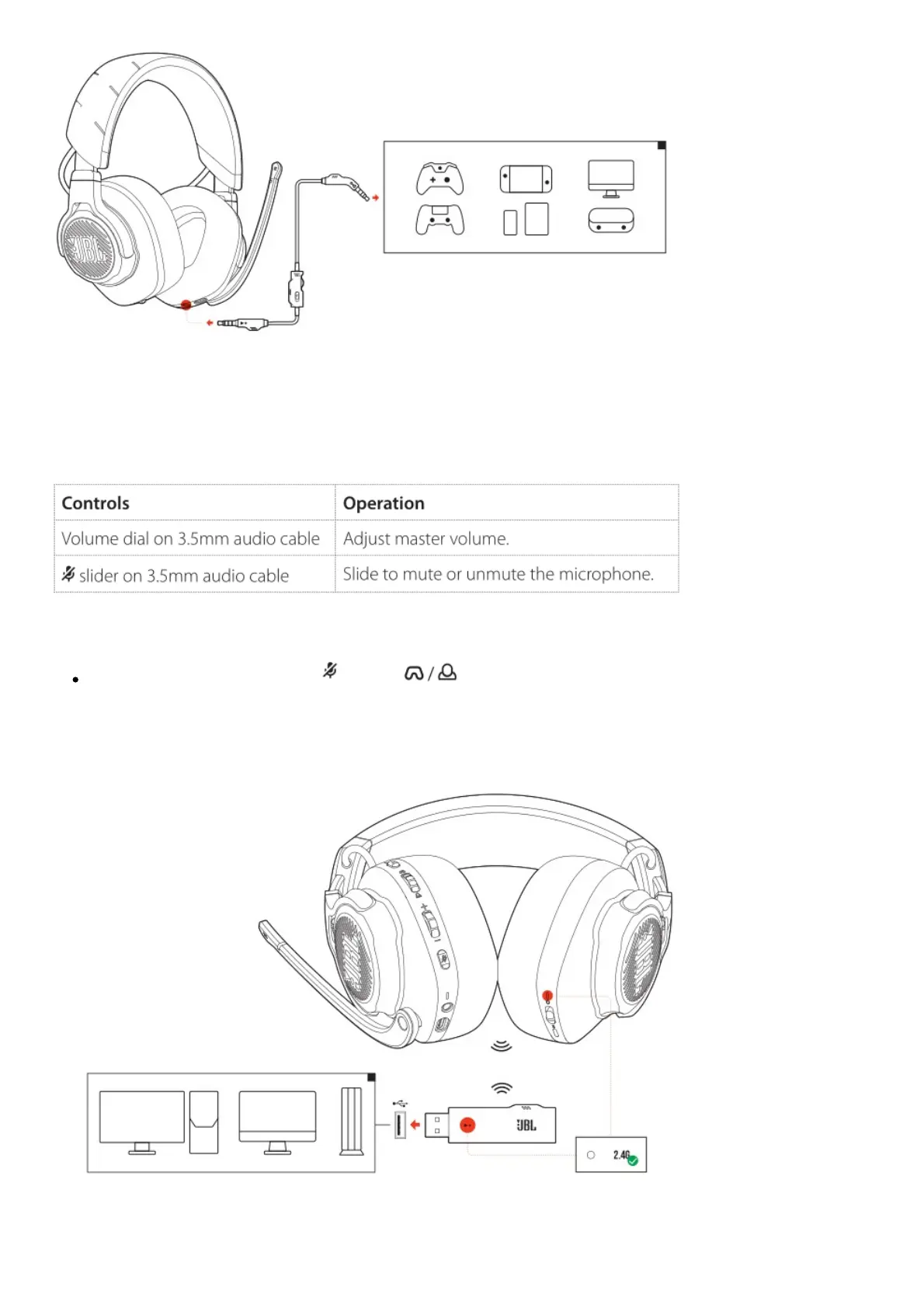
1. Connect the black connector to your headset.
2. Connect the orange connector to the 3.5mm headphone jack on your PC, Mac, mobile or gaming
console device.
Basic operation
NOTE:
The mic mute / unmute LED, button, dial and RGB Lighting Zones on the headset do not
work in 3.5mm audio connection.
With 2.4G wireless connection
1. Plug the 2.4G USB wireless dongle into a USB-A port on your PC, Mac or PS4.
2. Power on the headset. It will pair and connect with the dongle automatically.



 To Next Page