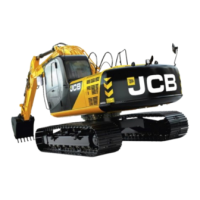
11 Repeatedly press L Mode switch until ‘E’ is displayed
on the clock (1st digit). All other displays are for non-
JCB applications and are therefore not applicable.
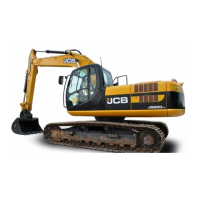
12 Press RESET button once.
13 Start engine. If the engine is cold, allow it to idle for a
few minutes before proceeding.
14 Press CUSHION switch once. The following sequence
will occur:
1 Engine goes to maximum rpm - CAPS fine tunes
for H mode.
2 Engine speed decreases by 100 rpm - CAPS fine
tunes for S mode.
3 Engine speed decreases by a further 100 rpm -
CAPS fine tunes for L mode.
4 Engine speed returns to idle - CAPS fine tunes
idling speed.
Programming is complete when a digging mode is
displayed in the message screen.
15 Switch the ignition off.
Important Note: Never attempt to reset the computer
when ! ELECTRICAL FAULT or any other warning message
is displayed on the message monitor. If a warning is
displayed the computer will not be able to complete its reset
cycle.
6 - 4
Initial Set-up of the Controller for Machine
Identification (continued)
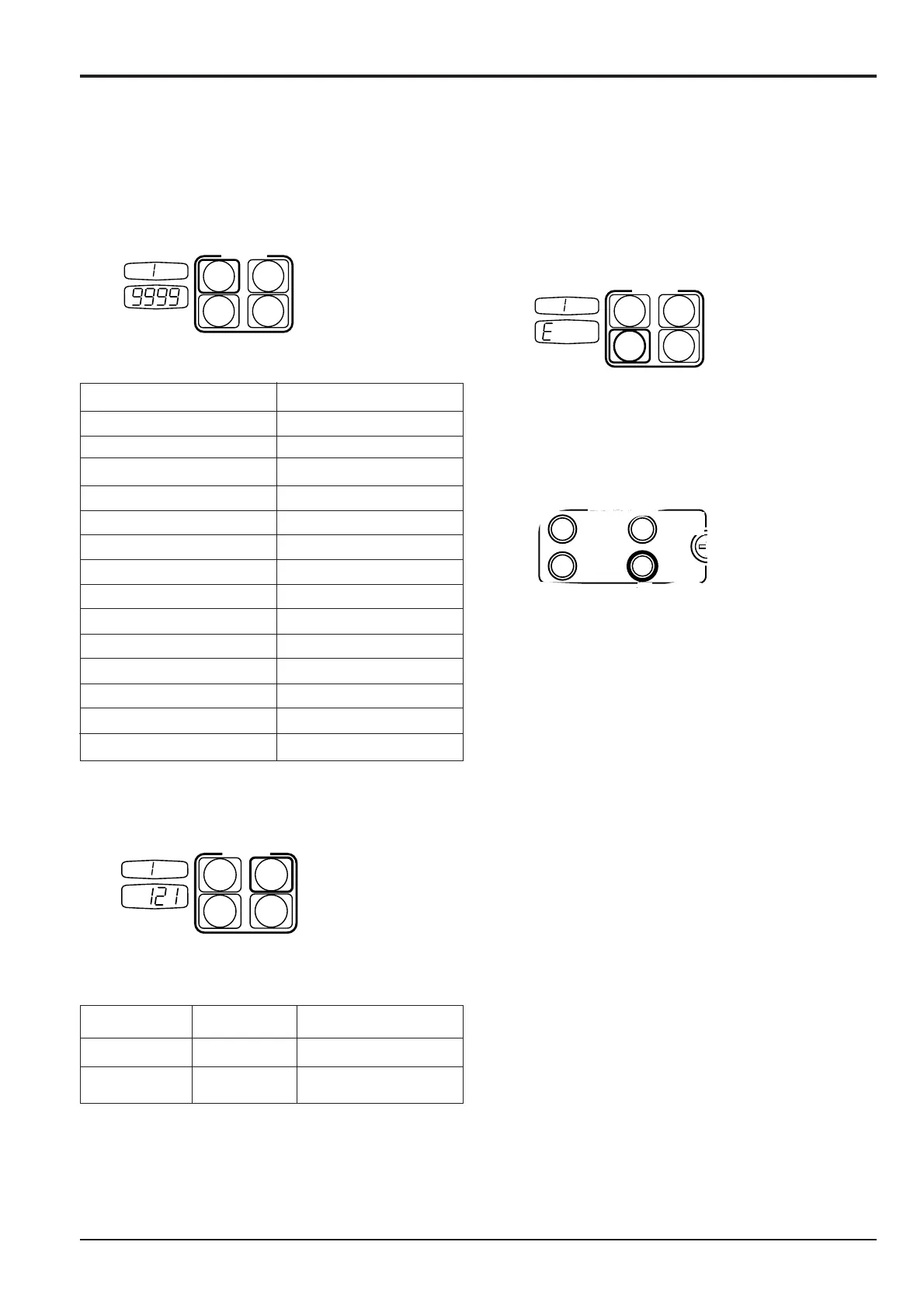
9 Repeatedly press S Mode switch until the monitor’s
desired language is displayed on the mode screen.
LANGUAGE MODE SCREEN
JAPANESE 0
ENGLISH 1
THAI 2
CHINESE 3
GERMAN 4
FRENCH 5
ITALIAN 6
SPANISH 7
PORTUGUESE 8
DUTCH H
DANISH L
NORWEGIAN F
SWEDISH EC
FINNISH C
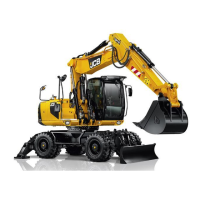
10 Repeatedly press H Mode switch until the machine
model is displayed on the clock (last 3 digits).
MODEL CLOCK MODE SCREEN
JS 130 121 1
JS 160 151 1
If the last digit in the clock window does not read 1 (e.g.
129), press the ‘F’ mode switch until the digit reads ‘1’.
Section C Electrics
9803/6410
Section C
6 - 4
Issue 2*
Throttle Motor


 To Next Page