17
Abduction Pads
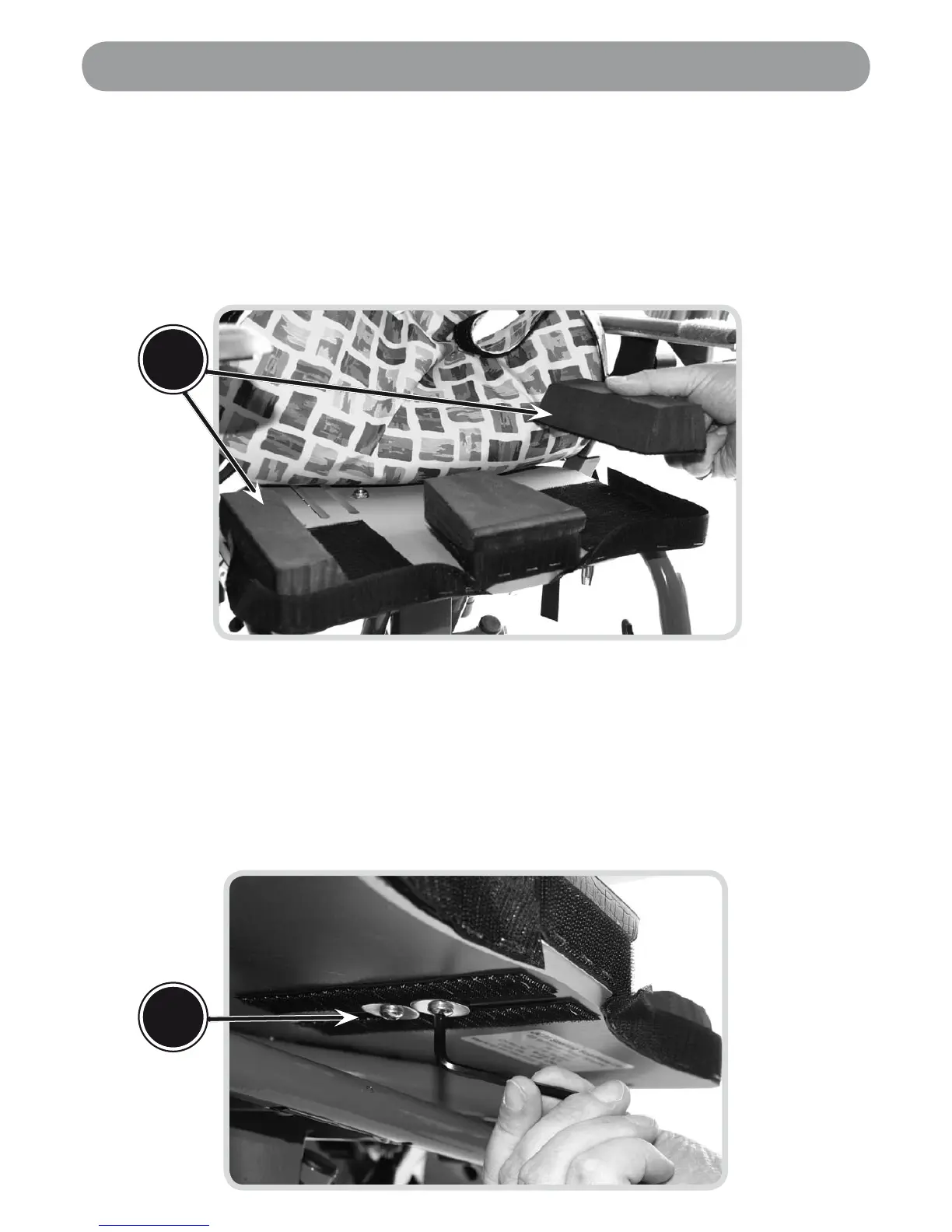
Pull back the seat cover (it is attached with velcro to the underside of the seat) to
reveal the supports beneath.
Adjust the abduction pads (A), by simply lifting them up from the velcro fastening and
repositioning them in the desired location to give enhanced comfort and support.
Built-in Pommel
(Bolts (B) are found directly beneath the pommel on the underside of the seat)
Loosen the two bolts (B) by turning them anti-clockwise using the allen key provided.
Reposition the pommel in the desired location to provide comfort and support to the user.
Finally secure the pommel in place by tightening the bolts.
•
•
•
•
•
A
Setting the Seat Supports
B


 To Next Page