8.1 Activating the operator mode
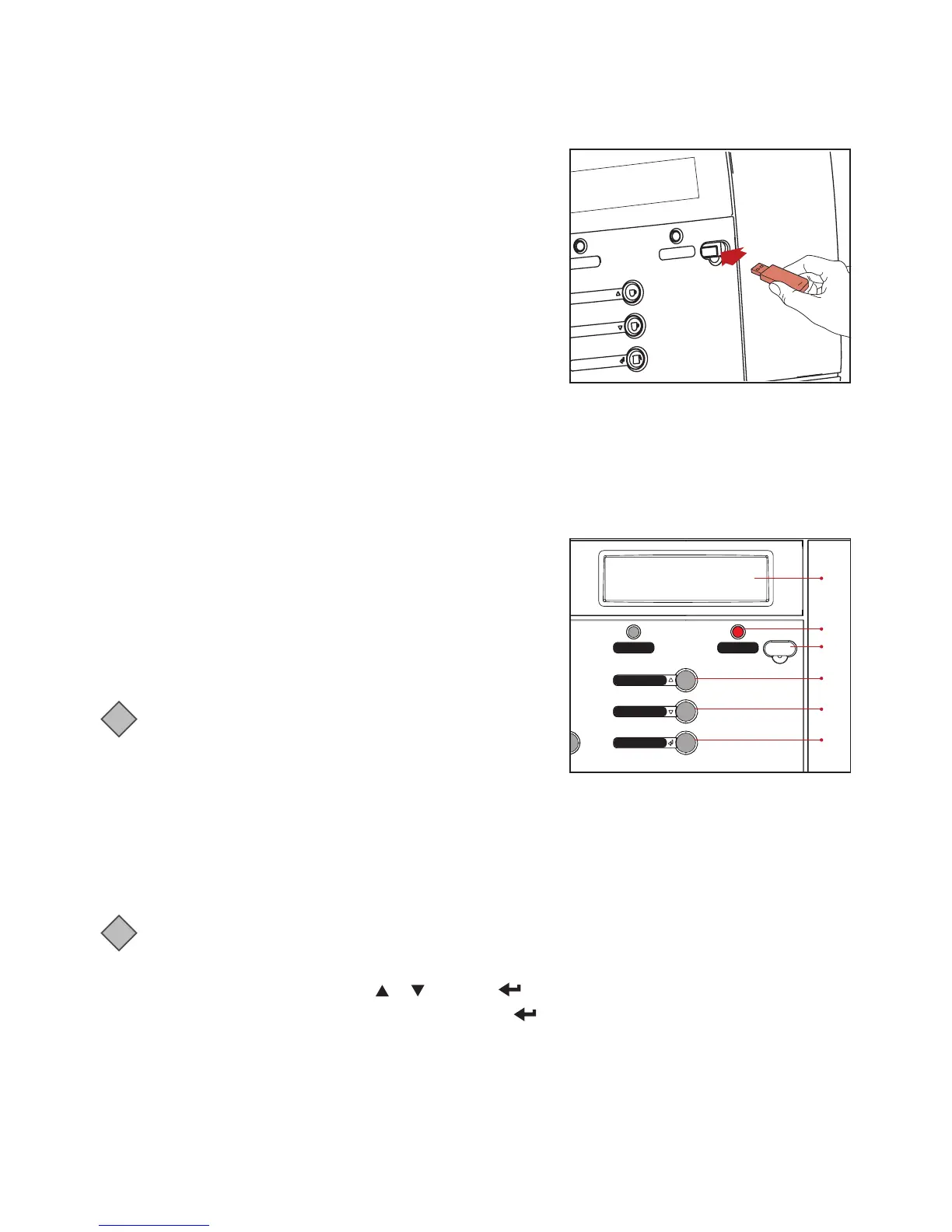
Remove the cover and insert the supplied operator USB key.
This immediately starts the operator mode.
The first menu item (COUNTERS) is displayed.
The following menus are available:
• COUNTERS - read counters
• STRENGTH - change drink strength
• DATE / TIME - set date and time
• CLEANING DAYS - set weekdays for cleaning and flushing
• ECO SETTINGS - energy saving mode settings
• TELEPHONE # - ENABLE/DISABLE and set telephone numbers for service and operator.
• LANGUAGE - Choose the operating language to be used by the machine.
Please note that some menu items might be disabled by the service technician. Contact your Cafitesse
systems supplier if you need your settings altered.
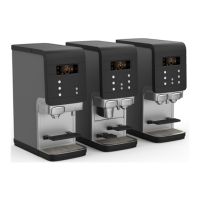
8.2 Operator mode controls
1. STOP (Back) button - Go to previous menu
2. Scroll up or increase value
3. Scroll down or decrease value
4. Enter menu
5. Display
6. Port for USB key
i
Note:
Dispenser programming is not available in all markets.
Some menus may be disabled depending on dispenser
configuration.
8- USER PROGRAMMING
Coee large
StopStrength
Coee
Pot coee
1
6
2
3
4
5
8.3 COUNTERS
In the COUNTERS menu, you have various possibilities to read out the drink counters:
• TOTAL COUNTERS - Counter that is not possible to reset.
• RES COUNTERS - Counter that is possible to reset.
i
Note:
Press STOP button to go back one level within the COUNTERS menu.
1. Select the COUNTERS menu by using
or and press to access it.
2. Select either TOTAL COUNTERS or RES COUNTERS , press to access it.
3. The display will show TOT MACHINE COUNTER alternating with PRESS DRINK BUTTON.
In the small number field below the text row the total amount of drinks dispensed by the dispenser is
shown.
4. To see counter for each button individually, press the desired drink button. Ex. if you press a button it will
show TOT DRINK 1 and then display the number of drinks for that button in the small number field.
5. To go back press STOP button, then you can select a different drink to view.



 To Next Page