- 64 -
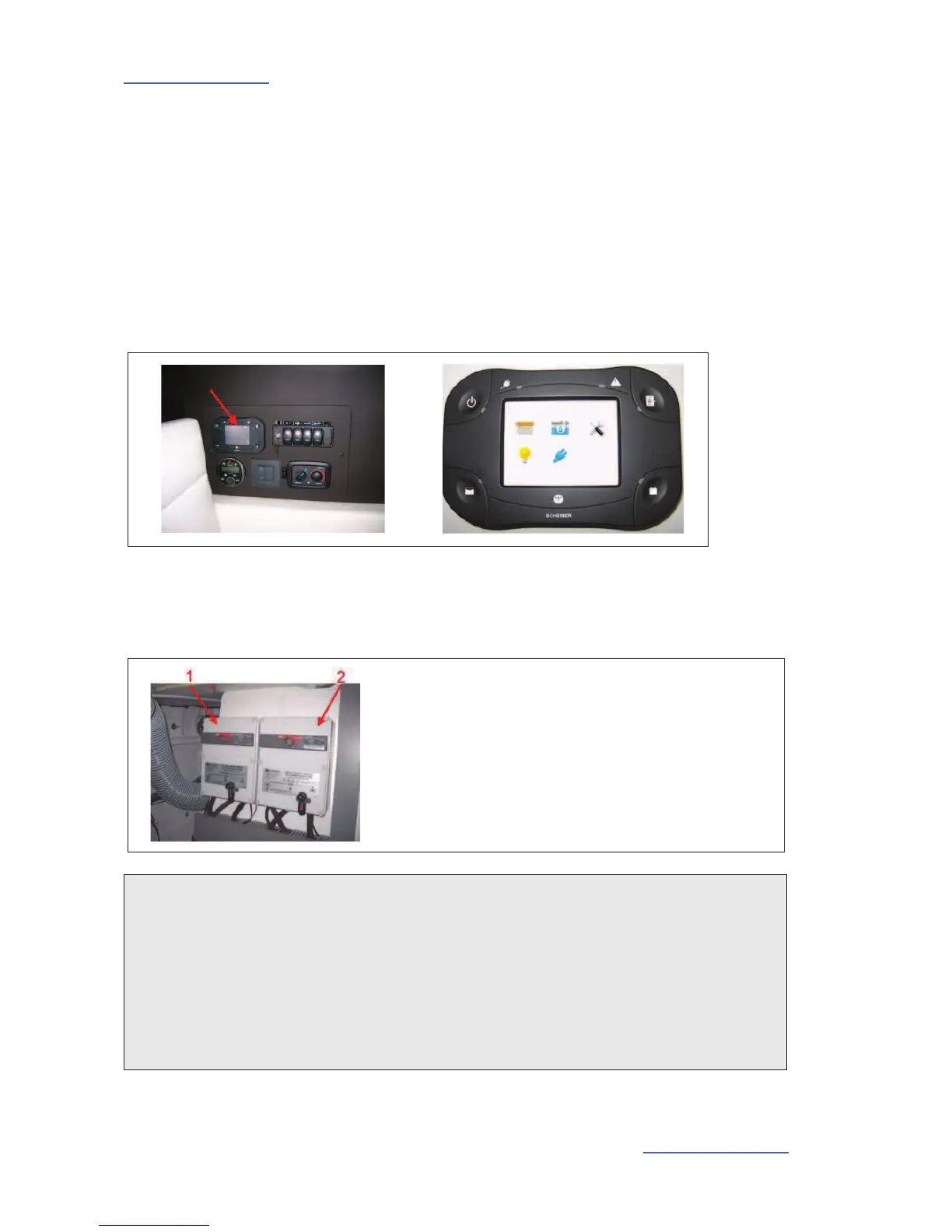
7.2.11 Touch screen
The touch screen allows the boat's auxiliary functions to be driven and displayed:
- Lighting,
- Battery voltage,
- Fresh water gauge.
- Management of boat's AC supply sources.
Location: Starboard saloon.
Source selectors:
Location: Engine compartment.
A handle allows the selector to be engaged manually.
1. Source selector: "House" - is fitted if the boat is fitted
with a generator.
2. Source selector: "Air conditioning" - is fitted if the boat
is fitted with air conditioning.
NOTES
The switches are stand-alone, they operate without wires: they are automatically supplied
with electricity by means of 'PIEZO' technology.
Each switch switches a lighting outlet on and off.
Each switch is fitted with a dimmer.
The switches do not require any particular maintenance. To clean them, simply wipe over
the surface of the switch with a clean, damp cloth.





 To Next Page