EasyManua.ls Logo

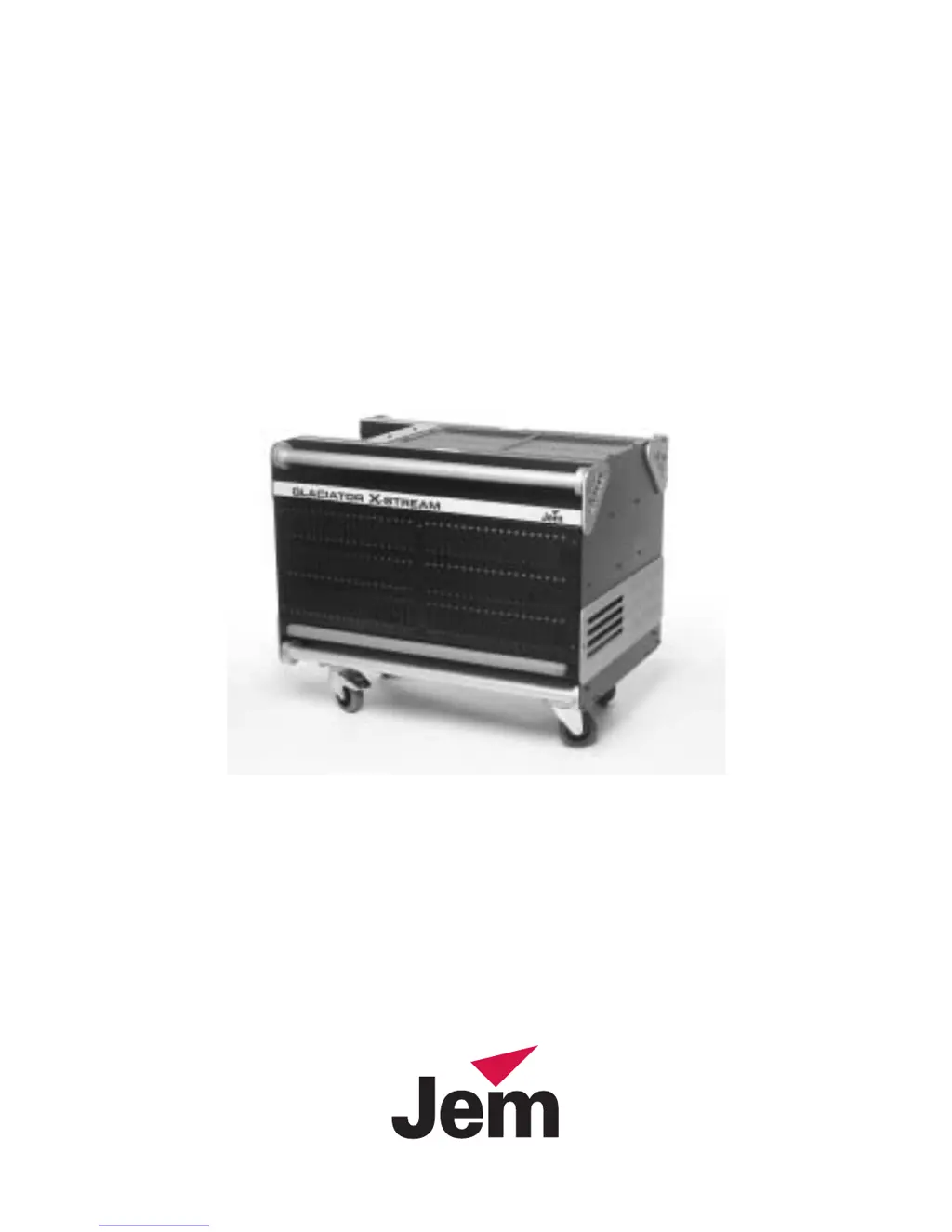
JEM Glaciator X-Stream - User Manual

JEM Glaciator X-Stream
40 pages
Print Icon
To Next Page IconTo Next Page
Loading...
Heavy Fog
Glaciator
X-Stream
user manual

Other manuals for JEM Glaciator X-Stream

Questions and Answers

  • C
    Cynthia BakerAug 3, 2025
    Why is my JEM Glaciator X-Stream Fog Machine not producing fog when using the fog or timer switch?
    • K
      Kimberly JacksonAug 3, 2025
      If your JEM Fog Machine isn't producing fog when using the Fog or Timer switch, several factors could be at play. First, ensure the machine has had adequate time to heat up. Check that the fluid level isn't below the minimum; if it is, add more fluid. Also, verify that the Standby switch is set to ON. Finally, if you're using the timer, confirm that the on-period (ton) is set to at least 1 second.
  • A
    Allison RuizAug 9, 2025
    What to do if JEM Glaciator X-Stream Fog Machine has no fog output when using DMX?
    • E
      Emma SullivanAug 9, 2025
      If your JEM Fog Machine isn't emitting fog when triggered via DMX, there are a few things to investigate. Begin by checking the DMX address settings to ensure they are correct. Then, allow the machine sufficient time to warm up with the DMX signal active. Lastly, confirm that a 120 Ohm resistor is fitted for DMX termination.
  • G
    george03Aug 14, 2025
    Why JEM Glaciator X-Stream Fog Machine is not ready after 20 minutes heating time?
    • N
      Nicole TorresAug 14, 2025
      If your JEM Fog Machine is not ready after a 20-minute heating period, start by checking that the Standby switch is set to ON. If the issue persists, the fuse on the Power control PCB may be blown. Disconnect the power supply and replace the fuse.
  • W
    wdavisAug 21, 2025
    How to fix fog that disperses too quickly from JEM Fog Machine?
    • C
      clarksarahAug 21, 2025
      If the fog from your JEM Fog Machine dissipates too rapidly, the issue might be related to the fluid type or density settings. Ensure you are using the correct grade of fluid for your specific application; a longer-lasting fluid may be necessary. Additionally, try increasing the density setting, which will reduce the fan speed.
  • D
    dunnamandaAug 27, 2025
    What to do if Flu/Lo is displayed on the JEM Glaciator X-Stream Fog Machine display?
    • H
      Heidi RamosAug 27, 2025
      If 'Flu/Lo' is displayed on your JEM Fog Machine's display, it indicates that the fluid level is below the minimum requirement. Add more fluid to resolve this issue.

Summary

Introduction

Features

Lists key features of the Glaciator X-Stream, including onboard fluid capacity, DMX interface, and pump system.

Safety Information

Details safety precautions for operating the Glaciator X-Stream, including electric shock and burn prevention.

Unpacking

Instructions on how to unpack the Glaciator X-Stream and check for damage, listing included items.

Product Overview

Provides a diagram labeling the key components of the Glaciator X-Stream unit.

Installation

Fixture Location

Guidelines for placing the machine on a level surface and ensuring adequate clearance around fans and vents.

AC Power

Details the available voltage models (208V/60Hz, 230V/50Hz) and electrical safety requirements.

Installing a Remote Fluid System

Instructions for connecting a remote fluid supply, including pump requirements and filter specifications.

Ducting

Explains how to fit ducting and configure DIP switch 10 for extended fan run-on.

Remote Control Configurations

Describes three remote control methods: PLC interface, JEM remote, and DMX-512 control.

DMX-512 Setup & Control

Data Connection for DMX Operation

Explains how to connect fixtures using RS-485 compatible cable and the wiring for XLR data sockets.

Connecting the Data Link

Details how to connect the data link using adaptors, phase-reversing cables, and termination plugs.

DMX Control Address

Explains how to set the control address using DIP switches 1-9 for DMX operation.

DMX Operation

Describes how DMX controls fog output level and density, and notes that timer functions are not accessible.

DMX Protocol

Details the DMX channel functions for fog output level and compressor/density settings.

PLC Interface

Pin Allocations

Lists the pin functions for the 9-way D-type interface connector, including Fog, Standby, Timer, and Fan control.

Control Panel Overview

Control Panel Displays and Keys

Describes the two LED displays and four function keys (Menu, Enter, Up/Down) for controlling the machine.

Fog and Ice Display Functions

Details the settings and parameters controlled via the Fog and Ice displays, including output, timer, and density.

Control Switches Explained

Explains the function of the Timer, Ice, Fog, and Standby latching switches on the control panel.

System Status Messages

Lists and explains common status messages displayed on the Fog and Ice displays.

General Operation

Fluid Management and Operation

Covers fluid types, pump ramping, fluid sensing, and changing the onboard fluid bottle for optimal performance.

Refrigeration System and Fan Control

Explains the refrigeration system, power saving, evaporator fan, and condenser fan control for effect management.

Starting the Glaciator X-Stream

Step-by-step guide for initial setup and powering on the machine from a cold state.

Producing Timed Output

Instructions on configuring and activating timed fog output sequences using the control panel.

Basic Service

Cleaning

Details the importance of regular cleaning of exterior elements, fans, and air vents to maintain performance.

Fuse Replacement

Explains how to identify blown fuses and the procedure for safely replacing them.

Filter Replacement

Describes the location and replacement schedule for the washable synthetic fiber filter in the air intake.

Firmware Updates

Outlines the process for updating the machine's firmware using a Martin AVR Uploader and a PC.

Troubleshooting

No Fog Output Issues

Addresses problems like no fog output when using switches or DMX, and machine not ready.

Fluid and Density Problems

Covers issues like 'Flu/Lo' display, fog dispersing too quickly, and wrong fluid grade.

Fuse and Electrical Issues

Details troubleshooting for repeated blown fuses and electrical malfunctions, referring to service technicians.

Specifications

Physical Dimensions and Weight

Provides the physical size (with/without casters) and weight of the Glaciator X-Stream.

Heat Exchanger and Fluid System

Details the heat exchanger specifications (heater, coil, protection) and fluid system components (pump, sensor, capacity).

Control Panel and Refrigeration Unit

Lists specifications for the control panel (displays, keypad, output/timer range) and the refrigeration unit (compressor, refrigerant).

Output Connection and Remote Control Options

Specifies the ducting adaptor size and available remote control methods (DMX, PLC).

DMX Specifications

Details DMX requirements, channels supported, and proportional output behavior.

Power Requirements

Lists input voltage, maximum input power, and current for both 230V/50Hz and 208V/60Hz models.

Accessories and Ordering Information

Lists accessory part numbers (termination plug, filter) and ordering information for the machine models.

JEM Glaciator X-Stream Specifications

General IconGeneral
BrandJEM
ModelGlaciator X-Stream
CategoryFog Machine
LanguageEnglish

Related product manuals