DMX-512 setup & control 13
DMX-512
SETUP
&
CONTROL
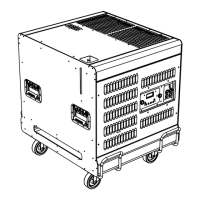
The Glaciator X-Stream can be operated via a DMX control device. The
interface uses the two XLR 3-pin connectors marked DMX on the
interface panel, and uses the usual DMX electrical standards (RS 485).
The inputs are protected against overvoltage and an output connector is
provided to allow multidrop operation of the link.
The chapter describes:
• “Data connection for DMX operation”, below
• “DMX control address” on page 15
• “DMX operation” on page 17
• “DMX protocol” on page 18
DATA CONNECTION FOR DMX
OPERATION
This section describes how to connect fixtures to each other, or to a DMX
control device.
Recommended cable
A reliable data connection begins with the right cable. Standard
microphone cable cannot transmit DMX data reliably over long runs. For
best results, use cable specifically designed for RS-485 applications. Your
Martin dealer can supply high quality cable in various lengths.
Connections
The Heavy Fog Glaciator X-Stream’s XLR data sockets are wired with pin
1 to ground, pin 2 to signal - (cold), and pin 3 to signal + (hot). This is
compatible with the standard for DMX devices.
One or more adaptor cables may be required to connect the Heavy Fog
Glaciator X-Stream to the controller and/or other lights because many



 To Next Page