36 Glaciator X-Stream user manual
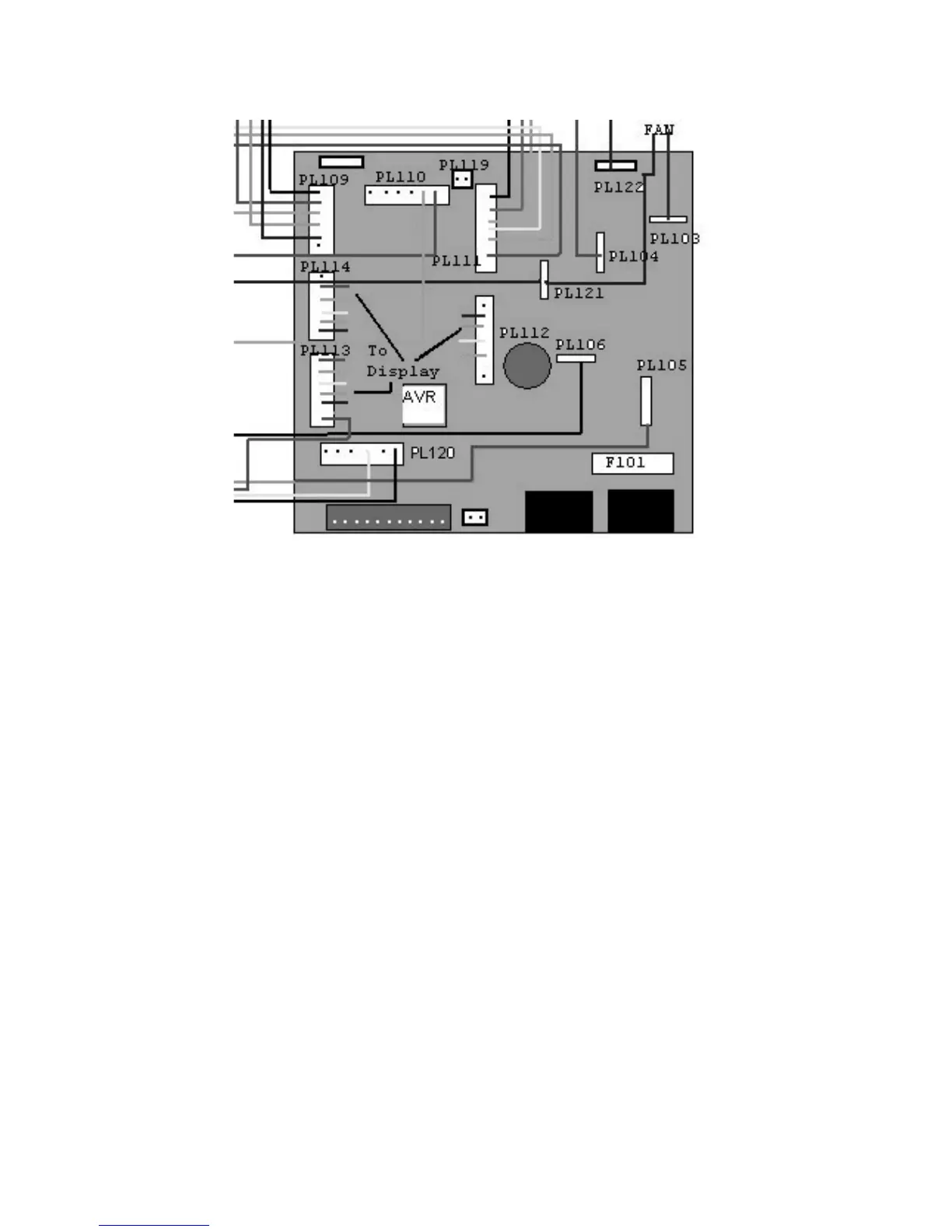
6 On the DMX PCB locate the AVR upload socket. Its position is indicated
on the following illustration.
7 Connect the uploader to the AVR Upload socket on the control panel, and
apply power to the fixture. See the AVR user manual for more information
on performing the upload.
8 When the upload is complete, disconnect the AVR Uploader, replace the
device cover and tighten the access screws, taking care not to trap any
loose wires.



 To Next Page