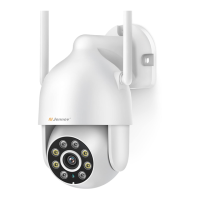
Need help?
Do you have a question about the Jennov H Series and is the answer not in the manual?
Guidance on optimal placement for motion detection and sunlight avoidance.
Connect to 2.4 GHZ WiFi and reset the camera using the power adapter.
Log into AJCloud, add device, and check camera indicator status.
Select 'Hotspot' mode in the AJCloud app to add the camera.
Steps for automatic connection using the camera's hotspot and QR code.
Guide to manually connecting to the camera's hotspot for Wi-Fi setup.
Join the camera's Wi-Fi then configure the home Wi-Fi network.
Connect to 2.4G router, add WiFi, and name the device.
Explanation of main app sections like Devices, Alert, Cloud, and Me.
Detailed descriptions of camera features like recording, alerts, and controls.
How to configure the siren for voice alarms and adjust volume.
Setting up detection area and sensitivity for motion alerts.
Configuring motion alerts and notification schedules.
Options for including image or video clips with alert notifications.
How to verify the storage capacity and usage of the TF card.
Explanation and setup of the default night vision mode.
Configuring the camera's lighting schedule for specific times.
How to find device version, serial number, IP address, and firmware.
Instructions on where to download the PC client software from the official website.
Steps to log in and view devices using the desktop application.
How to activate the free warranty by providing order details.
Information on contacting support for product issues during the warranty period.
 General
| Brand | Jennov |
|---|---|
| Model | H Series |
| Category | Digital Camera |
| Language | English |

 To Next Page