EasyManua.ls Logo

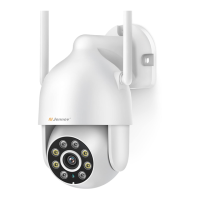
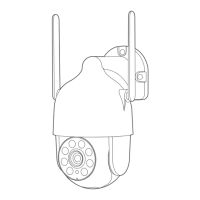
Jennov P87HM - User Manual

Default Icon
51 pages
Print Icon
To Next Page IconTo Next Page
Loading...
Available on the
App Store
GET IT ON
Google Play
M.2023.032.E
The functions supported by different models may be different.
If you have any questions, please feel free to contact us.
Please read carefully before use it
iPhoneAndroid
M Series
VideoLink
User Manual
support@jennov.com
U.S Hotline: +13239021978
www.jennov.com
Support : support@jennov.comSupport : support@jennov.com
Question and Answer IconNeed help?

Do you have a question about the Jennov P87HM and is the answer not in the manual?

Summary

Installation Prerequisites

Power On and IP Address Setup

Instructions for powering on the camera and modifying IP address for LAN communication.

Network Connection via Switch

IP Address Modification for Switch Connection

Note on modifying IP address after connecting via a switch.

Alarm Configuration - Motion Detection

Enabling and Configuring Motion Detection

Steps to enable motion detection, set the area, and save settings.

Alarm Configuration - Smart Detection

Setting Smart Detection Targets and Schedule

How to select detection targets and set the schedule for smart detection.

Human Tracking Functionality

PTZ Adjustment for Tracking

Using PTZ functions to adjust the camera screen for tracking.

Enabling and Disabling Auto-Tracking

How to enable and disable auto-tracking using preset commands.

Local Recording Configuration - Part 1

Setting Up Recording Plans

How to set up recording plans for cameras within the LMS client.

Configuring Timed and Alarm Recording

Details on setting timed recording and alarm recording modes.

Local Recording Configuration - Part 2

Alarm Settings via Remote Configuration (LMS)

Motion Alarm Configuration Steps

Steps to configure motion alarms, including enabling and setting detection areas.

Motion Triggered Recording and Alerts

Configuring motion recording, snapshot capture, and alarm output.

Intelligent Detection Configuration (LMS)

AI Analysis Setup for Targets

Configuring AI analysis for intelligent detection of human, car, etc.

Setting Detection Area and Schedule

Defining the detection area and schedule for intelligent detection.

Mobile App Human Tracking

PTZ Control for Tracking

Using PTZ controls to adjust the camera view for tracking.

Enabling and Disabling Tracking via Call Commands

How to activate or deactivate auto-tracking using specific preset commands.

Mobile App Tracking Features

Advanced Configuration for Tracking

Accessing advanced configuration options for tracking features.

Starting and Stopping Tracking

Instructions on how to initiate and terminate the tracking function.

Mobile App Alarm and Event Notifications

Configuring IVS Detection and Area

Setting up Intelligent Video Surveillance (IVS) detection and defining areas.

Mobile App TF Video Playback

Setting Detection Area for Playback

How to set a detection area to filter video playback.

Mobile App Functionality Overview - Part 1

PTZ Control Functions

Detailed explanation of PTZ controls: Zoom, Focus, IRIS, and speed.

Mobile App Functionality Overview - Part 2

Preset Position Management

How to set, call, and delete preset camera positions.

Frequently Asked Questions (FAQs)

Reset Button Location and Methods

Information on finding the reset button and alternative reset methods.

Troubleshooting Image Clarity

Guidance on resolving issues with blurry or unclear camera images.

Troubleshooting Infrared Night Vision

Connectivity and Protocol FAQs

Connecting Camera to NVR

IP Address Modification for NVR Connection

Importance of modifying camera IP to match NVR network segment before connection.

NVR Integration and Troubleshooting

Adding Dual IP Cameras to NVR

Steps and considerations for adding dual IP cameras to an NVR.

RTSP Streaming Protocol

Summary

Installation Prerequisites

Power On and IP Address Setup

Instructions for powering on the camera and modifying IP address for LAN communication.

Network Connection via Switch

IP Address Modification for Switch Connection

Note on modifying IP address after connecting via a switch.

Alarm Configuration - Motion Detection

Enabling and Configuring Motion Detection

Steps to enable motion detection, set the area, and save settings.

Alarm Configuration - Smart Detection

Setting Smart Detection Targets and Schedule

How to select detection targets and set the schedule for smart detection.

Human Tracking Functionality

PTZ Adjustment for Tracking

Using PTZ functions to adjust the camera screen for tracking.

Enabling and Disabling Auto-Tracking

How to enable and disable auto-tracking using preset commands.

Local Recording Configuration - Part 1

Setting Up Recording Plans

How to set up recording plans for cameras within the LMS client.

Configuring Timed and Alarm Recording

Details on setting timed recording and alarm recording modes.

Local Recording Configuration - Part 2

Alarm Settings via Remote Configuration (LMS)

Motion Alarm Configuration Steps

Steps to configure motion alarms, including enabling and setting detection areas.

Motion Triggered Recording and Alerts

Configuring motion recording, snapshot capture, and alarm output.

Intelligent Detection Configuration (LMS)

AI Analysis Setup for Targets

Configuring AI analysis for intelligent detection of human, car, etc.

Setting Detection Area and Schedule

Defining the detection area and schedule for intelligent detection.

Mobile App Human Tracking

PTZ Control for Tracking

Using PTZ controls to adjust the camera view for tracking.

Enabling and Disabling Tracking via Call Commands

How to activate or deactivate auto-tracking using specific preset commands.

Mobile App Tracking Features

Advanced Configuration for Tracking

Accessing advanced configuration options for tracking features.

Starting and Stopping Tracking

Instructions on how to initiate and terminate the tracking function.

Mobile App Alarm and Event Notifications

Configuring IVS Detection and Area

Setting up Intelligent Video Surveillance (IVS) detection and defining areas.

Mobile App TF Video Playback

Setting Detection Area for Playback

How to set a detection area to filter video playback.

Mobile App Functionality Overview - Part 1

PTZ Control Functions

Detailed explanation of PTZ controls: Zoom, Focus, IRIS, and speed.

Mobile App Functionality Overview - Part 2

Preset Position Management

How to set, call, and delete preset camera positions.

Frequently Asked Questions (FAQs)

Reset Button Location and Methods

Information on finding the reset button and alternative reset methods.

Troubleshooting Image Clarity

Guidance on resolving issues with blurry or unclear camera images.

Troubleshooting Infrared Night Vision

Connectivity and Protocol FAQs

Connecting Camera to NVR

IP Address Modification for NVR Connection

Importance of modifying camera IP to match NVR network segment before connection.

NVR Integration and Troubleshooting

Adding Dual IP Cameras to NVR

Steps and considerations for adding dual IP cameras to an NVR.

RTSP Streaming Protocol

Jennov P87HM Specifications

General IconGeneral
BrandJennov
ModelP87HM
CategoryDigital Camera
LanguageEnglish

Related product manuals