11
J1CA9W
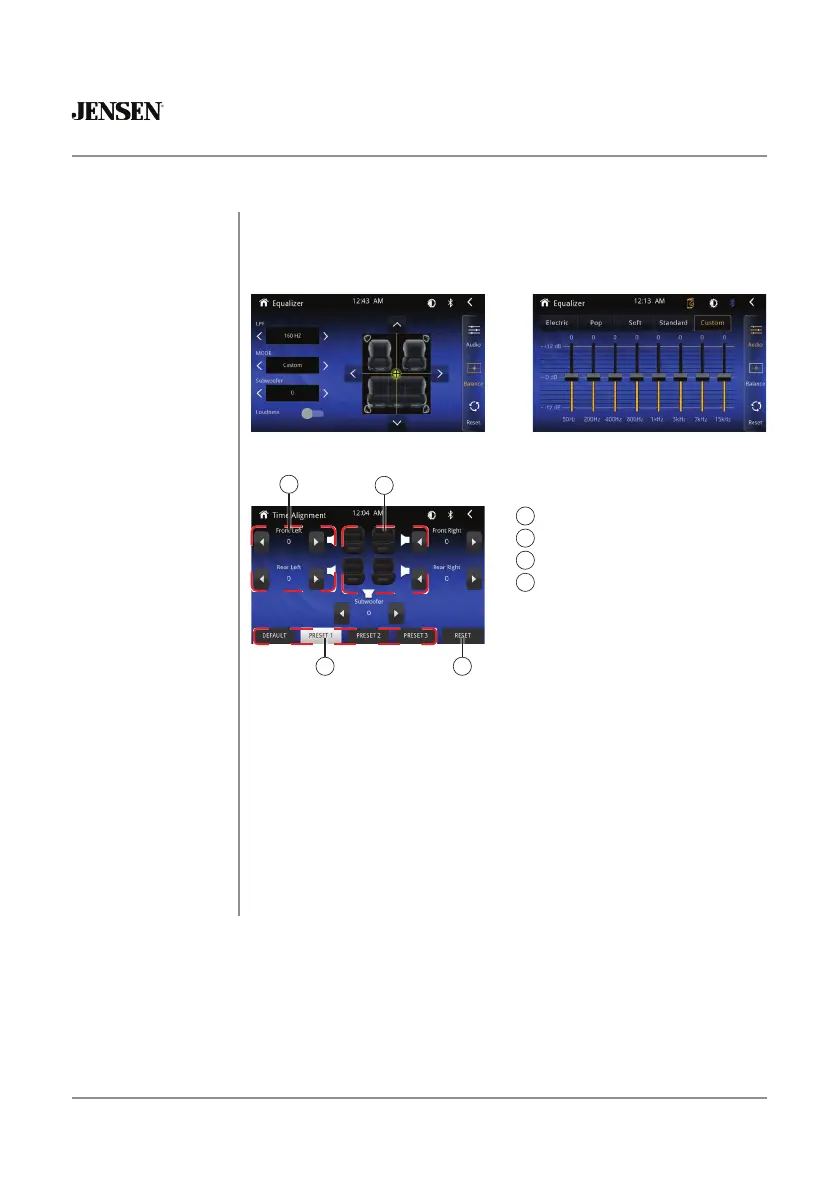
From the Main Menu screen, Press the Equalizer icon on the main menu
screen to adjust Fader and Balance controls, Equalizer
(8-Band Tone Control and 8 Presets EQ Settings).
Audio Operation
Equalizer Menu
Time Alignment Menu
Surround Presets
Time Delay Setting
Speaker Positions
Reset to Default Settings
1
2
3
4
Adjustments:
To properly set the time alignment, you will need measure the distance
from each speaker (in ft) to where you want the “center stage” to be. for
example, if you want the position to be at the divers seat, then meausre
each speaker side (front & rear) to where your head is located and set
the distance accordingly.
Each vehicle will vary in distance, so settings will be different in each
case.
1 4
2
3



 To Next Page