EasyManua.ls Logo

Jensen JCD2010 - User Manual

Jensen JCD2010
10 pages
Print Icon
To Next Page IconTo Next Page
Loading...
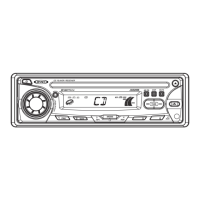
JCD2010
Installation and Operation Manual
MOBILE CD PLAYER / RECEIVER

Questions and Answers

  • B
    Brent AndersonJul 31, 2025
    Why Jensen JCD2010 has no power?
    • G
      Glenn ValenciaJul 31, 2025
      Your Jensen Car Receiver might not be getting power because the vehicle's ignition isn't on. If connected to the vehicle accessory terminal, switch the ignition key to 'ACC'. Alternatively, the fuse might be blown, in which case you should replace it.
  • J
    Jose Nguyen MDAug 4, 2025
    What to do if my Jensen Car Receiver has no sound?
    • B
      Brandon WilliamsAug 5, 2025
      If your Jensen Car Receiver has no sound, first ensure that the volume isn't too low by adjusting it to an audible level. Also, check that all wiring connections are properly connected.
  • P
    Pamela ClementsAug 9, 2025
    Why my Jensen Car Receiver cannot tune to radio station, auto-seek does not work?
    • T
      Teresa WalkerAug 10, 2025
      If your Jensen Car Receiver cannot tune to a radio station or the auto-seek function isn't working, make sure the antenna cable is firmly inserted. If the signals are too weak, try selecting a station manually.
  • S
    steven09Aug 15, 2025
    What to do if disc cannot be loaded or ejected from Jensen Car Receiver?
    • K
      Kimberly JohnsonAug 15, 2025
      If a disc cannot be loaded or ejected from your Jensen Car Receiver, here are a few things to try: - If there is already a disc inside, remove it before inserting a new one. - Ensure the disc is inserted correctly, with the label facing upward. - Clean the disc or try a new one if the current disc is dirty or defective. - If the temperature inside the vehicle is too high, wait until it returns to normal. - If condensation is the issue, leave the player off for about an hour, then try again.
  • C
    Corey MillerAug 20, 2025
    Why does the sound skip on my Jensen Car Receiver?
    • J
      Jennifer Martin MDAug 20, 2025
      Sound skipping on your Jensen Car Receiver can occur if the installation angle is more than 30 degrees; adjust it to be less than 30 degrees. Another cause could be a dirty or defective disc. Clean the disc and try playing it again, or use a new disc.
  • J
    justin37Aug 25, 2025
    What to do if operation keys do not work on Jensen JCD2010 Car Receiver?
    • J
      Justin GonzalezAug 26, 2025
      If the operation keys on your Jensen Car Receiver aren't working, it may be due to the built-in microcomputer malfunctioning because of noise. Press the RESET button to resolve this.

Summary

SAFETY INFORMATION

Laser Product Warning

Unit uses a laser beam; avoid direct exposure to prevent hazardous radiation.

Equipment Warning

Do not expose equipment to rain or moisture and use recommended accessories.

INSTALLATION

Installation Preparation and Notes

Disconnect battery, remove screws, test wiring, use included parts, and avoid interference.

Mounting Methods Overview

Details conventional DIN front mount and DIN rear mount options.

DIN Front Mount Installation

Step-by-step guide for front mount, including sleeve fitting and trim plate.

WIRING

BASIC OPERATION

Auxiliary Input and Audio Menu

Connect audio devices and adjust Bass, Treble, Balance, Fader settings.

Clock Setting and Reset

Set the clock display and reset the unit to factory default settings.

CD OPERATION

Disc Playback Controls

Instructions for track selection, fast forward/reverse, play/pause.

TROUBLESHOOTING

Jensen JCD2010 Specifications

General IconGeneral
TypeCD Receiver
Power Output200 Watts
TunerAM/FM
BluetoothNo
USB PortYes
Aux InputYes
DisplayLCD
DIN SizeSingle DIN
CD PlaybackYes
MP3 PlaybackYes
WMA PlaybackYes
Remote ControlYes
Preamp Outputs Channel2-channel

Related product manuals