Managing Incoming Calls
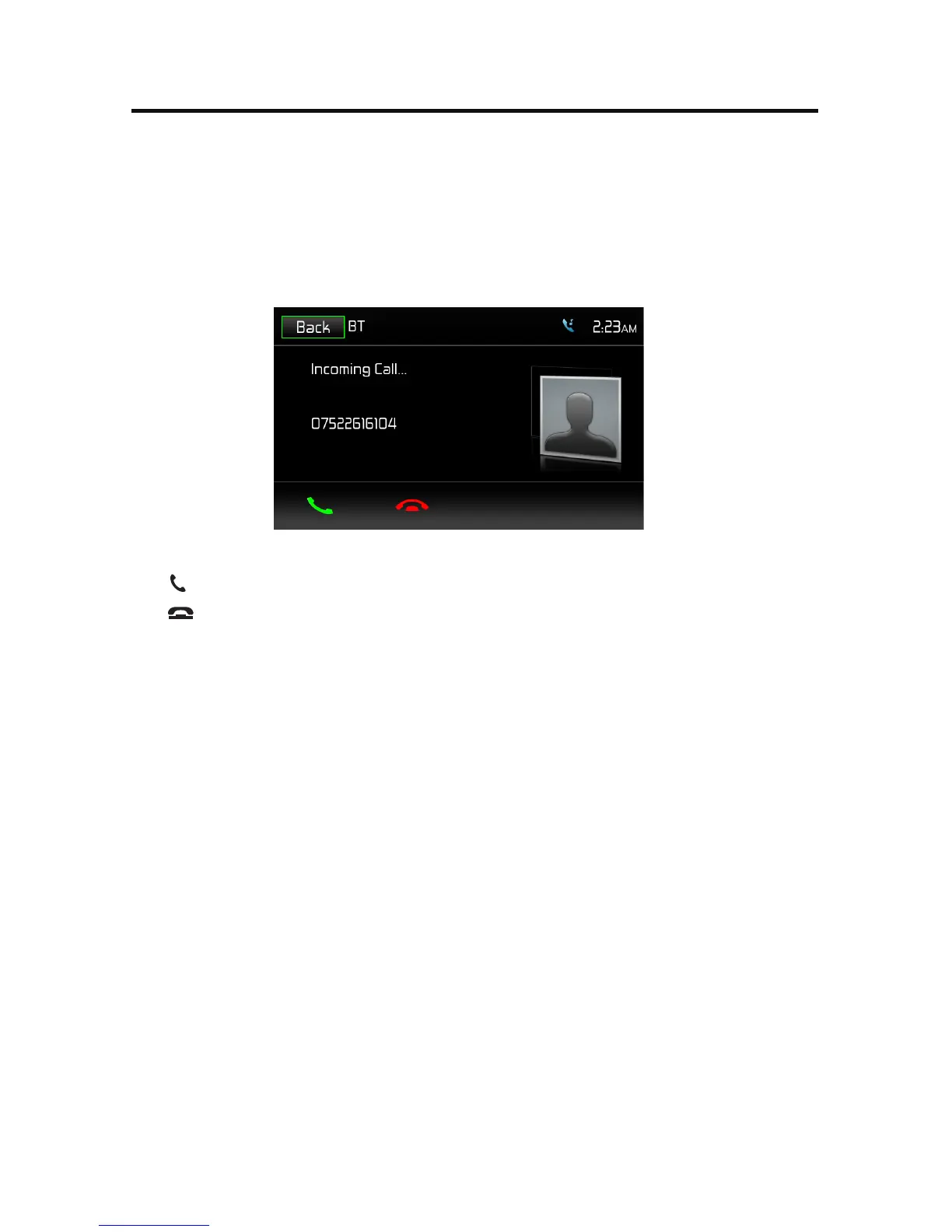
When connected to a BT mobile phone, the unit will mute audio output, pause CD
play, and change to the BTscreen below when a call is received. The incoming
phone number or assigned name for that number will appear on the screen. An
audible tone will sound from the unit and a graphic display will appear on the
front panel.
BT Incoming Call Screen
1.
icon: Touch to answer an incoming call.
2. icon: Touch to end an incoming call.
Making an Outgoing Call
Outgoing calls can be performed in two manners. The outgoing call can be direct
dialed using the front panel keypad or the by touching either the Phonebook or
Call History icons, selecting a name and touching the phone number.
1.
2.
Select BT function (Handset icon) from the BT Home Menu.
Press "Option". Go to > "Phone Sync". Press "Sync" to import the mobile
phone contacts. If you have many contacts, this may take up to 4-5 minutes
initially. Up to 2000 contacts can be imported.
Phonebook Sync / Importing Contacts / Call History



 To Next Page
 Loading...