EasyManua.ls Logo

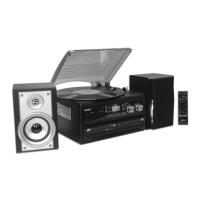
Jensen JTA-980 - User Manual

Jensen JTA-980
24 pages
Print Icon
To Next Page IconTo Next Page
Loading...
®
STEREO TURNTABLE MUSIC SYSTEM
WITH CD PLAYER, CD RECORDER AND CASSETTE
USER MANUAL
JTA-980
PLEASE READ THIS USER MANUAL COMPLETELY BEFORE OPERATING THIS UNIT AND
RETAIN THIS BOOKLET FOR FUTURE REFERENCE.

Questions and Answers

  • J
    Joseph GonzalezAug 17, 2025
    What to do if Jensen JTA-980 Stereo System does not respond?
    • S
      Shari BentleyAug 17, 2025
      If your Jensen Stereo System isn't responding, first, ensure it's properly connected to a functioning AC outlet. If it's still not working, plug another device into the same outlet to verify that the outlet is providing power.
  • M
    Michael RoseAug 19, 2025
    Why is sound distorted on my Jensen JTA-980?
    • T
      Terry SwansonAug 19, 2025
      Sound distortion on your Jensen Stereo System may occur if the volume level is too high. Try decreasing the volume. If the issue persists, the sound source itself might be distorted, so try using a different audio source, such as a music CD.
  • L
    Laura JacksonAug 22, 2025
    What to do if Jensen Stereo System CD player does not play?
    • M
      margaret05Aug 22, 2025
      If the CD player on your Jensen Stereo System isn't playing, ensure that the function switch is set to CD mode. Also, check that the CD is correctly installed with the printed side facing up, pressed onto the spindle.
  • E
    Edward CombsAug 25, 2025
    What to do if my Jensen JTA-980 Stereo System CD skips while playing?
    • M
      mikenicholsonAug 26, 2025
      If your Jensen Stereo System CD skips while playing, the disc may be dirty or scratched. Try wiping the CD with a clean, soft cloth or using another disc to see if the issue persists.
  • E
    Elizabeth BrooksAug 28, 2025
    Why is the AM band too noisy on my Jensen JTA-980 Stereo System?
    • C
      Cindy BrownAug 28, 2025
      If the AM band on your Jensen Stereo System is too noisy, it might be due to poor reception at your current location. Try slightly rotating the unit to find the best reception.
  • M
    Michael GomezAug 30, 2025
    What to do if Jensen JTA-980 Stereo System tape does not move?
    • T
      Tommy NguyenAug 30, 2025
      If the tape in your Jensen Stereo System isn't moving, make sure the cassette tape is properly inserted. Also, check if the tape has reached the end; if so, flip the cassette.
  • L
    Lisa RamosSep 2, 2025
    Why doesn't the FM STEREO indicator light up on my Jensen JTA-980?
    • T
      Toni FrancisSep 2, 2025
      The FM STEREO indicator on your Jensen Stereo System might not light up because you're tuned to a mono station or the station signal is too weak. Try selecting another FM station or extend/rotate the wire antenna for better reception. Also, check that the FM MODE is set to STEREO, not MONO.
  • L
    Lawrence HerringSep 5, 2025
    What to do if there is no sound from the tape on my Jensen JTA-980?
    • N
      Nathan RiveraSep 5, 2025
      If there is no sound from the tape on your Jensen Stereo System, the tape heads may be dirty. Clean the tape heads to resolve this issue.
  • E
    Eric CastanedaSep 8, 2025
    Why does my Jensen Stereo System tape sound distorted or faint?
    • A
      Amy OlsonSep 8, 2025
      If the tape sound on your Jensen Stereo System is distorted or faint, it could be due to dirty tape heads. Cleaning the tape heads should improve the sound quality.
  • D
    Donald VasquezSep 10, 2025
    Why does my Jensen Stereo System get warm after extended play?
    • D
      Dennis CruzSep 10, 2025
      It's normal for your Jensen Stereo System to get warm after playing at high volume for an extended period. You can turn the unit off for a while or lower the volume.

Summary

Important Safety Instructions

General Safety Warnings

Crucial warnings about electrical shock, fire hazards, proper usage, and handling to prevent accidents.

Appliance Usage and Environmental Safety

Guidelines on cleaning, ventilation, heat sources, water proximity, and electrical codes.

Handling and Battery Safety

Instructions on object/liquid entry, servicing, battery handling, and explosion dangers.

Product Safety and Compliance

Laser Safety and Unit Placement

Precautions for laser exposure and guidelines for unit placement and environmental considerations.

FCC Compliance and Furniture Protection

Information on FCC regulations, interference resolution, and protecting furniture from unit feet.

System Setup and Controls

Initial Setup and Connections

Steps for connecting speakers, power, and installing remote control batteries.

Main Unit and Remote Controls

Overview of the main unit's controls, indicators, and the remote control's functions.

Operating Instructions: Radio and CDs

Listening to Radio

Steps for tuning into AM/FM stations, adjusting volume, and optimizing reception.

Playing Compact Discs (CD1)

Guide on inserting, playing, pausing, stopping, and skipping tracks on CD 1.

Playing Compact Discs (CD2)

Instructions for CD2 playback, noting differences from CD1 and special features.

Recording Operations

CD and Audio Source Recording

Instructions for recording from CDs, phonograph, tape, and AUX sources to CD-2.

Recording Settings and CD-RW Management

Guidance on adjusting recording levels, track separation, finalizing discs, and erasing CD-RWs.

Playback and Audio Features

Tape and Phonograph Playback

Instructions for playing cassette tapes and vinyl records.

Audio Adjustments and Connections

How to use Bass Boost, Mute, Line Out, Headphone Jack, and Auxiliary Input.

System Maintenance and Care

Unit Cleaning and Cassette Care

Guidelines for cleaning the unit, CDs, and proper handling of cassette tapes.

System Resetting Procedure

Steps to reset the unit in case of erratic operation or non-responsiveness.

Troubleshooting and Specifications

Troubleshooting Guide

A guide to diagnose and resolve issues like no power, noisy reception, distorted sound, and playback errors.

Product Specifications

Details on power requirements, frequency range for radio, and power consumption of the main unit.

Warranty and Service Information

Service Information and Support

Details of the limited warranty, obtaining service, and out-of-warranty support.

Jensen JTA-980 Specifications

General IconGeneral
TypeStereo System
Drive TypeBelt Drive
Built-in SpeakersYes
USB OutputYes
Dimensions17.13 x 13.58 x 5.12 inches
CD PlayerYes
USB PortYes
AM/FM TunerYes
Remote ControlYes
Speed Settings33 1/3 and 45 RPM
Audio OutputRCA
ConnectivityUSB
FeaturesCD Player

Related product manuals