Need help?
Do you have a question about the Jensen JBS-210 and is the answer not in the manual?
Crucial guidelines for safe operation, handling, and maintenance of the unit.
Information on protecting eyes from laser beam exposure during operation.
Key safety advice regarding electrical, environmental, and handling aspects.
Guidelines for AC voltage compatibility and preventing condensation issues.
Details on compliance with Federal Communications Commission rules.
Advice on protecting furniture from the unit's rubber feet.
Section for recording product serial and model numbers for identification.
Buttons for power, volume, mode, playback, tuning, and settings.
Connectors for external devices, speakers, and power supply.
LCD display for information and CD tray for disc loading.
FM antenna connection and compartment for backup batteries.
Buttons for power, play, pause, stop, skip, and volume adjustment.
Buttons for mode selection, tuning, presets, and stereo/mono settings.
Buttons for alarm, snooze, sleep, mute, EQ, dimmer, and tray operations.
List of included items and instructions for connecting the speakers.
Details on using the AC adaptor and connecting the unit to power.
Guide for installing backup batteries for clock and settings.
Instructions for inserting the battery into the remote control.
Important warnings and guidelines for handling and disposing of batteries.
Information on potential color distortion on TVs due to non-magnetically shielded speakers.
Explanation of the unit's standby mode and its indicators.
Steps to power the unit on and off from standby mode.
Procedure for setting the 12-hour or 24-hour clock format.
Method to view the current time on the display when the unit is on.
Instructions for configuring alarm time, wake-up source, and volume.
How to activate, cancel, and manage alarm functions.
Using the snooze feature to temporarily silence the alarm.
Steps for tuning and listening to AM/FM radio stations.
Switching between FM stereo/mono and tips for optimal reception.
Guide to automatically or manually saving favorite radio stations.
How to access saved radio station presets.
Information and instructions for using the CD playback features.
Steps for inserting a CD and starting playback.
Navigating tracks and searching within a track during playback.
Selecting repeat, random, or normal playback modes for CDs.
Creating a custom playback order for tracks on a CD.
Instructions for connecting and using Bluetooth devices.
Step-by-step guide to link phones, tablets, or computers via Bluetooth.
Connecting external audio devices via the AUX input jack.
Selecting different equalization modes for enhanced audio.
Temporarily muting or unmuting the audio output.
Setting a timer to automatically turn off the unit after a specified time.
Connecting headphones for private listening and how it affects speakers.
Controlling the brightness of the front panel display.
Procedure to reset the unit in case of erratic operation or power issues.
General guidelines for cleaning and maintaining the unit's condition.
Technical details including power, frequency range, and Bluetooth version.
Information on warranty coverage, terms, and service procedures within the USA.
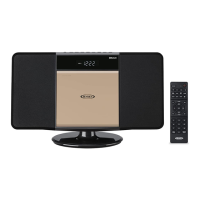
This document describes the JBS-210 Bluetooth CD Music System with Digital AM/FM Stereo Receiver and Remote Control.
The JBS-210 is a versatile audio system designed for musical enjoyment, offering multiple playback options including CD, Bluetooth, AM/FM radio, and auxiliary input. It features a digital AM/FM stereo receiver, a CD player compatible with commercial CDs and self-compiled CD-R/RW discs, and Bluetooth connectivity for wireless audio streaming from compatible devices. The system includes a remote control for convenient operation and offers various playback modes for CDs, such as Repeat 1, Repeat All, and Random. It also supports programming a sequence of CD tracks. The unit incorporates an alarm clock function with options to wake to a beeping alarm, CD, or radio (AM/FM), and a snooze feature for temporary alarm interruption. A sleep timer is also included, allowing the unit to automatically turn off after a designated period. The system is equipped with a headphone jack for private listening and an auxiliary input jack for connecting external audio devices like MP3 players. Display brightness can be adjusted in both power-on and standby modes.
 General
| Brand | Jensen |
|---|---|
| Model | JBS-210 |
| Category | Stereo System |
| Language | English |


 To Next Page