7
TUNER OPERATION
Select a Band
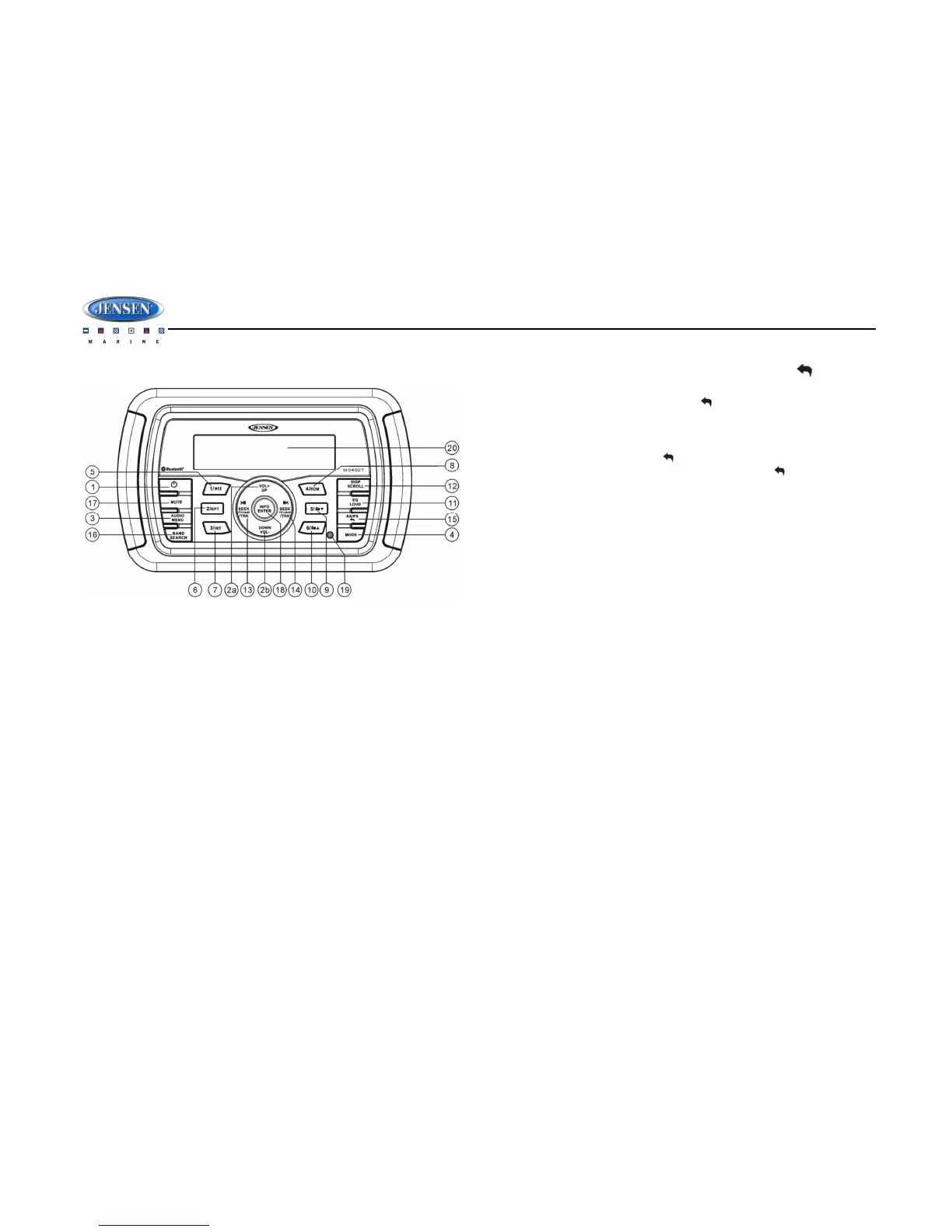
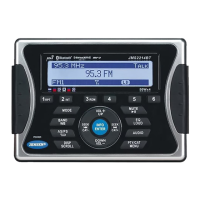
Press the BAND/SEARCH button (16) to change between three FM bands and two AM (MW)
bands.
Manual Tuning
Press the SEEK/TUNE/TRK |<< or >>| buttons (13, 14) to seek stations up/down step by step.
Auto Seek Tuning
Press and hold the SEEK/TUNE/TRK |<< or >>| buttons (13, 14) to automatically seek the next
or previous strong station.
Preset Stations
Six numbered preset buttons store and recall stations for each band.
Store a Station
Select a band (if needed), then select a station. Press and hold a preset button (5-10) for two
seconds. The preset number will appear in the display.
Recall a Station
Select a band (if needed). Press a preset button (5-10) to select the corresponding stored
station.
Automatically Store / Preset Scan (AS/PS )
Automatically Store
Select an AM or FM band. Press and hold the AS/PS button (15) for more than two seconds
to automatically select strong stations and store them in all bands. The new stations replace any
stations already stored in that band.
Preset Scan
Select a band (if needed). Press the AS/PS button (15) to scan stations stored in all bands.
The unit will pause for ten seconds at each preset station. Press AS/PS again to stop
scanning when the desired station is reached.


 To Next Page