15
VM9226BT
Audio Control Menu
The Audio Control feature allows you to easily adjust your audio system to meet
the acoustical characteristics of your vehicle, which vary depending on the type of
vehicle and its measurements. Proper setting of the Fader and Balance boosts the
eects of the cabin equalizer.
Equalizer
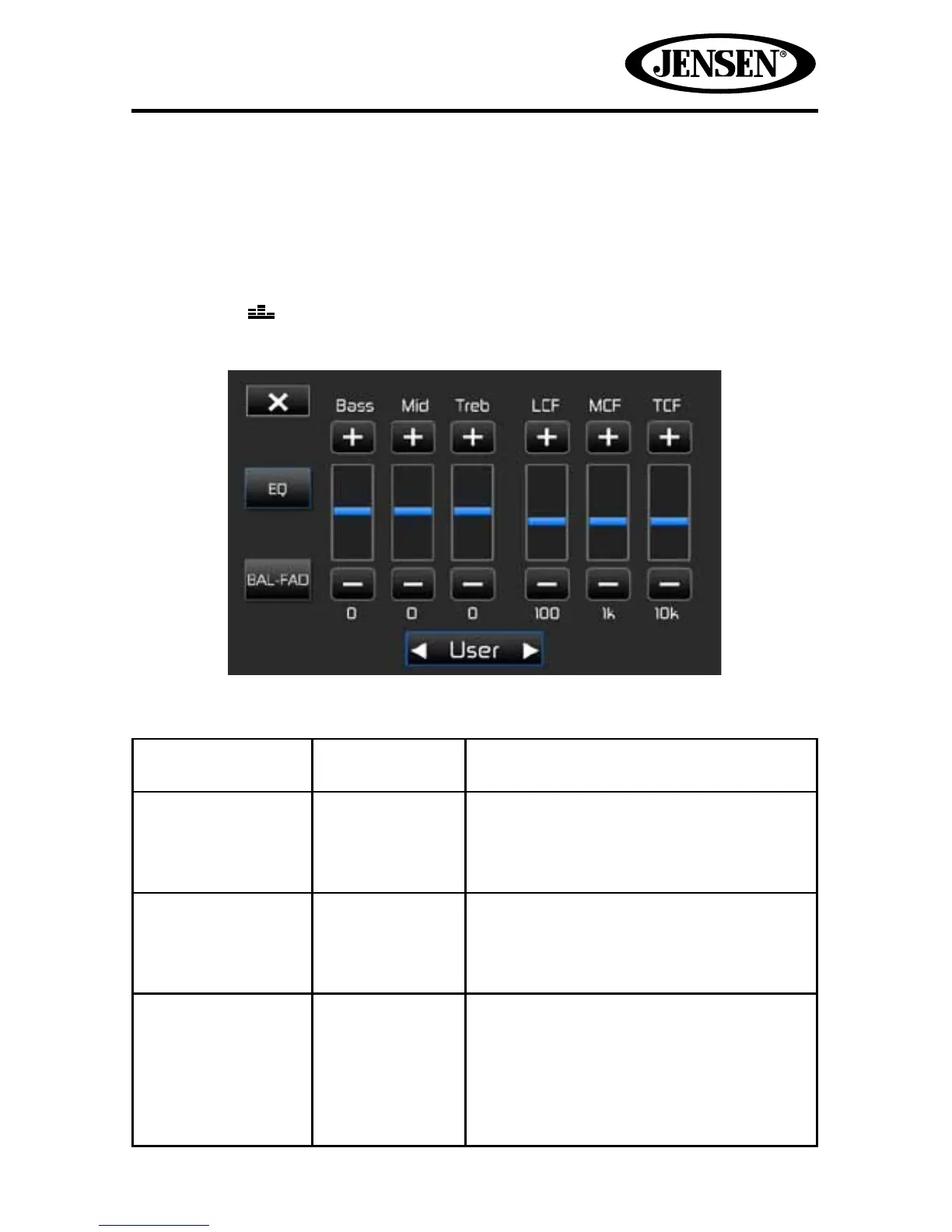
Touch the EQ button on the right side of the screen to display the equalizer
screen.
Table 2: Equalizer Adjustments
Setting Adjustable
Range
Function
BASS -14 to +14 Reduces or increases the bass frequency
sound level.
Touch the + or - buttons to adjust the
settings.
MID -14 to +14 Reduces or increases the mid-range
frequency sound level.
Touch the + or - buttons to adjust the
settings.
TREBLE -14 to +14 Reduces or increases the high
frequency sound levels.
Touch the + or - buttons to adjust the
settings.



 To Next Page