50
VM9226BT
PANDORA RADIO OPERATION
Pandora Radio is available via your iPhone® (data usage will occur) or
iPod® touch (Wi-Fi).
NOTE: For basic iPod®/ iPhone® connectivity, you can use the white 30-pin to USB
iPod cable that came with your Apple device . For iPod® video or photo playback,
you must purchase the jLink-USB cable.
NOTE: The Pandora app must be installed on your iPhone®/iPod® touch.
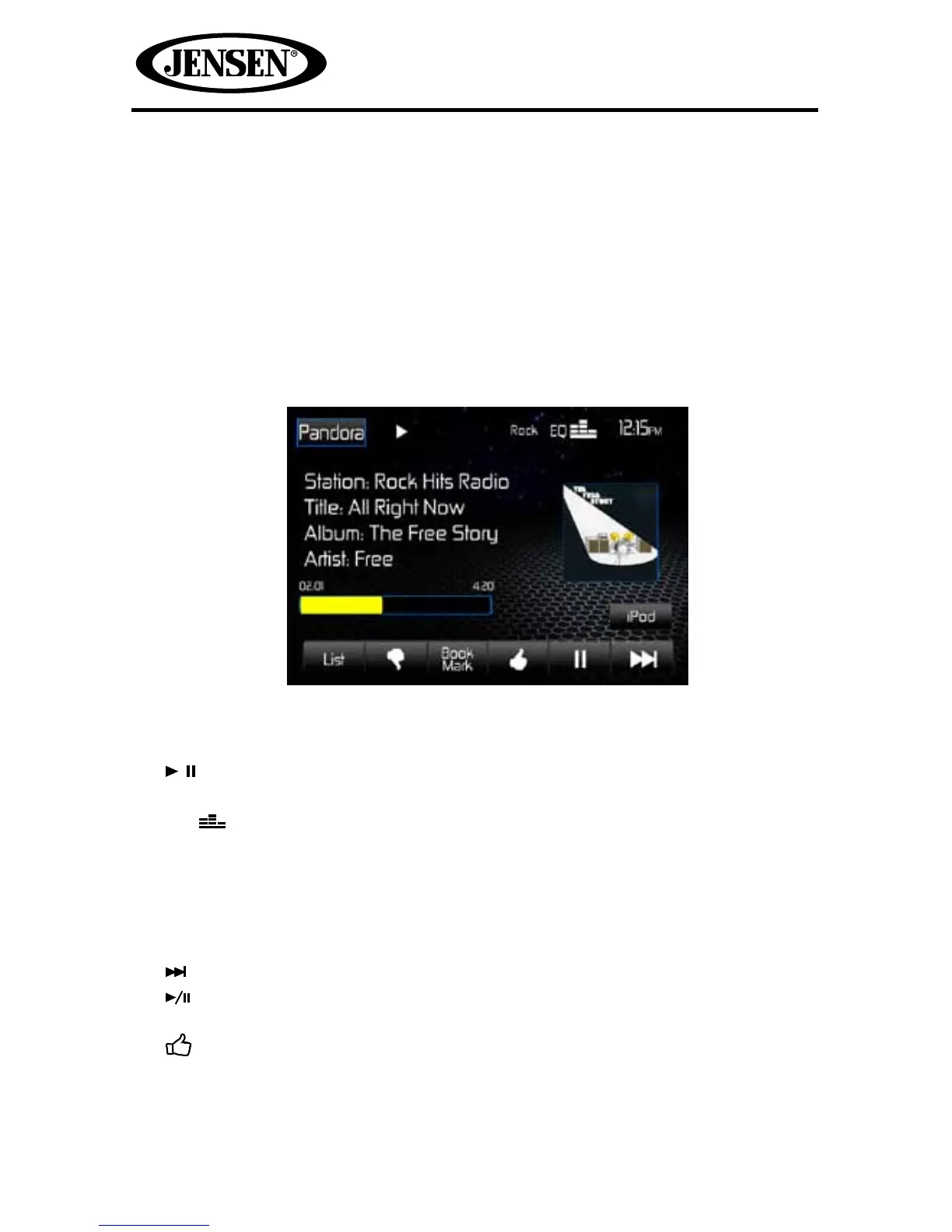
Pandora Radio TFT Display
The on-screen indicators and touch key areas for Pandora Radio functions are
outlined below.
1. Pandora icon: Touch to view the SOURCE MENU and select a new playback
source.
2. indicators: Indicates whether Pandora Radio is playing or paused.
3. Equalizer setting indicator: Displays the current equalizer preset setting.
4. EQ icon: Touch for quick access to Equalizer level settings menu.
5. Clock: Displays the time as entered by the user in the settings menu.
6. Playback Information Display: Displays station, track, artist, album, and
elapsed time information.
7. Pandora Preview Window: Displays album art, if available.
8. iPod icon: Touch to return to the iPod® mode of operation.
9. Next Icon: Press this icon skip a song, subject to the skip limit.
10. Play/Pause Icon: Press this icon to begin playback. Press this icon again to
pause playback.
11. Thumbs Up Icon: Press this icon to tell Pandora “you like this track” and
bring in more tracks like it to your station.
12. Book Mark icon: Touch to display the Add BookMark submenu to bookmark a
new song, artist.



 To Next Page