EasyManua.ls Logo

Jensen VX3020 - SYSTEM SETTINGS; Accessing and Navigating System Settings

Jensen VX3020
55 pages
Print Icon
To Next Page IconTo Next Page
To Previous Page IconTo Previous Page
Loading...
VX3020
Equalizer Controls
Equalizer
(EQ):
Adjustment
can
be made after entering one
of
the audio/video sources
(Disc,
Radio,
USB,
AV-IN1,
or
AV-IN2)
Touch the
Equalizer
(EQ)
icon to view the Equalizer Control
Screen
to
select
a
desired audio preset
level
(
Pop
I
Techno
I
Rock
I
Classic
I
Jazz
I
Optimal
or
User),
make adjustments to the audio
Balance
and
Fade
levels
or
to
turn the Loudness
option
ON
or
OFF.
Touch
the return icon
to
return
to
the current source.
Playing
a
Disc
To
begin
playback
of
an
AudioNideo
Disc:
1.
Press
the front
panel
PowerNolume/Mute
control
knob
to
turn
the
unit
ON.
2.
Insert a disc with the
label
side facing
UP
and
playback will
begin
automatically.
Parking Brake Inhibit
When the pink "Parking"
wire
is
connected
to
the
vehicle
Parking
Brake
circuit
the
front
TFT
monitor
will display
video when the Parking
Brake
is
engaged.
SYSTEM
SETTINGS
1.
Touch the Menu icon
ft located
in the upper left
corner
of
the display
to
display
the main menu.
2.
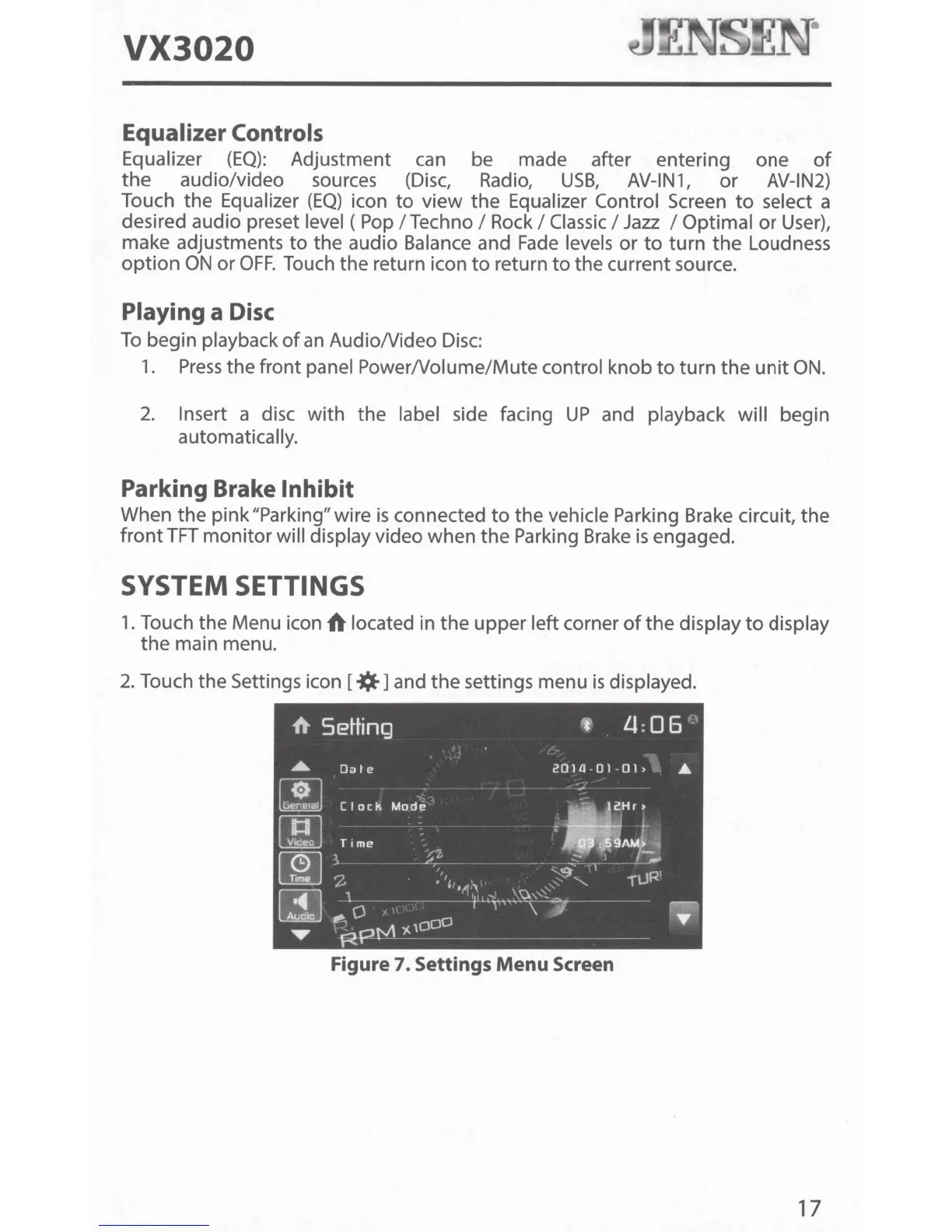
Touch the Settings icon
[*]and
the settings menu
is
displayed.
Figure 7. Settings
Menu
Screen
17

Other manuals for Jensen VX3020

Related product manuals