VX3020
Mute
Press
the
volume
knob
on
the
front
panel
or
press
the
[MUTE]
Button
on
the
remote control
to
mute the volume from the unit.
Volume
Adjustment
Volume Increase/Decrease
To
increase
or
decrease the volume level,
turn
the rotary encoder on
the
front
panel. When
the
volume level reaches "0" or
"so·:
a beep sounds, indicating
that
the adjustment limit
has
been reached. The
TFT
screen displays the volume level
for 3 seconds.
Audible
Beep Confirmation
An
audible beep tone confirms
each
function selection. The beep tone
can
be
disabled through the Setup menu.
Resetting
the
System
Soft Reset-
To
correct a system halt or other illegal operation,
use
the
tip
of
a pen
to
press and release the reset button located just below the front panel control knob.
~[RESET]
Button
Figure 5. System Reset
Button
For
a Hard
Reset-
Touch the System
Reset
Icon on the Third Settings Screen.
After a system
reset,
the unit restores all factory default settings.
NOTE:
If
the
unit
is
reset while a DVD
is
playing,
the
unit
will
return
to
Main
Menu
once
the
reset
is
complete.
Change
Aspect
Ratio
Press
the [WIDE]
key
on the remote control
to
adjust the aspect ratio.
Image Settings
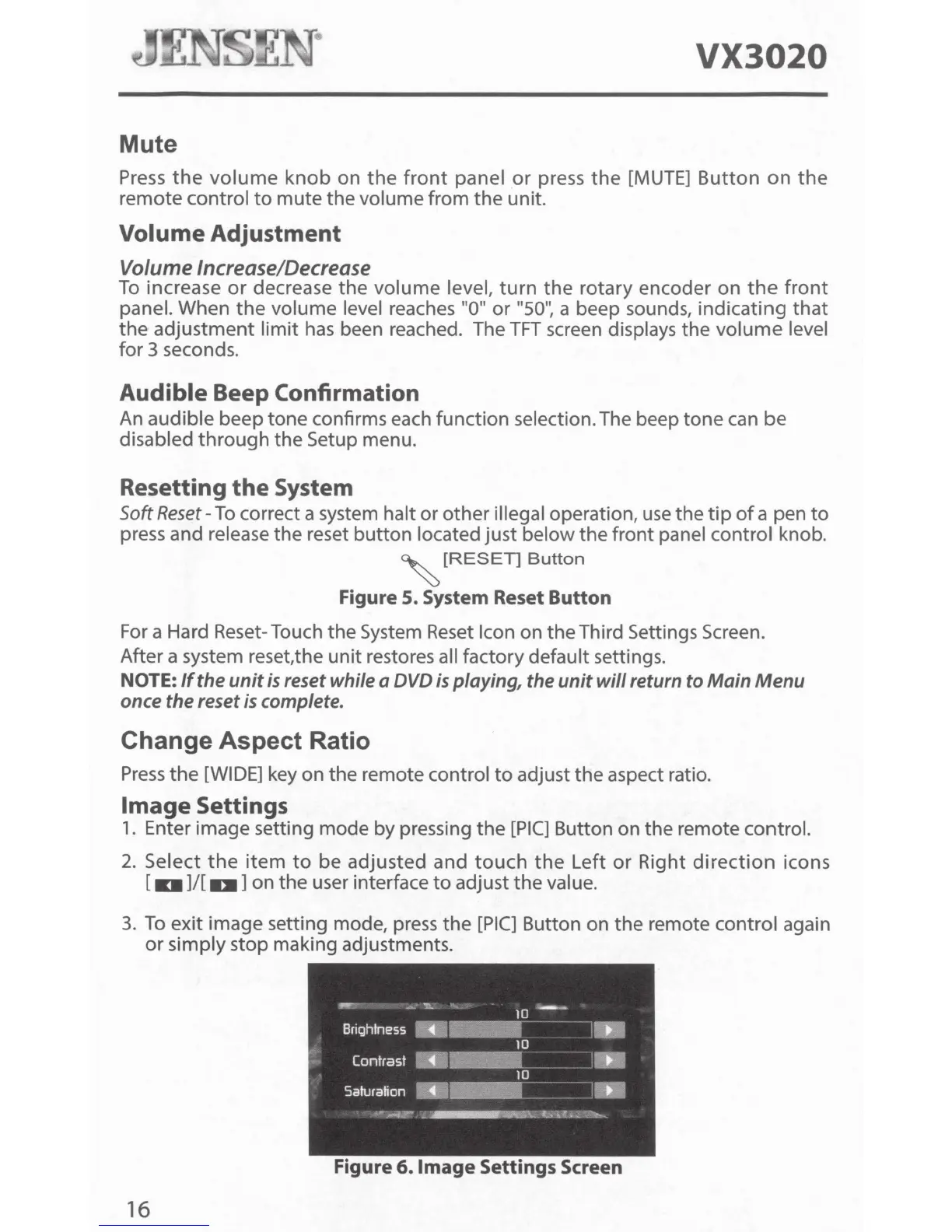
1.
Enter image setting mode by pressing the
[PIC]
Button on the remote control.
2.
Select
the
item
to
be adjusted and
touch
the
Left
or
Right
direction
icons
[
1101
]/[
Dl]
on the user interface
to
adjust the value.
3.
To
exit image setting mode,
press
the
[PIC]
Button on the remote control again
or
simply stop making adjustments.
.r
-:...'
1
!\"'
10
----
Brightness
m
H
10
Contrast
m D
10
Saturation
..
ml
Jo•...-.r
-
\..bU>.::.~-::,.-
Figure 6.1mage Settings Screen
16



 To Next Page