VX3020
RADIO
TUNER MODE
Select
radio as
playing source
Open
the
SOURCE
MENU
and
then
touch [Radio].
Selecting a Radio Band
Press
the
[BAND] Button on
the
remote control or touch
the
[
:\\]
icon on
the
user
interface
to
select one radio band among
FM
1,
FM2,
FM3, AM 1 and AM2.
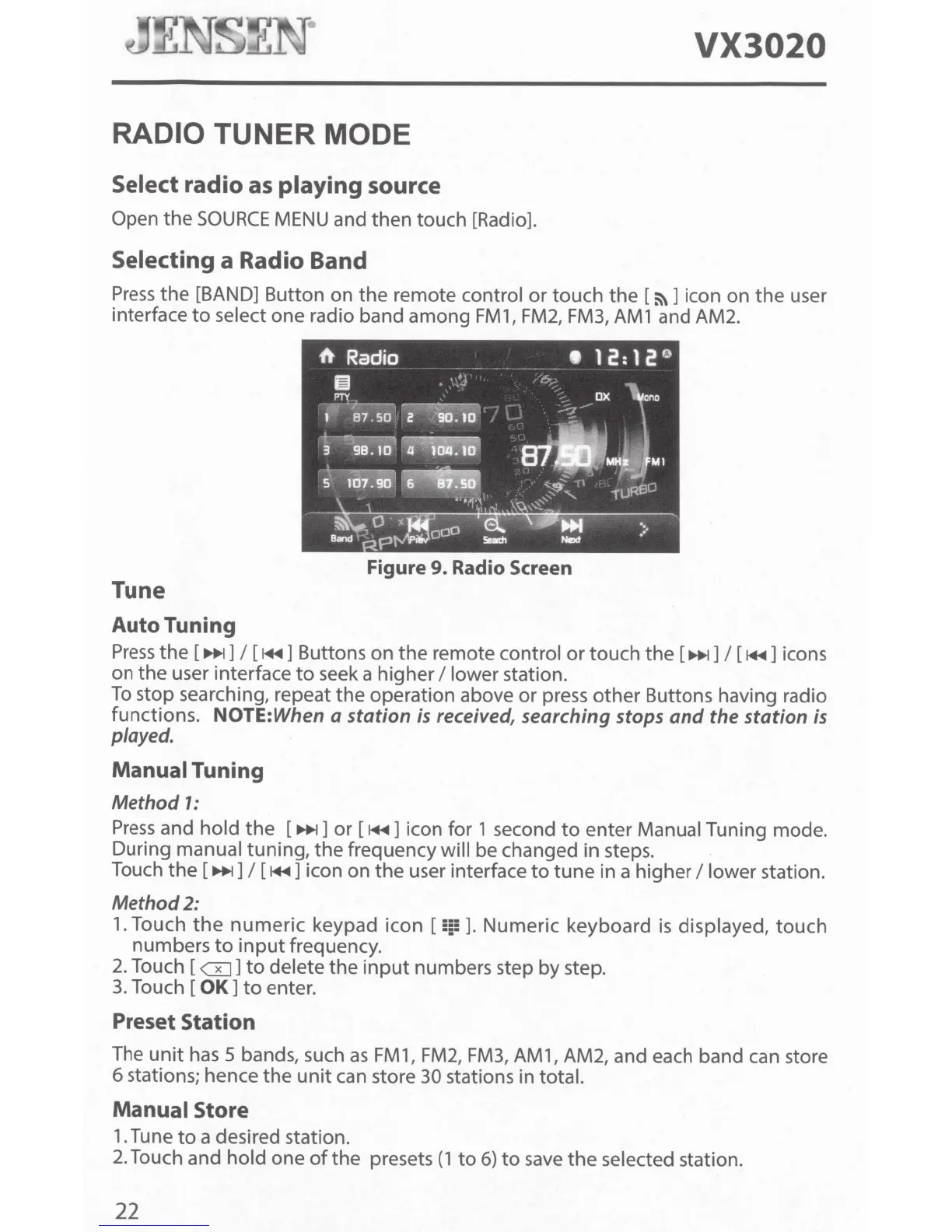
Figure
9.
Radio Screen
Tune
Auto Tuning
Press
the
[
~]
I
[
1+11]
Buttons on
the
remote control
or
touch
the
[
~]
I
[
1+11]
icons
on
the
user interface
to
seek a higher
I
lower station.
To
stop searching, repeat
the
operation above or press
other
Buttons having radio
functions.
NOTE:When a
station
is
received, searching stops
and
the station is
played.
Manual
Tuning
Method
1:
Press
and
hold
the
[
~]
or
[
1+11]
icon
for
1 second
to
enter Manual Tuning mode.
During manual tuning,
the
frequency will be changed in steps.
Touch
the
[~]I
[
1+11]
icon on
the
user interface
to
tune
in a higher
I
lower station.
Method2:
1.
Touch
the
numeric
keypad icon [
!!§!!
].
Numeric keyboard
is
displayed,
touch
numbers
to
input
frequency.
2.
Touch [
GJ]
to
delete
the
input
numbers step
by
step.
3.
Touch
[OK]
to
enter.
Preset Station
The
unit
has 5 bands, such
as
FM1,
FM2,
FM3,
AM1, AM2, and each band can store
6 stations; hence
the
unit
can store
30 stations in total.
Manual
Store
1.
Tune
to
a desired station.
2.
Touch and
hold
one
of
the
presets
(1
to
6)
to
save
the
selected station.
22



 To Next Page