30
VX3518 OPERATION
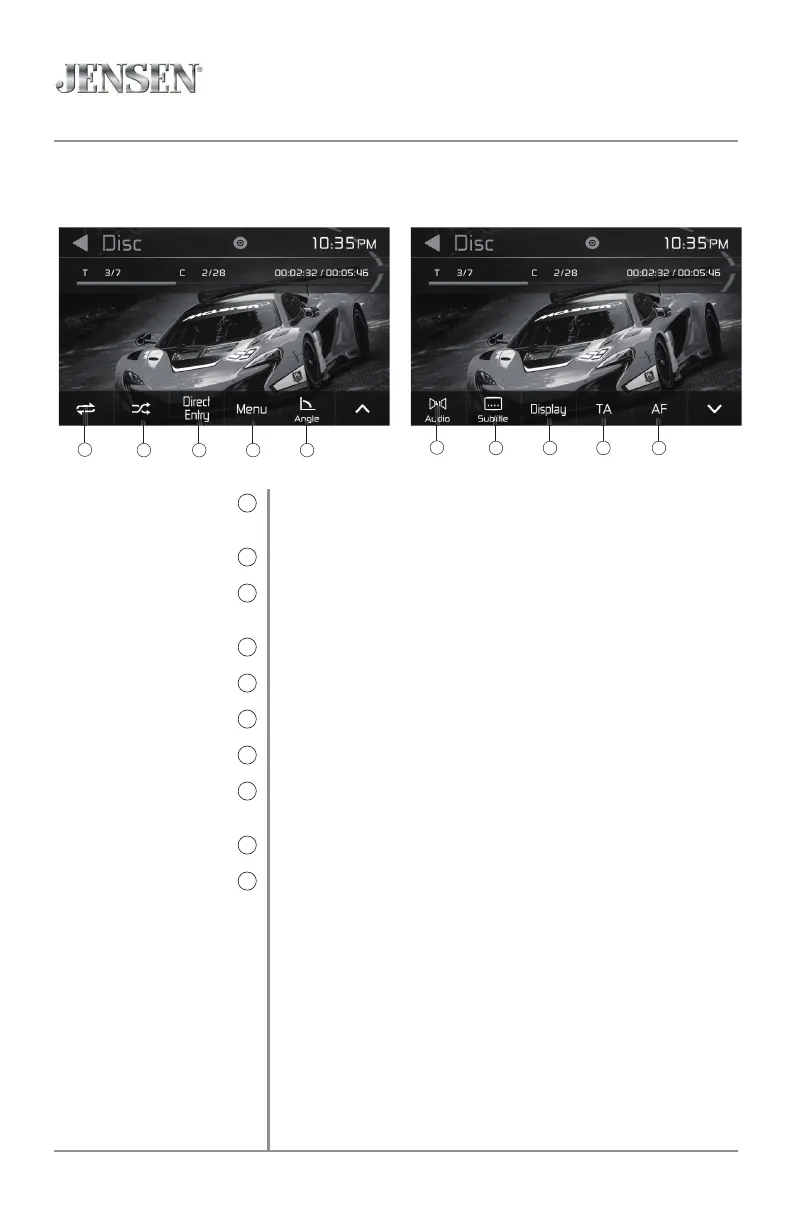
Press to select one of the following option for Repeat play: Repeat 1,
Repeat Folder, Repeat All or Repeat Off.
Press to select one of the following option for Random play: On or Off.
Press to access the keypa and directly enter title and chapter
information to begin playback at a specific point.
Press to return to the Main Menu screen.
Press to rotate the on-screen display.
Press to adjust audio options.
Press to access the subtitles.
Press to adjust the screen brightness, contrast, hue, saturation and
sharpness.
Press to turn the Traffic Announcements feature On or Off.
Press to turn the Alternative Frequencies feature On or Off.
Repeat
9
Random
10
Direct Entry
11
Main Menu
12
Angle
13
Audio
14
Subtitle
15
Display
16
Traffic Announcements
15
Alternative Frequencies
16
DVD Operation
9
10 11 12 13
14
15 16 17 18



 To Next Page